Let website activity run your campaigns using SendPulse pixels

Newsletter Archive
sendpulse-logo
sendpulse-logo
header-pixel-en-01
header-pixel-en-01
caleb
caleb

Caleb Smith

Product Marketer


“The SendPulse pixel takes care of two things at once — it tracks visitor actions on your website and helps you follow up on them at the right moment. It helps you monitor customer behavior and adjust your messaging for those who landed on your website through an email campaign, automated flow, or chatbot.”

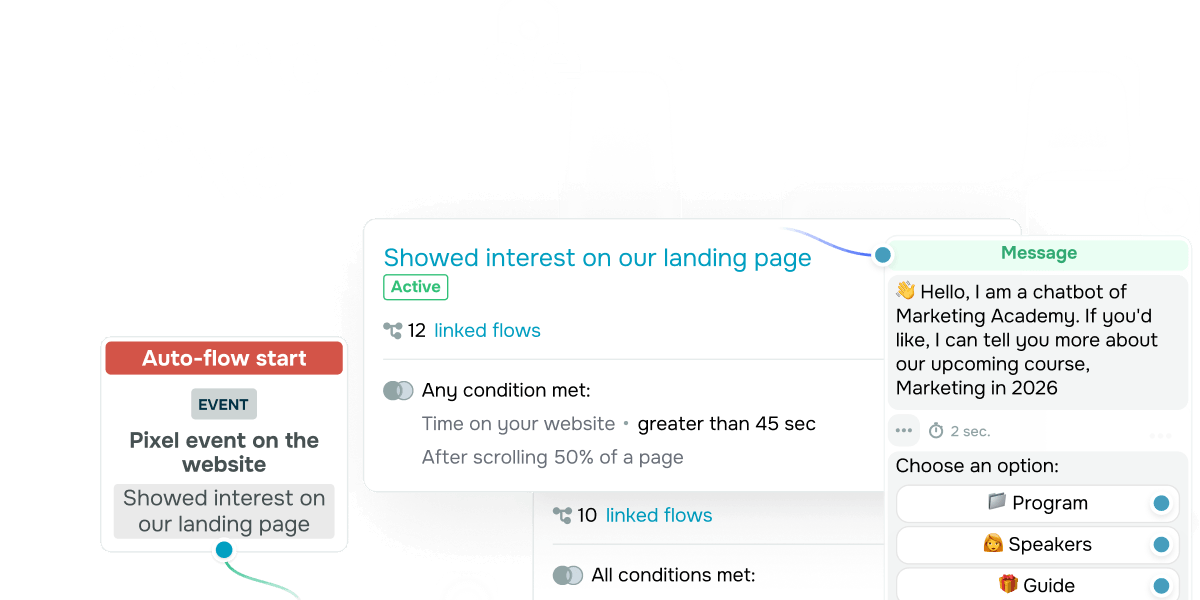
In the “Pixel” tab, you can add your website and set up events you want to track, like a visitor lingering on your website page, showing exit intent, or arriving from a specific campaign. From here, these events will trigger an automated flow or a chatbot campaign.

Here's how it works: when someone's browsing your website, instead of just watching them scroll away, you're automatically stepping in with a message tailored to their current interests, needs, and potential doubts. This keeps your interactions on point, captures attention at the right moment, and helps you boost conversions.

On top of that, every single event gets tracked in the statistics tab, giving you actionable insights into user behavior, UX performance, and your communication strategy.

Install a pixel

Not sure how it plays out in real life?
Here are a few examples to make it concrete.

 Case 1 

A visitor spends 20+ minutes on your pricing page

What's likely going on? They're seriously considering a purchase, but something's holding them back. They may be struggling to compare plan options, match the right plan to their needs, or justify the cost.

Automated communication scenario: You can reach out with a side-by-side plan comparison, real customer reviews, and a friendly offer to help them find the right fit.

 Case 2 

A visitor is about to leave your website

What does this tell you? They were interested in your product, but it wasn’t quite enough to make a purchase. They may need more clarity, a reason to trust, a compelling argument, or just an extra push to take the next step. 

Automated communication scenario: Bring back the spotlight on your biggest benefit, back it up with social proof, and seal the deal with a personalized, time-sensitive offer.

 Case 3 

A visitor browses 8 website pages in a single session

What could this mean? They're actively exploring your product or service, weighing options, or looking for the answers they need to make a final decision.

Automated communication scenario: Run a chatbot campaign that eases common concerns head-on and guides the user toward the most relevant next step, like a demo, a one-on-one session, or a free trial. 

You can also use multiple conditions for more precise targeting or create a custom event to track clicks of specific buttons, views of a particular product card, and more.

Install a pixel

Everything you need to know about pixel features, usage, and setup is waiting for you in our detailed self-help guides.

icon
icon

If you need help with setup or have any other questions, contact our tech support team — we're in touch 24/7.

Best regards, Caleb Smith
sendpulse.com

You received this email because you are a customer of SendPulse.

Unsubscribe

Sent via

SendPulse