🤖 Introducing the official SendPulse MCP server

Newsletter Archive
logo
logo
banner
banner
caleb
caleb

Caleb Smith

Product Marketer


AI models can suggest great ideas, but they can’t bring them to life on their own. With no real-time data or ability to take action, like update orders or send messages, their potential stays limited. 

The Model Context Protocol (MCP) changes that. This open standard bridges AI with external software and real-time data, which helps your AI agent turn static recommendations into dynamic actions and handle tasks independently. 

All of this is now available to you — try our own MCP server with our email builder with ease. Read on to see how it all works in action.

How to use SendPulse’s MCP server

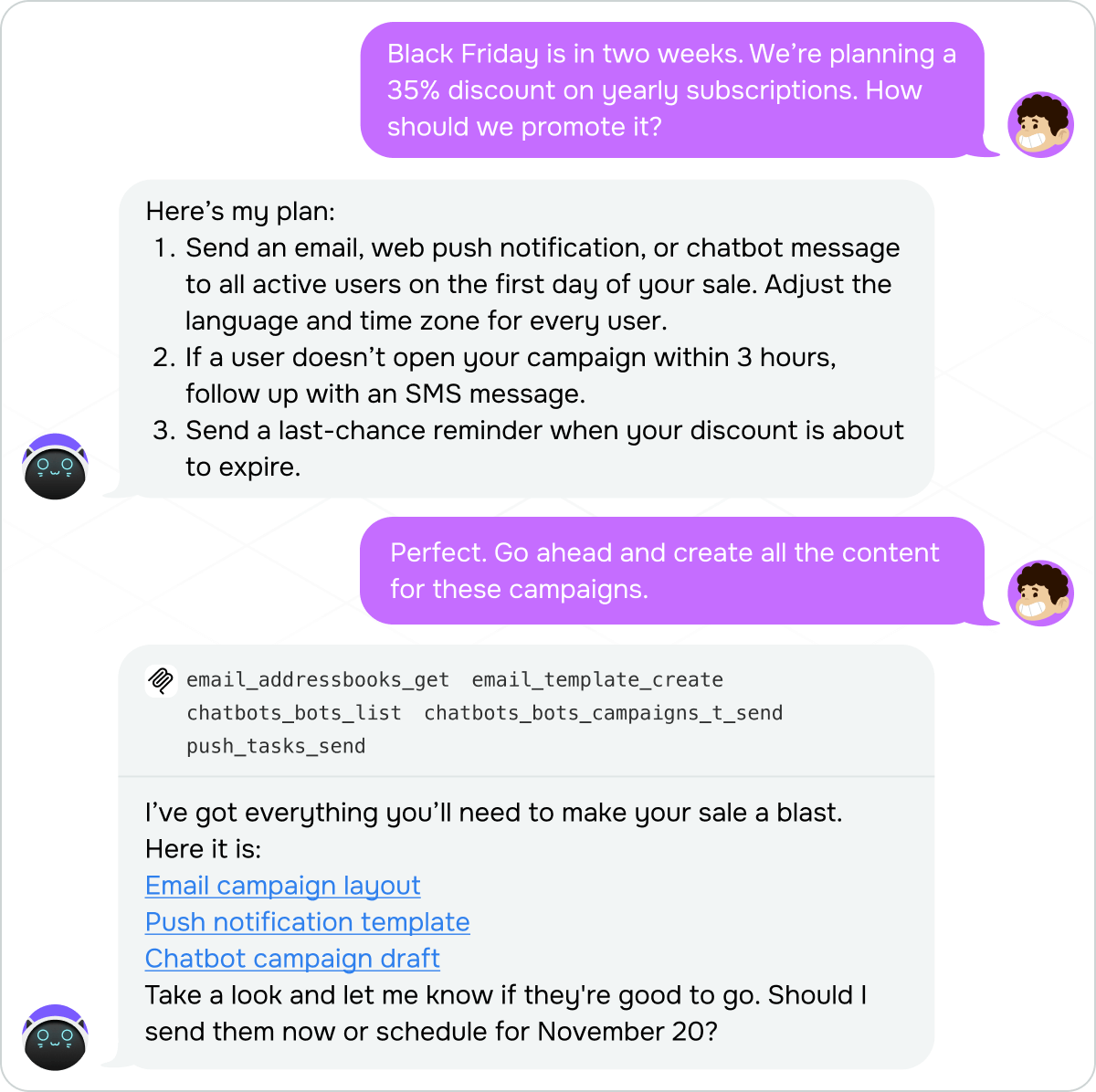
SendPulse’s MCP server is a great choice if you want your AI assistant to act right in your account and take over your workflows in our email marketing service. It can manage contacts, build mailing lists, create email campaigns, update subscriber data, and monitor email performance for you. You can also connect it to our chatbot builder, CRM system, and SMTP service.

Soon, you’ll be able to automate even more. Next on our roadmap is expanding MCP support to our pop-up builder. We’re also working on fully independent AI assistants capable of running complex workflows, including omnichannel campaigns.

en_baeeaff4
en_baeeaff4

AI agent running an advanced workflow

Our MCP server is designed to help you work faster, stay efficient, and reach your goals sooner.

MCP requests aren’t billed, but they do contribute to your token usage.

Integrate SendPulse’s MCP with our email builder

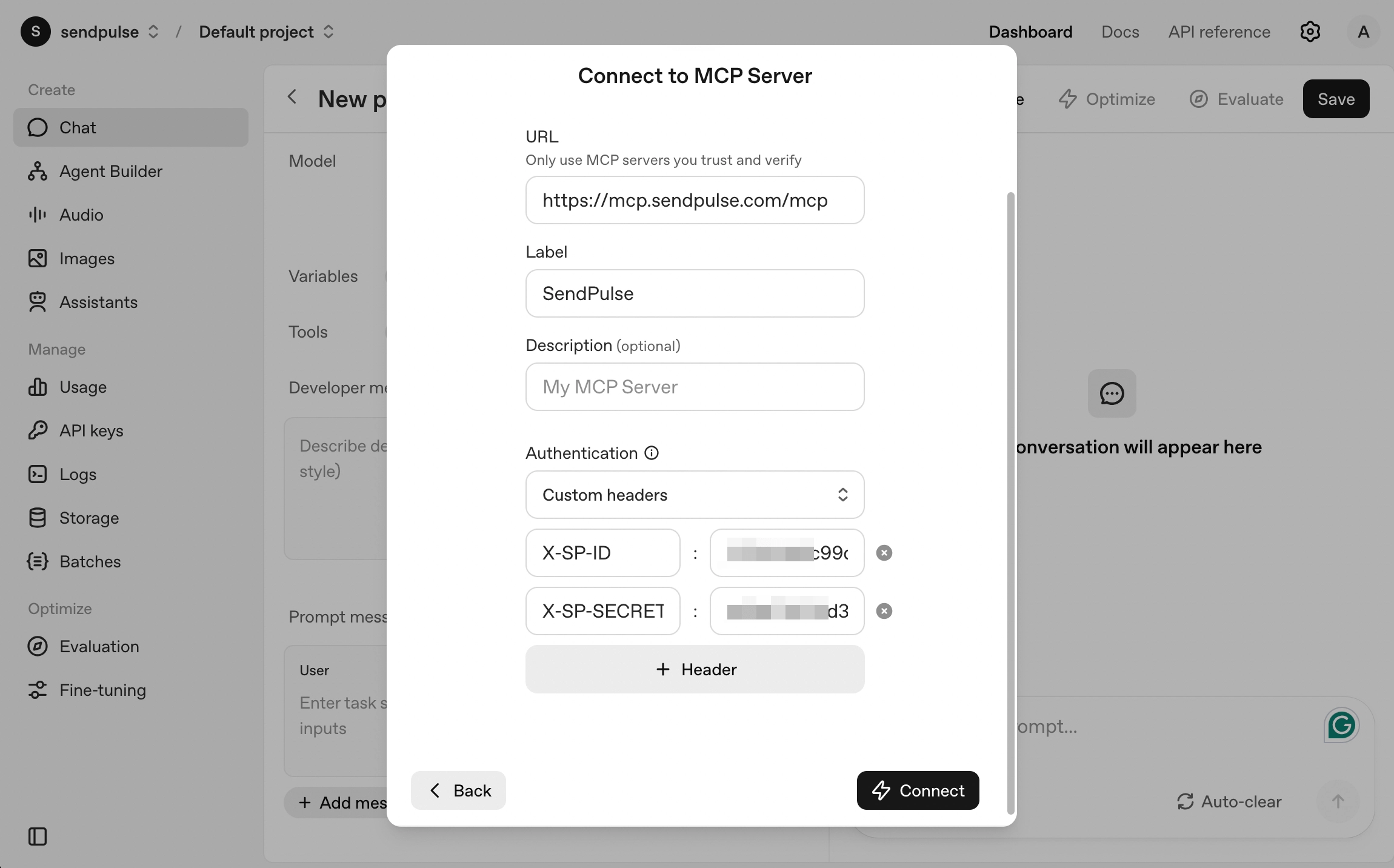
  1. Go to your client → Settings → Add a new server.
  2. Add SendPulse’s MCP server (https://mcp.sendpulse.com/mcp) and enter your account credentials.
  3. Select your preferred tools. Keep in mind that the more tools you add, the more time and tokens your task will take.
  4. Save your changes and get started.
scr3-min
scr3-min

Next, tell your AI assistant what to do using simple, natural language. You can then follow its progress or let it take action in your SendPulse account independently.

Learn how to integrate with SendPulse’s MCP server in our in-depth guide.

Add our MCP server
icon
icon

If you need help with setup or have any other questions, contact our tech support team — we're in touch 24/7.

Best regards, Caleb Smith
sendpulse.com

You received this email because you are a customer of SendPulse.

Unsubscribe

Sent via

SendPulse