“You can now show or hide your website blocks based on conditions to keep your content relevant, tailor visitor experiences, and drive higher conversions. See how you can make the most of every condition below.”
For all websites:
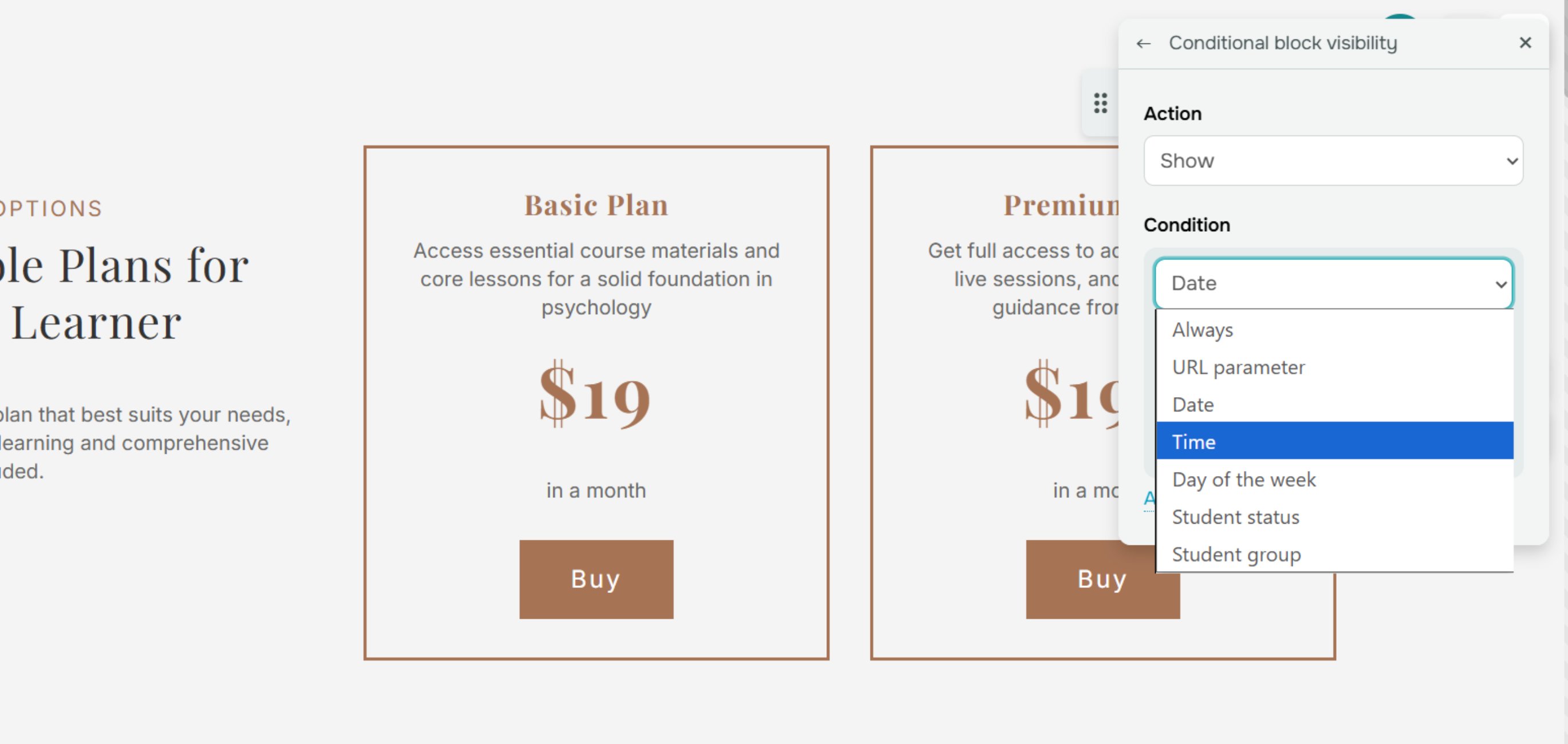
URL parameters. Deliver personalized offers to loyal customers who land on your website from a specific email campaign link.
Dates. Share your Black Friday discount only from November 15 to 30, then hide it automatically when the promo ends.
Time of day. Replace your click-to-call button with a message like “Drop your contact info and we’ll call you back tomorrow” between 9 p.m. and 8 a.m. to match your support team's schedule.
Day of the week. Show a block with your weekly digest every Sunday to share valuable insights and encourage visitors to return.
For academies and online courses
Enrollment status. Invite new visitors to start learning right away with a block saying something like “Take your first lesson for free” and featuring course highlights. Meanwhile, add another block to encourage enrolled students to join your Facebook community and keep them engaged.
Course group membership. Show the “VIP plan benefits” block, highlighting premium features and encouraging students on free or basic plans to upgrade.
Mix and match conditions to reach every audience with tailored and perfectly timed messages.