New filters in the “Students” tab, test progress reset, and more

Newsletter Archive
logo
logo
banner
banner
caleb
caleb

Caleb Smith

Product Marketer


“Over the past month, we’ve rolled out some exciting updates. Now, you can filter students by their pricing plans and learning progress, give another try to those who ran out of test attempts, and enjoy more advanced student account settings. Missed something? You’ll find all the details in this email!”

Streamline course management with new filtering options

Streamline course management with new filtering options

Manage courses and tailor communication effortlessly with new filters in the “Students” tab.


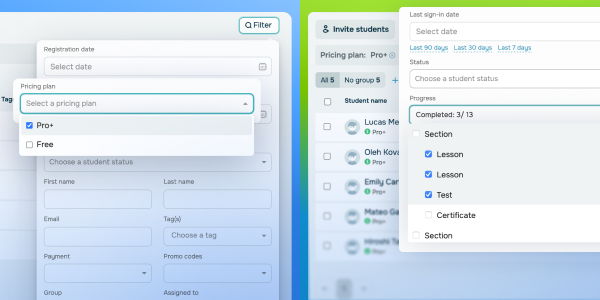
1. With the “Pricing plan” filter, you can easily single out students using a specific plan or those who haven’t picked one yet.

For instance, you can target students on the “Standard” pricing plan and highlight the benefits of upgrading to “Pro.” Alternatively, you can filter out students without a plan, remind them to pick one, and ensure they don’t miss out on course content or fall behind.


2. The “Progress” filter helps you track students who have completed specific lessons, passed tests, or received certificates to keep an eye on their achievements.

To give you an idea, you can spot learners who are “stuck” on a specific course section and guide them with extra tips or support resources.

Save time with smarter filters, focus on those who need guidance most, and deliver a more personalized and efficient learning experience.

Try out new filters
Give struggling students a fresh start

Give struggling students a fresh start

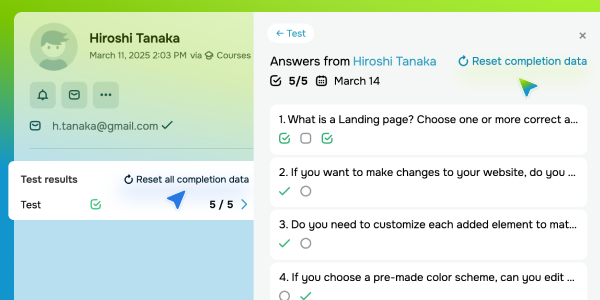
Now, you can support students who struggle with challenging course content and let them retake your tests, even if they’ve already exhausted all their attempts.

To do this, go to your student’s card, and under “Test results,” select the “Reset completion data” option for all tests or just a specific one. Here, you’ll also see the date of your student's last attempt and their previous answers. This will help you quickly spot mistakes and offer personalized feedback or extra resources so that students can succeed on their next attempt.

When you give your students more chances to master your course, you help them achieve better results and deliver a smoother learning experience.

Try it out
Enjoy advanced course settings

Enjoy advanced course settings

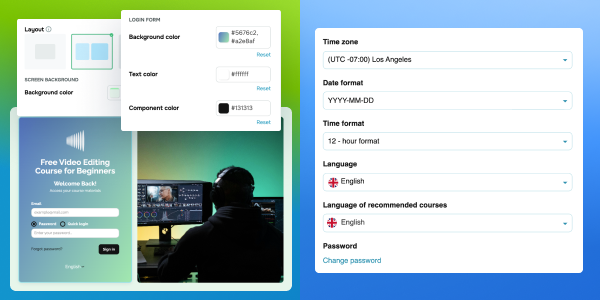
We've added more design options in your academy settings to enhance your experience. You can customize your academy theme with an extended color palette, choose from three login screen layouts, and fine-tune its interface to match your brand voice.

Your students can now select their time zone and preferred date and time format right in their accounts, so all upcoming lessons and tests appear in local time. This ensures their study schedule aligns accurately and helps them avoid confusion and missed activities.

Set it up
icon
icon

If you need help with setup or have any other questions, contact our tech support team — we're in touch 24/7.

Best regards, Caleb Smith
sendpulse.com

You received this email because you are a customer of SendPulse.

Unsubscribe

Sent via

SendPulse