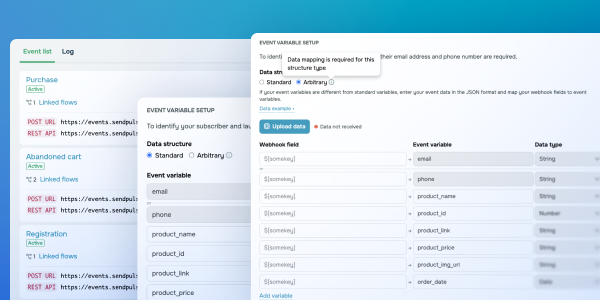
Event variable mapping Before, our “Event manager” could only recognize a contact when the “email” or “phone” fields were at the top of the JSON structure and matched our system field names. But not anymore! Now, every event comes with its own page, so you can easily map incoming webhook fields to event variables in Automation. You can also keep an eye on your event log with records of all received data. So, what happens now if webhooks from external systems don’t match the structure Automation expects? Let’s say the “email” or “phone” fields are buried deeper in the JSON, or even field names don’t match, like “customer_email” instead of “email.” No worries! You can easily map them to the right variables without having to adjust the webhook data first. Learn more about how to map event variables in our step-by-step guide. With this update, you'll have full compatibility with any incoming data structure — no need to modify webhooks in external systems. It also cuts down on setup time, reduces errors, and gives you full control over how you use received variables in your automated flows. |