Major chatbot builder updates

Newsletter Archive
SendPulse
Major chatbot builder update
Caleb Smith

Caleb Smith

Product Marketer


Thanks to your ideas, requests, and suggestions, we have introduced significant chatbot builder updates in 2024. In particular, we rolled out our Google Sheets integration, enhanced features for Telegram channels and groups, and implemented a public preview option for your chatbot flows.

Let's step into 2025 with new and exciting chatbot builder features!

Transfer chatbot subscriber data to the CRM system

Transfer chatbot subscriber data to the CRM system

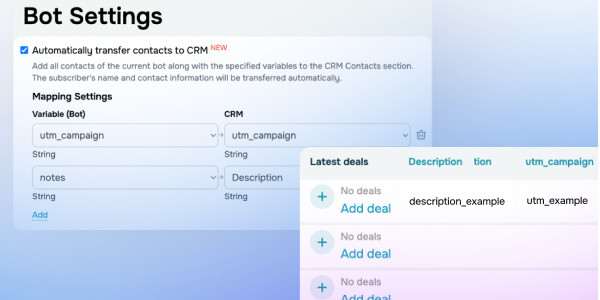
Select the "Automatically transfer contacts to CRM" checkbox in chatbot settings to add your bot’s existing audience to the "Contacts" section in the CRM system. Contact names, phone numbers, and email addresses will be transferred automatically. You can also map your chatbot variables and CRM contact fields. 

Learn more about chatbot subscriber data in our knowledge base.

Transfer data
React to messages in WhatsApp and Telegram chatbots

React to messages in WhatsApp and Telegram chatbots

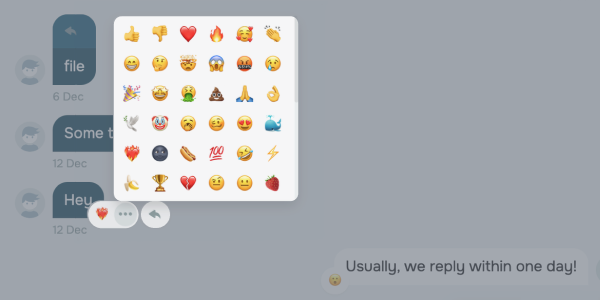
Enhance natural communication between your Telegram chatbot and its subscribers using quick reactions. React to subscribers' messages sent in WhatsApp chatbots within the last 30 days and view their reactions to yours. In Telegram chatbots, this feature is available without time limits.

Sync variable arrangement in the "Audience" and "Conversations" tabs

Sync variable arrangement in the "Audience" and "Conversations" tabs

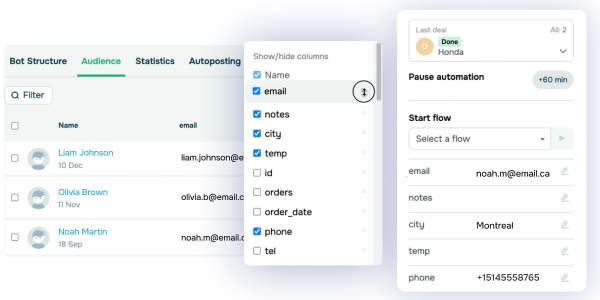
From now on, if you hide or show variable columns in the "Audience" tab, these adjustments will carry over to variables in the "Conversations" tab. Hidden "Audience" columns will appear below visible ones in the "Conversations" tab.

Edit deals created in other chatbot flows

Edit deals created in other chatbot flows

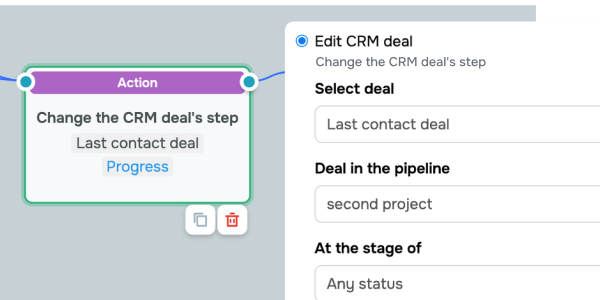
In the “Action” element > the “Edit CRM deal” option, you can now select “Last contact deal” even if the deal was created outside the current flow. Select a deal pipeline and stage to narrow down your deal options.

Send stickers to your Telegram chatbot subscribers

Send stickers to your Telegram chatbot subscribers

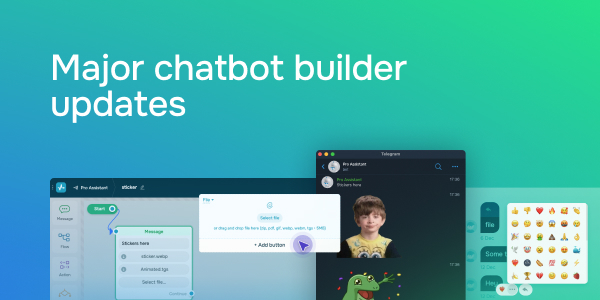
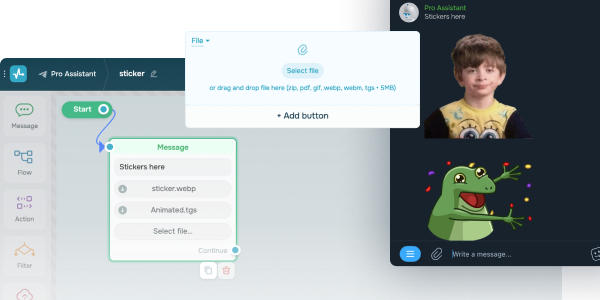
You can now upload .webp, .webm, or .tgs files to your Telegram chatbot messages and send them as stickers (.webm and .tgs files can be animated). To do this, drag stickers from Telegram to your device's desktop, then upload them as files to the chatbot builder or chats.

Chatbot payment page updates

If you have selected the "Any amount" option for your payment button, chatbot subscribers can type in a payment amount or select one of the preset options.

icon

If you need help with setup or have any other questions, contact our tech support team — we're in touch 24/7.

Best regards, Caleb Smith

sendpulse.com

You received this email because you are a customer of SendPulse

Unsubscribe

Sent via

SendPulse