Three major online course builder updates

Newsletter Archive
SendPulse
Three online course builder updates
Caleb Smith

Caleb Smith

Product Marketer


«We are constantly refining our online course builder’s features.

Today is no exception — we’ve got three significant updates for you! »

The “Hidden” status for course lessons, tests, sections, and certificates

The “Hidden” status for course lessons, tests, sections, and certificates

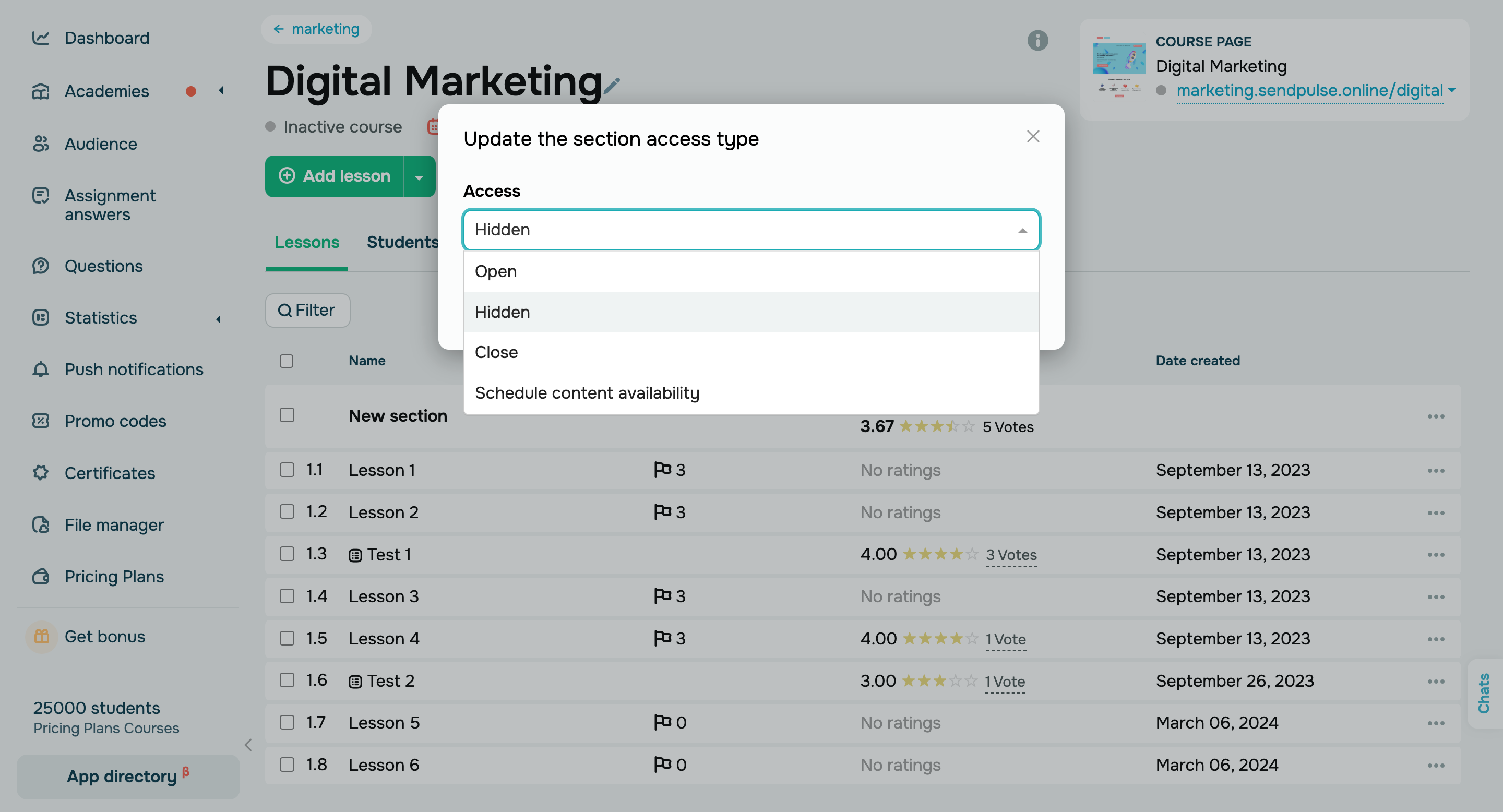
From now on, you can set your course content status to "Hidden" to hide it from your students and manage it unnoticed. 

Hidden content appears only in the course builder and instructor accounts. It does not affect students’ course progress. To allow your students to view hidden content, change its status to “Open,” “Close,” or “Scheduled.”

Set a new status
Test and lesson ratings in instructor accounts

Test and lesson ratings in instructor accounts

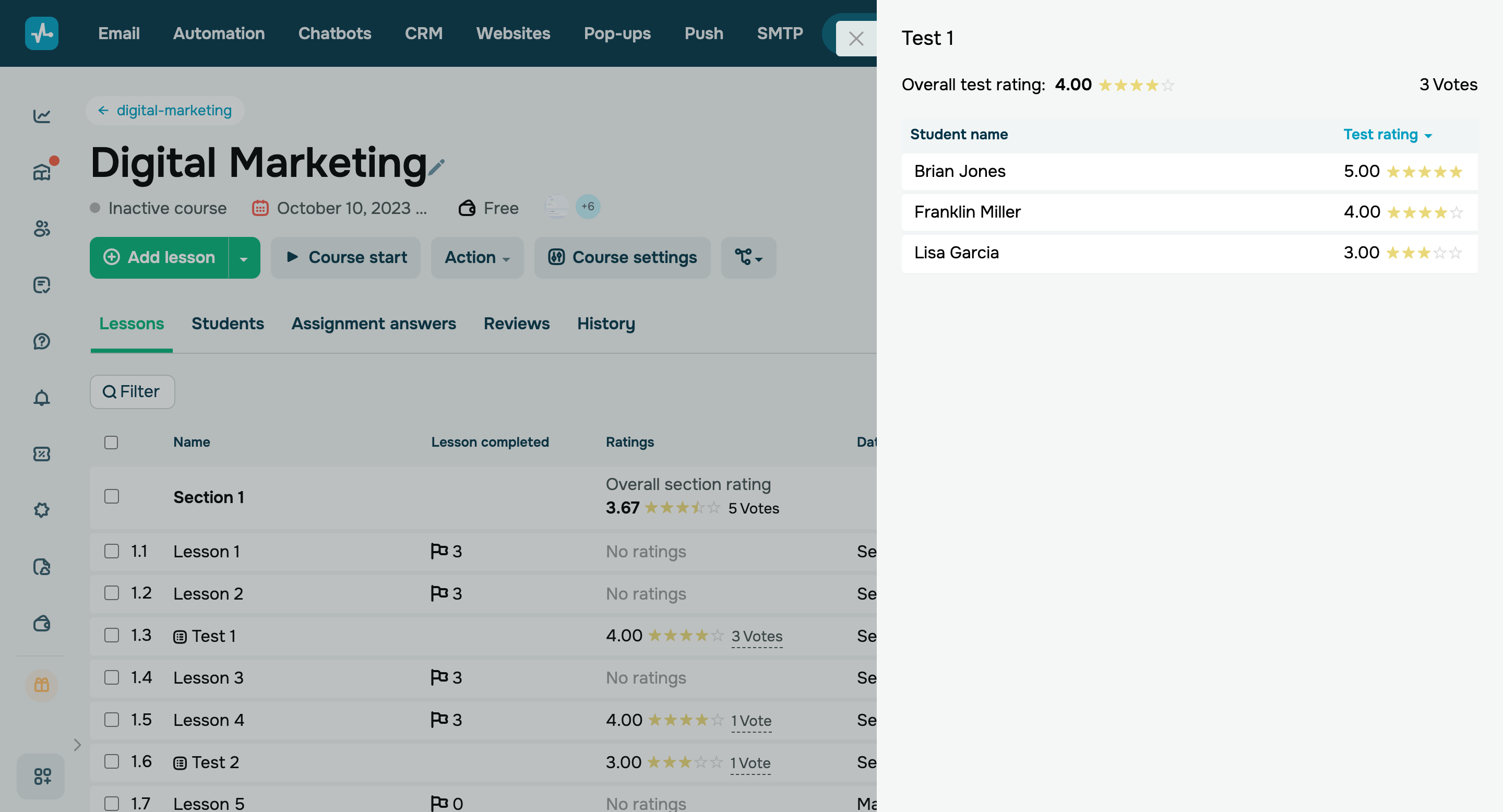
Previously, you could view how students rated your lessons and tests only in student accounts. Now you can check course content ratings in your lesson list. 

To see who rated your course content, click the number of votes. You can also filter your lessons and tests by ratings — from highest to lowest and vice versa.

Try it out
New course history events

New course history events

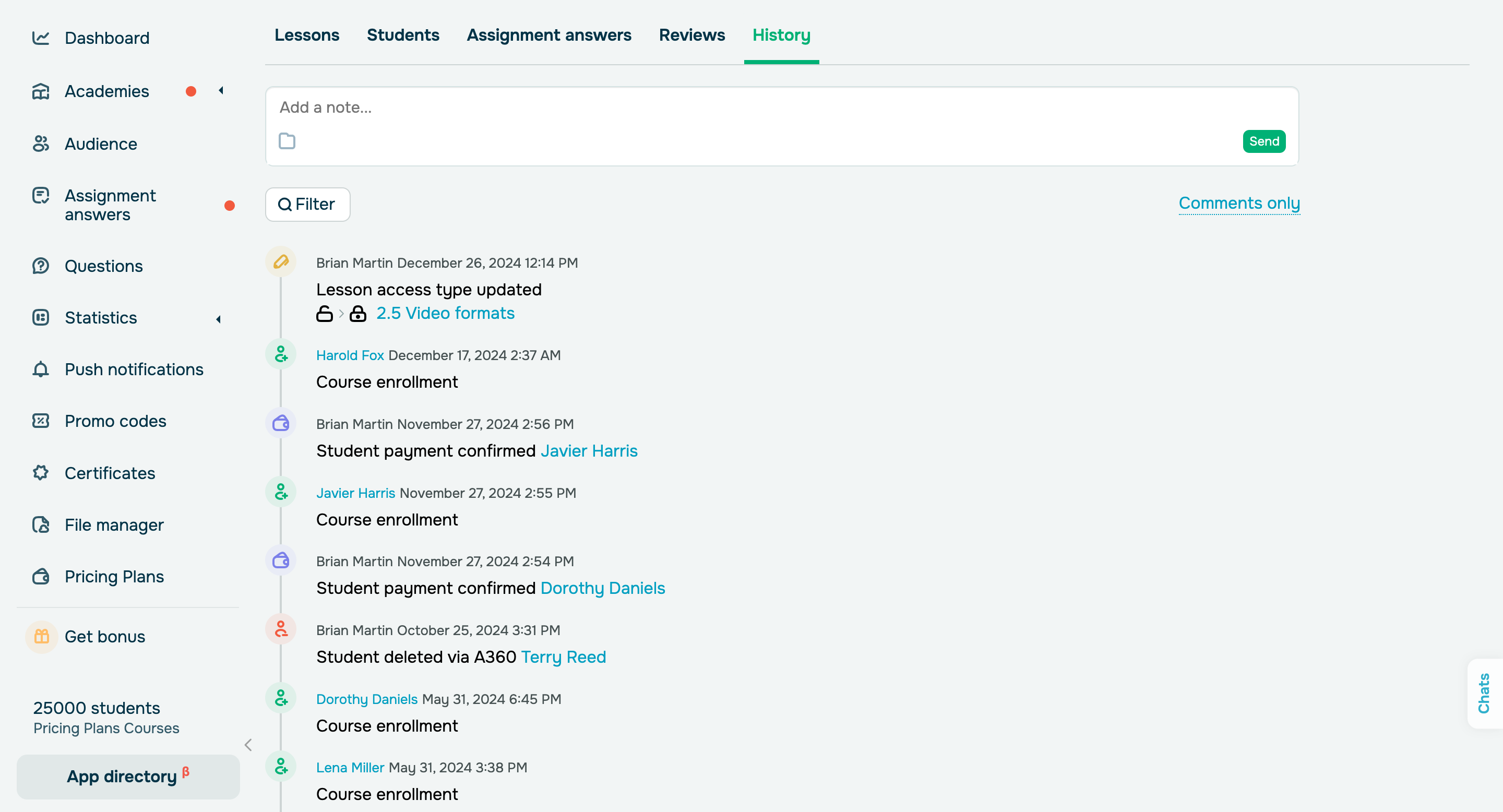
We have added new event options to the course history and improved the operational logic of the existing events.

New events include:

  • changing a lesson, test, section, or certificate status to “Close,” “Open,” “Scheduled,” or “Hidden”;
  • updating course email notifications and their settings.

The timeline will show who edited your content and when, meaning that you can stay on top of your course updates at all times.

Learn more
icon

If you need help with setup or have any other questions, contact our tech support team — we're in touch 24/7.

Best regards, Caleb Smith

sendpulse.com

You received this email because you are a customer of SendPulse

Unsubscribe

Sent via

SendPulse