πŸ”” Export automated flow statistics as an agency

Newsletter Archive
SendPulse

Hello! We’ve got some pretty good news for you!Β 

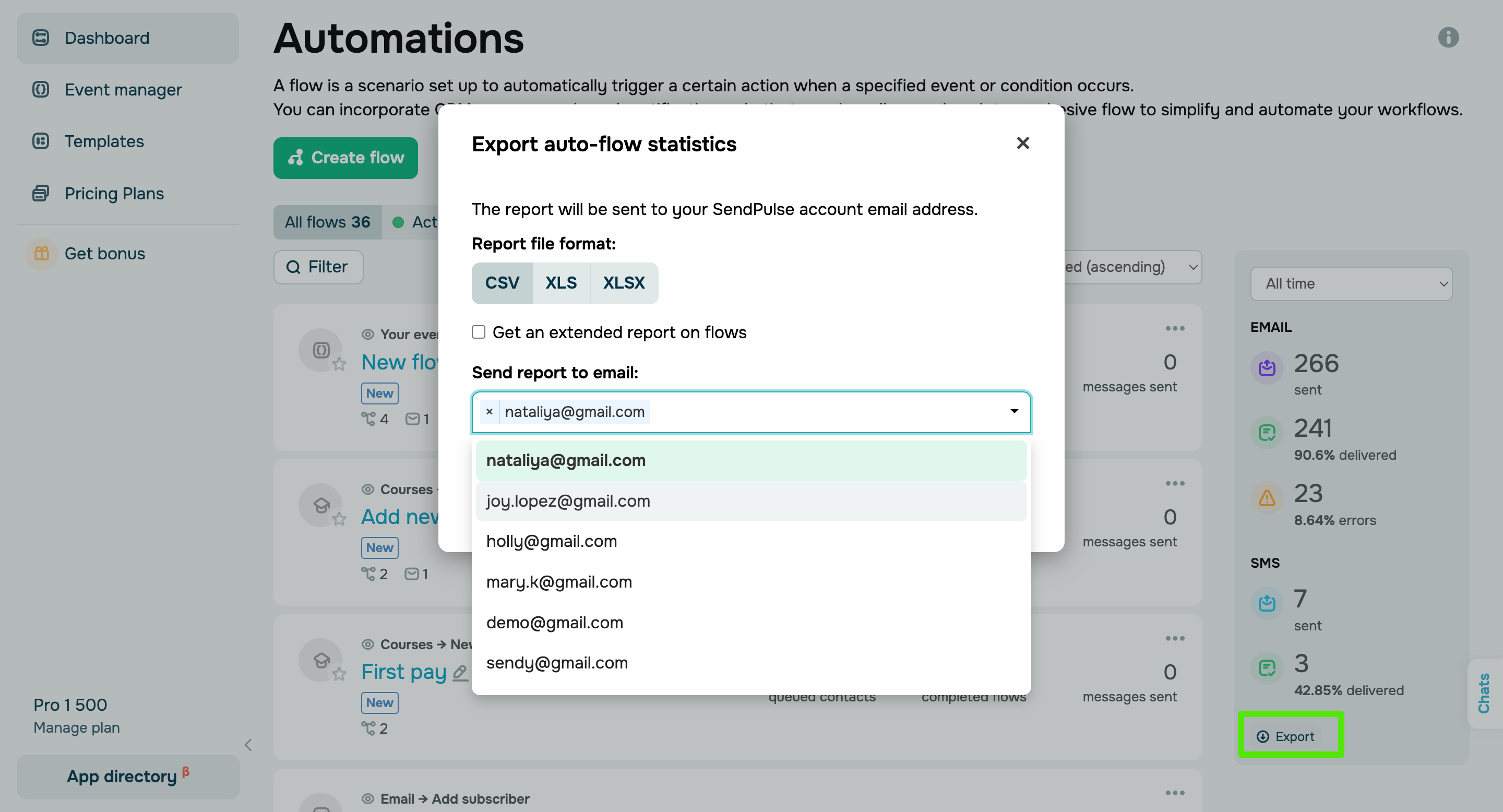
We've upgraded our statistics export feature to save you time and streamline your workflows. Now you can send in-depth statistics on automated flows right to your agency's or your clients' email addresses with ease.

agentsiji_eksport_ENG

To export statistics, follow these steps:

  1. Select the timeframe for which you want to download statistics.
  2. Select a file format: CSV, XLS, or XLSX.
  3. Choose the email addresses to which you want to send the report.

If you export statistics from a client account, you can send the report file to your own, your client's, or any invited user's email address. If you don’t specify any recipient, the report will be sent to your client SendPulse account email address.

If you export statistics from your agency account, you can send them to your own, your agency's, or both email addresses simultaneously.


If you need help with your Agency Area or have any other questions, please reply to this email.

olya_kukharuk_3

Olga Kukharuk

Partnership Manager | SendPulse


You received this email because you signed up for the SendPulse pertnership program. 
Unsubscribe

Sent via

SendPulse