πŸ”₯ 6 deal, contact, and task automation updates in the SendPulse CRM system

Newsletter Archive
SendPulse
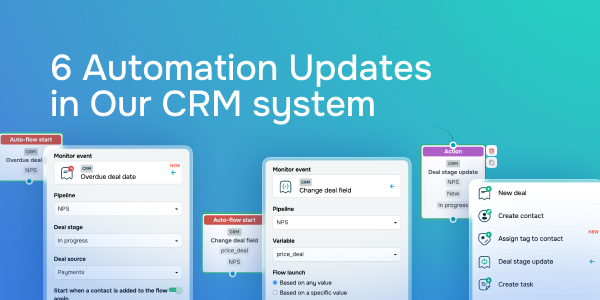
6 Automation Updates in Our CRM system
Caleb Smith

Caleb Smith

Product Marketer


β€œWith Automation 360, you can automate your teamwork and ongoing deals, tasks, and contacts in the SendPulse CRM system. New triggers and actions will help save your time and optimize your workflow."

New automated flow launch triggers in our CRM system

New automated flow launch triggers in our CRM system

From now on, you can launch automated flows using two new triggers:

  • Overdue deal date;
  • Change deal field.

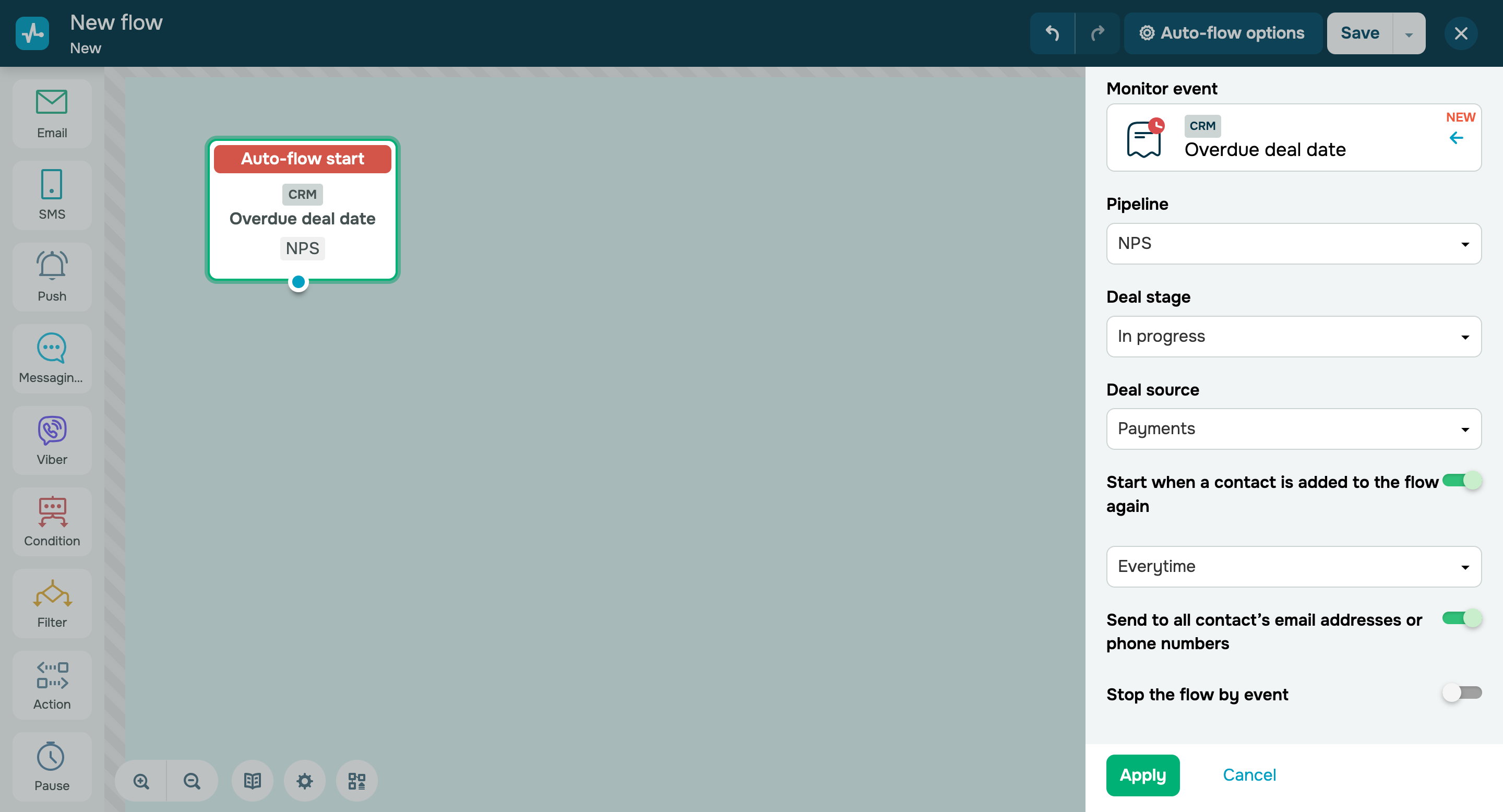
The β€œOverdue deal date” trigger starts a flow when your deal’s due date expires. You can use it to convert customers or remind them about your deal.

The CRM system checks for overdue deals every 5 minutes, including 5 minutes before the trigger is set up. For example, if you create a flow and set the trigger at 1:30 PM, a deal that becomes overdue at 1:26 PM will also trigger the flows, the date and time of which fall within the 5-minute interval.

New automated flow launch triggers in our CRM system

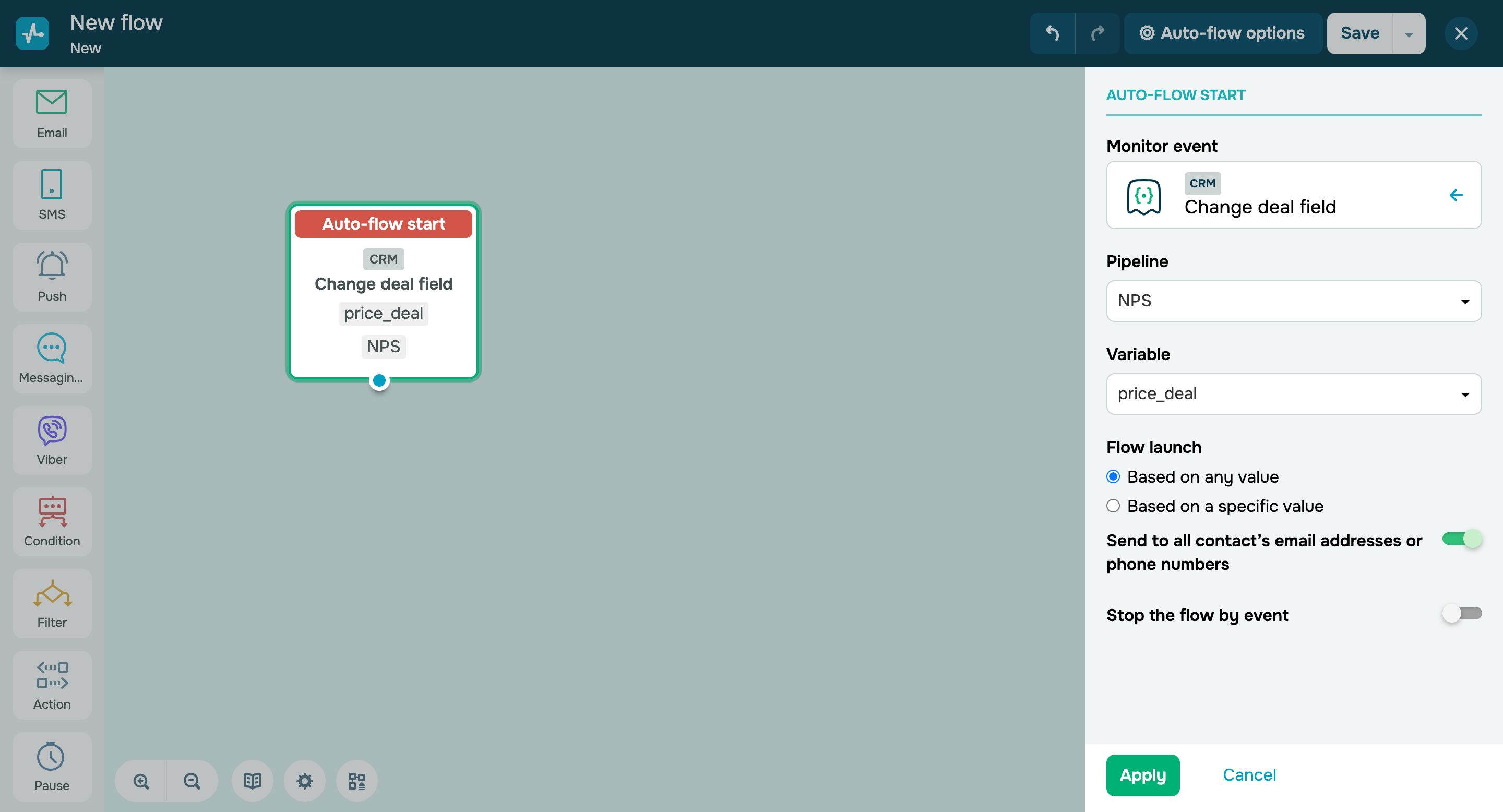
Your automated flows will also be triggered when a deal variable value changes to any or a specific value. All user and three system variables (a deal name, cost, and currency) are now available for tracking. For example, you can notify your customers about a deal price change.

Set up a trigger
Updates to the "Action" element

Updates to the "Action" element:

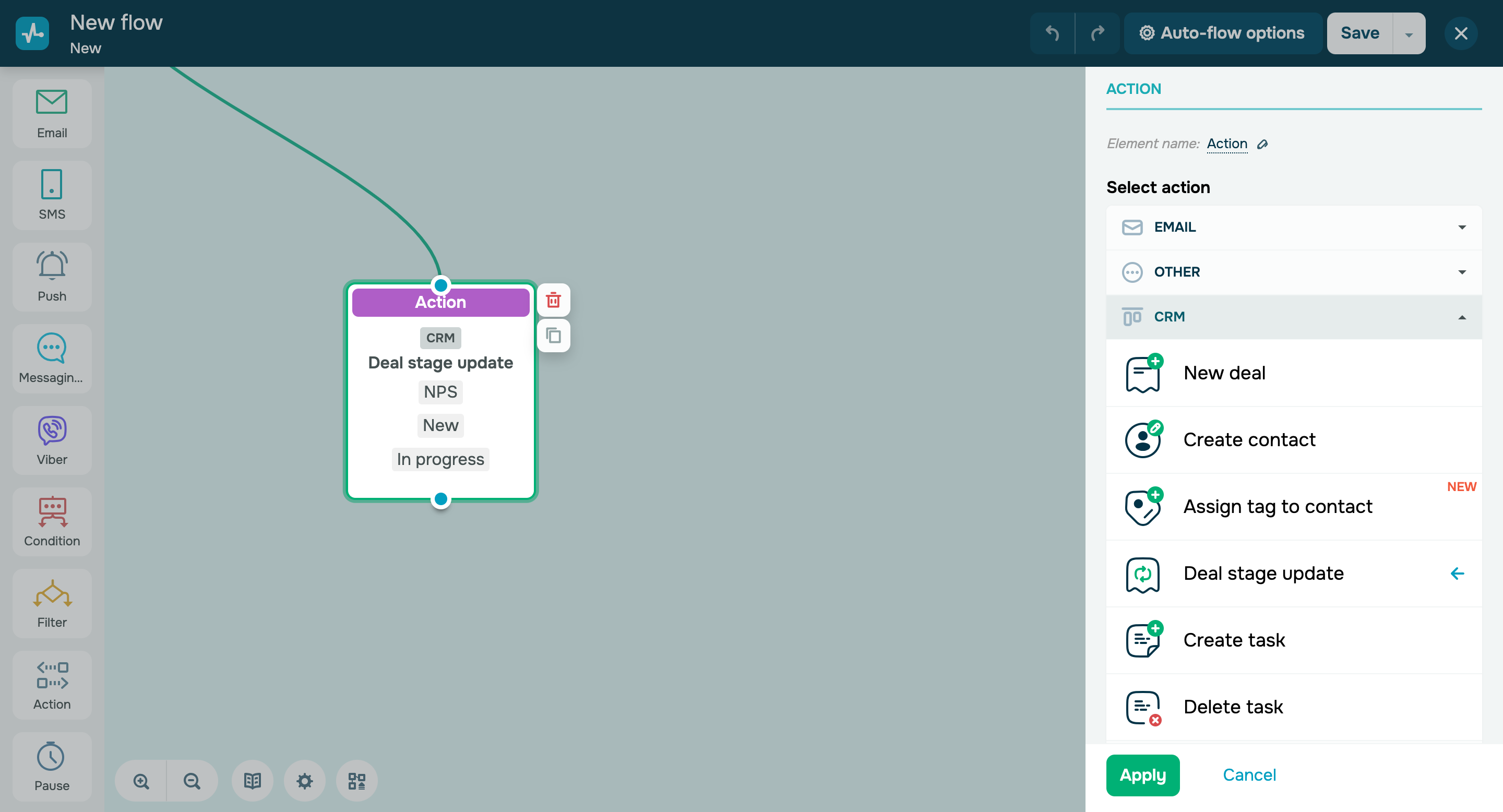
Four new actions are now available:

    • The β€œAssign tag to contact” action applies to triggers related to your CRM contacts, like "New contact," "Tag assignment," and β€œChange contact variable.” This option enables you to filter your contacts by a specific attribute.
    • The β€œChange contact variable” action updates your selected contact variable. The option is disabled by default and changes variable values only within your flow. This action applies only to flow launch triggers directly related to contact management.
    • The β€œDeal stage update” action allows you to close deals in the CRM system automatically. You can mark a deal as "Successful" or "Unsuccessful" and then archive it. On top of that, you can view deal data at every stage in your deal history and use this information in your flow.
    • The β€œCreate task” action adds a task and assigns a team member to it. You can create a new task in the CRM system through Automation 360Β and assign a team member to your contact or deal at the start. If there is no assignee, the task will be delegated to the account owner.
    Set it up
    icon

    If you need help with setup or have any other questions, contact our tech support team β€” we're in touch 24/7.

    Best regards, Caleb Smith

    sendpulse.com

    You received this email because you are a customer of SendPulse.Β 

    Unsubscribe

    Sent via

    SendPulse