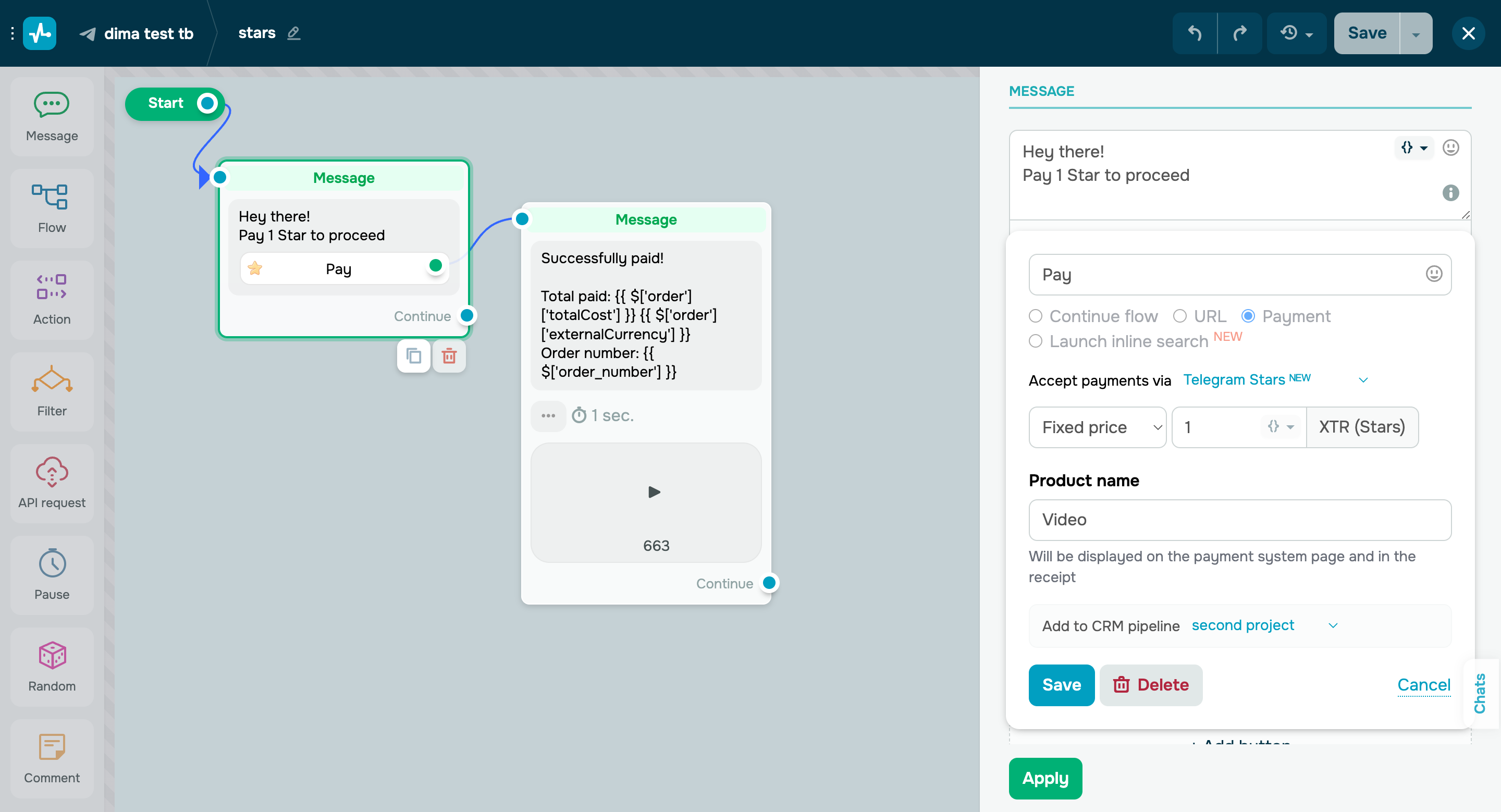
Accept payments in Telegram Stars In your Telegram chatbots, you can now accept payments in Telegram's internal currency, Stars. To enable Telegram Stars payments, you need to: - add a payment button to your message and type in a button text in the field;
- select the Telegram Stars payment method;
- select a payment type and enter a payment amount;
- enter your product name;
- save and apply your changes.
Once a user clicks your payment button, they will be able to pay for your product without having to leave the app. The money will be immediately transferred to your account. You can also refund payments in the “Accept Payments” section if needed. Learn more about how to accept payments via chatbots in our knowledge base. |