đź”” Major chatbot builder updates

Newsletter Archive
SendPulse
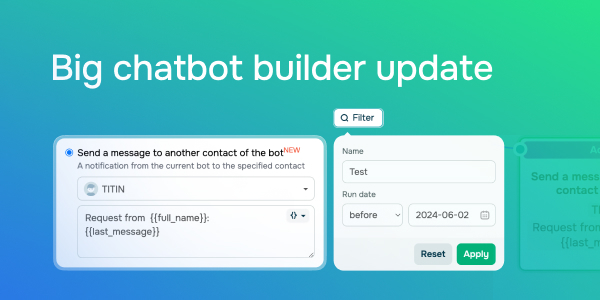
Big chatbot builser update
Caleb Smith

Caleb Smith

Product Marketer


“Summer is no excuse to pause development. We're starting off the new season with a long-awaited update to our chatbot notification system and the new flow element recipient filter. 

Keep reading this email to discover the other 7 fresh features!”

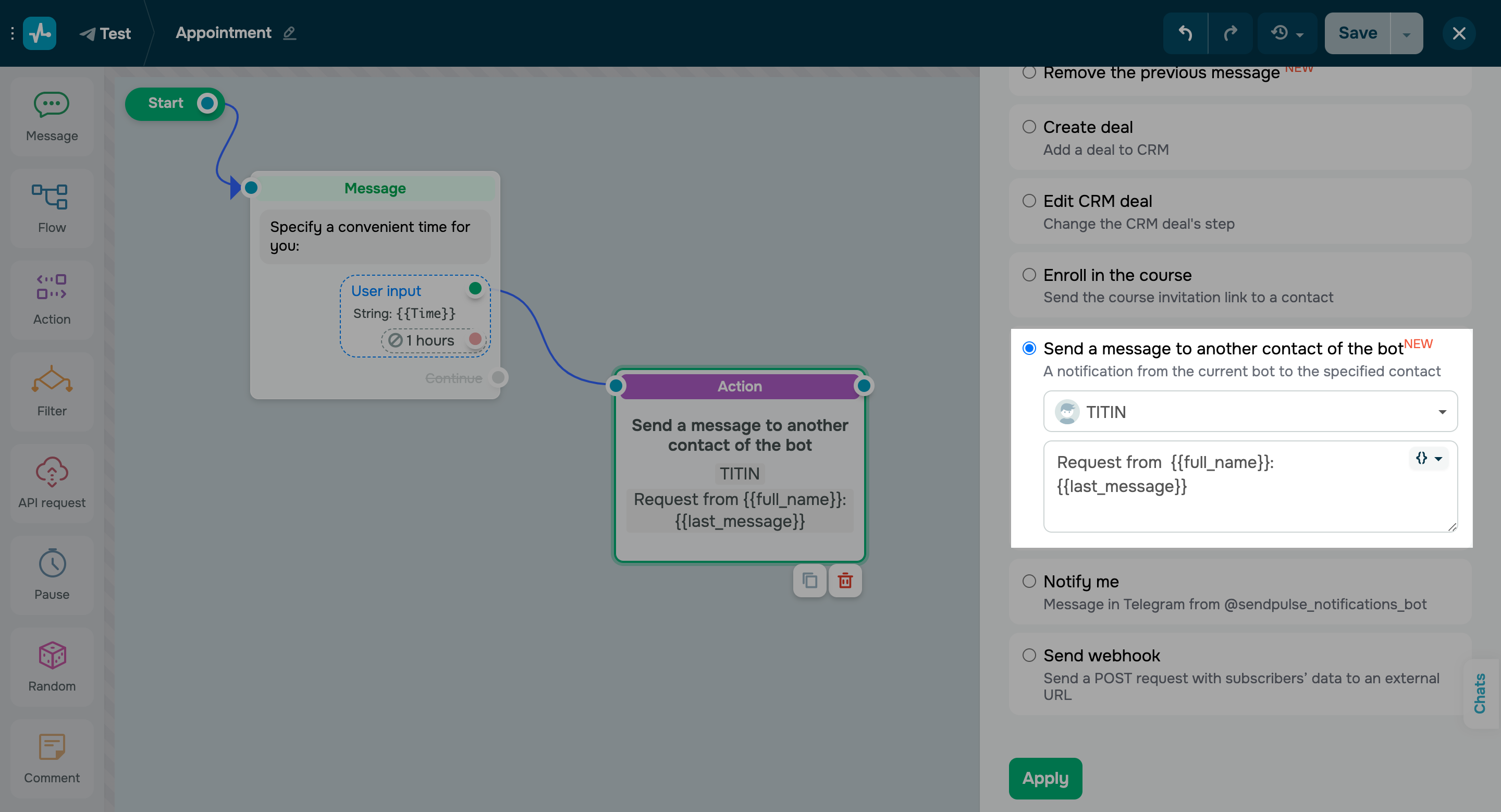
Send a message to another bot contact

Send a message to another bot contact

We have recently updated our chatbot notification system. You can now receive important notifications not only via the SendPulse Notifications bot but also through the “Notify me” element. Also, you can now send a message to a specific chatbot contact, Telegram group, or channel. 

Follow these steps to send a message to a specific chatbot contact:

    • Select the “Send a message to another contact of the bot” option in the “Action” element.
    • Choose the contact that should receive notifications.
    • Enter your notification text and use variables if needed.
    Set up chatbot notifications
    Disable user input indicator

    Disable user input indicator

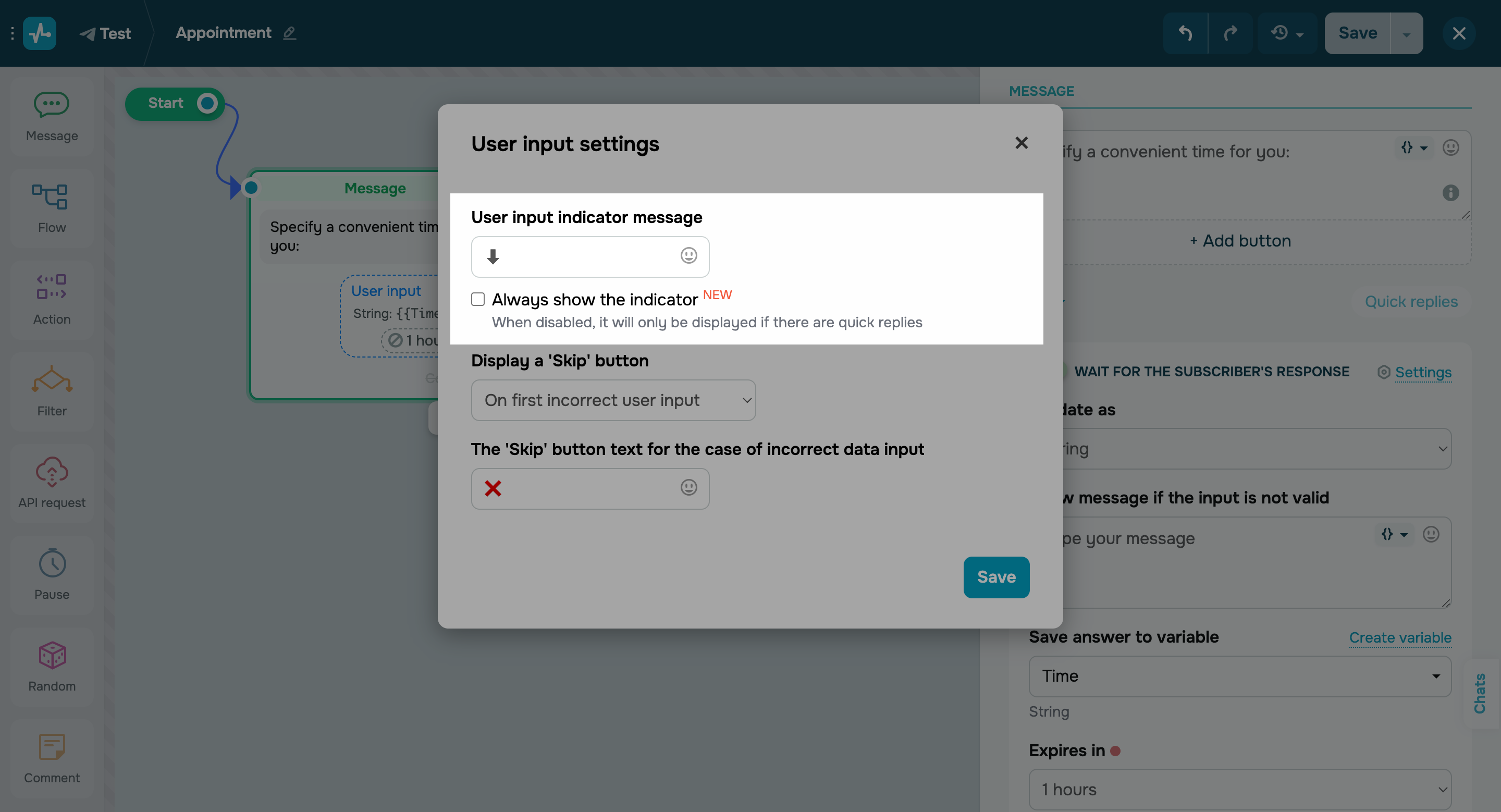
    You can now turn off the user input indicator in your settings (it’s on by default).

    Important note: if quick replies are enabled, the arrow icon or your custom user input indicator will still be visible, even after you've turned it off.

    Disable user input indicator
    Filter recipients of your flow elements

    Filter recipients of your flow elements

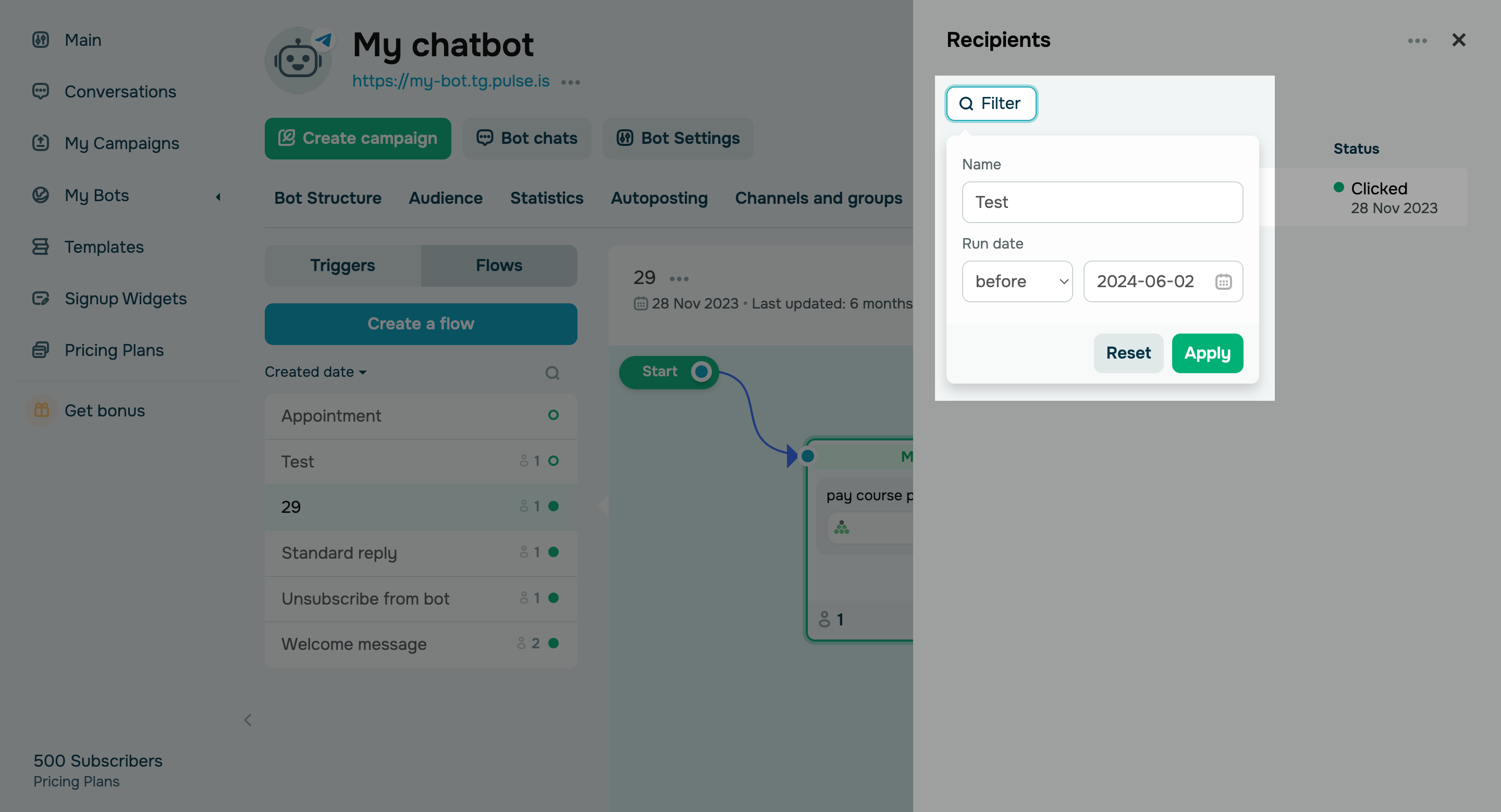
    You could previously click the total number of your “Action,” “Message,” and “Flow” element executions and view their statuses for every recipient. From now on, you can filter the list of element recipients by contact name and element execution date. Moreover, you can now export your filtered audience segments or launch separate flows for them.

    If you've accidentally launched a flow with incorrect information, this option will allow you to reconnect with your audience and clarify the details. Also, you can use it to check whether a specific contact has passed through an element at all or within a specific time frame.

    Try the new filter
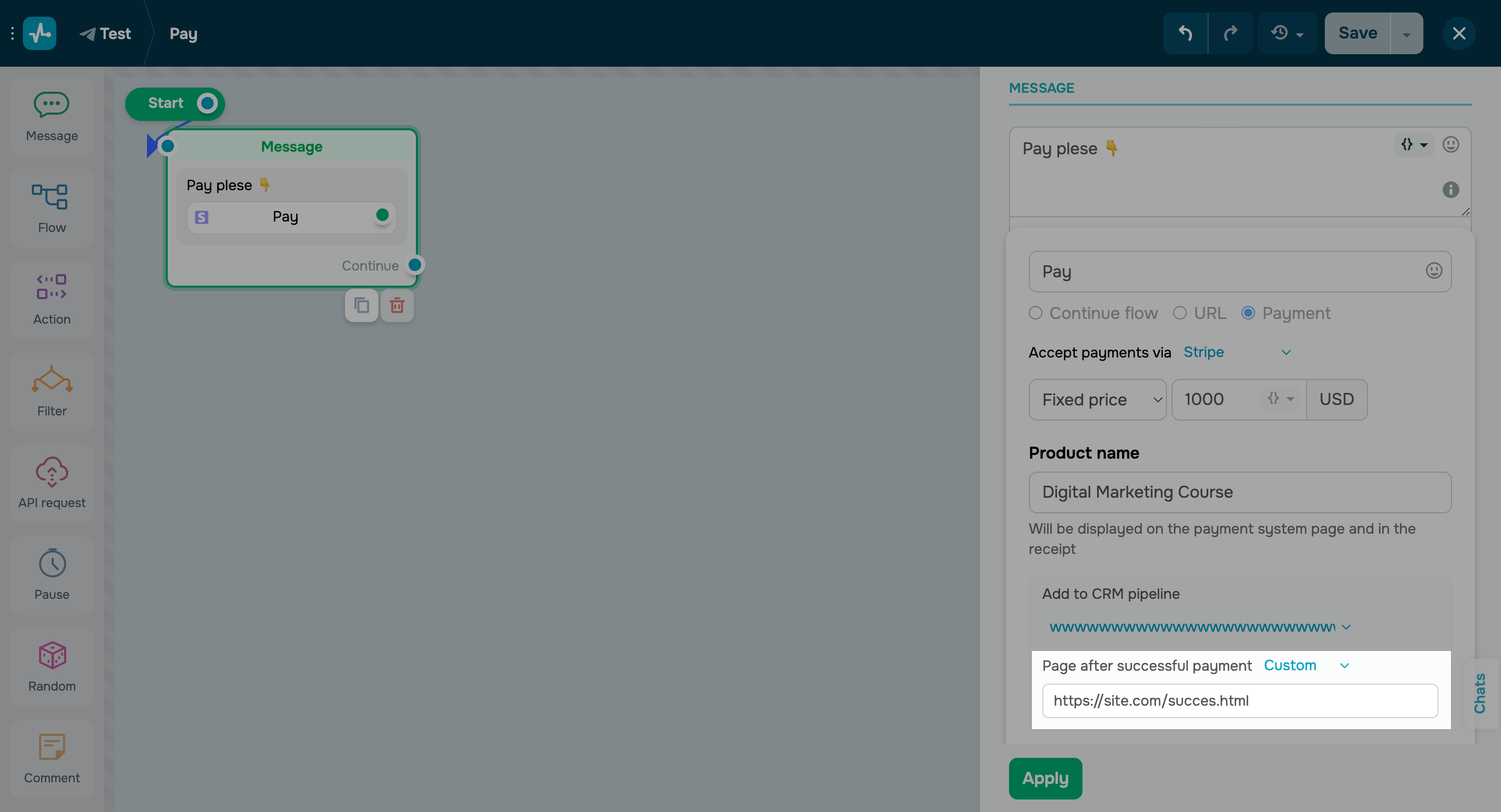
    Custom successful payment page

    Custom successful payment page

    If you add a checkout button with a payment method that supports redirection after payment, you now have the option to create a custom successful payment page for your chatbot.

    Learn more about how to accept chatbot payments in our knowledge base.

    Create a custom page

    Re-add deleted subscribers to your chatbot audience

    If your previously deleted user sends a message to your chatbot again, they will now get re-added to your chatbot audience with a new subscriber ID and the “Active” status. 

    They will continue to receive triggered messages and flows as usual.

    Learn more about how to manage chatbot subscribers and their data in our knowledge base.

    Updated comment management in Instagram chatbots

    You can now add the “Matches with” and “Contains” keyword search criteria to your “Comment on your post” trigger when the “Specific comment text” option is selected.

    Also, automated public replies to comments under your Instagram posts are now available for standard replies. Previously, this option was only available for comments with specific keywords.

    Add chatbot buttons to your live chat’s welcome menu

    You can now add chatbot subscription buttons to your live chat’s welcome menu to get more chatbot subscribers. Once you add a new subscriber to your chatbot, their UTM tags and subscription source data will be automatically transferred to their contact card.

    Try it out

    On top of that, you can now also:

      • Attach a 2 GB Telegram video to your chatbot message.
      • Only receive new messages via API and add them to your previously received list using the search_after parameter of the /chats/messages method.
      icon

      If you need help with setup or have any other questions, contact our tech support team — we're in touch 24/7.

      Best regards, Caleb Smith

      sendpulse.com

      You received this email because you are a customer of SendPulse. 

      Unsubscribe

      Sent via

      SendPulse