Track your goal achievement on websites and bio link pages (including auto-generated chatbot subscription landing pages and survey landing pages) to always stay updated. Events will be sent during the following: - successful application and payment form submission;
- payment button clicks;
- online course enrollments in the “Courses Login” widget.
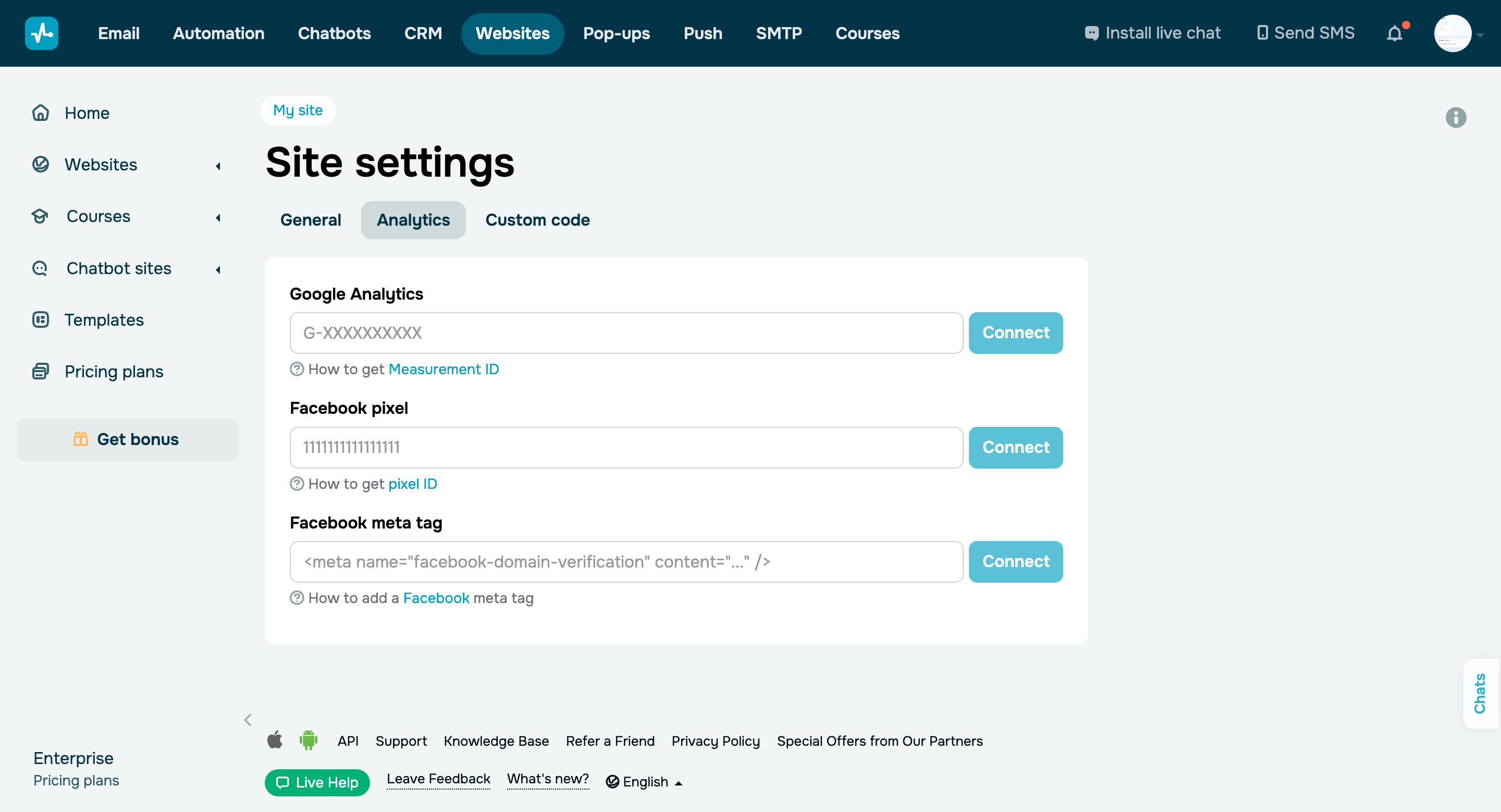
For Facebook Pixel, events are generated automatically, including the “Lead” event for forms and buttons, the “Purchase” event with the Value and Currency variables for payments, and the “Complete Registration” event for the “Courses Login” widget. For Google Analytics, you can title the “Category,” “Action,” and “Label” fields yourself. To send an event, you need to: - Select your bio link page in the “Websites” section and go to its settings.
- In the “Analytics” tab, add the Google Analytics and Facebook Pixel code to the corresponding fields and save your changes.
- Go to the website editor and select the “Analytics settings” section in your form settings.
- Turn on the “Transfer the goal to Google Analytics” and “Transfer the goal to Facebook Pixel” toggles and save your changes.
Learn more about how to connect Google Analytics and Facebook Pixel in the SendPulse knowledge base. |