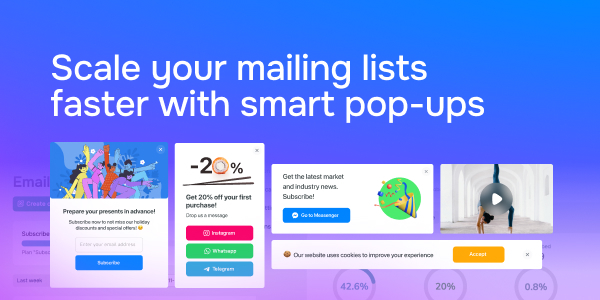
πŸ“© Scale your mailing lists faster with smart pop-ups

Newsletter Archive
SendPulse
Scale your mailing lists faster with smart pop-ups
Caleb Smith

Caleb Smith

Product Marketer


Β«Did you know that pop-ups are more effective than static lead capture forms?

The reason is that pop-ups take into account numerous factors, including visitor behavior and various user data points such as UTM tags, date and time, clicks, etc. Tests on real website traffic confirm that users tend to positively perceive well-designed pop-ups that match the context and appear in response to specific actions.Β»

In 2024, we recommend collecting contacts and converting website visitors into subscribers and customers using smart pop-ups.

Try it for free

Why you should try collecting subscribers through pop-ups:

  • The average pop-up conversion rate is 3.09%, which is higher than that of traditional subscription forms.
  • Pop-up appearance customization tends to be more flexible.
  • With over 80 free pre-made templates, you can create a pop-up for any event or activity. You can choose from various embedded forms or pop-ups, including overlay, horizontal, video, or modal window forms.
  • You can combine over 30 display conditions to personalize offers and present them at the most relevant moment for the visitor.

Email addresses are saved to your mailing lists or CRM after the double opt-in subscription confirmation. You can also create multichannel lead capture forms. They allow you to continue interacting with your subscribers through their preferred messaging platform and guide them toward conversions.

Aside from lead capture pop-ups, SendPulse offers pop-up flows, NPS widgets, and survey pop-ups.

Create a pop-up

How to create an email capture pop-up

  1. Create a new project, select a pre-made template, or create a pop-up from scratch using our drag-and-drop builder.
  2. Define your pop-up’s goal.
  3. Select and add elements, customize your copy, and call to action.
  4. Customize your pop-up's appearance by adjusting its position, width, color scheme, field size, animations, etc.
  5. Set your pop-up to appear to a specific audience segment to maximize conversions.
  6. Select where you want to save user data to use it across other SendPulse services.
  7. Test your pop-up’s performance in your browser first and then launch it to your subscribers. Conduct A/B tests to maximize your pop-up conversion rates.
Set up for free

Can you add a pop-up to your website without the help of a developer?

If your website is created with SendPulse’s website builder, your pop-up will be added automatically. Otherwise, you'll need to add the provided script to your website's source code or use Google Tag Manager. After doing so, your pop-up will immediately appear and start generating conversions.

Any changes made after publishing will be reflected without the need to modify the code.

Create effective pop-ups with SendPulse

Sign up for SendPulse’s pop-up service or go to your current project and follow our instructions. Learn everything you need to know about pop-ups in our knowledge base.

Learn more about pop-up forms:

icon

If you need help with setup or have any other questions, contact our tech support team β€” we're in touch 24/7.

Best regards, Caleb Smith

sendpulse.com

You received this email because you are a customer of SendPulse.Β 

Unsubscribe

Sent via

SendPulse