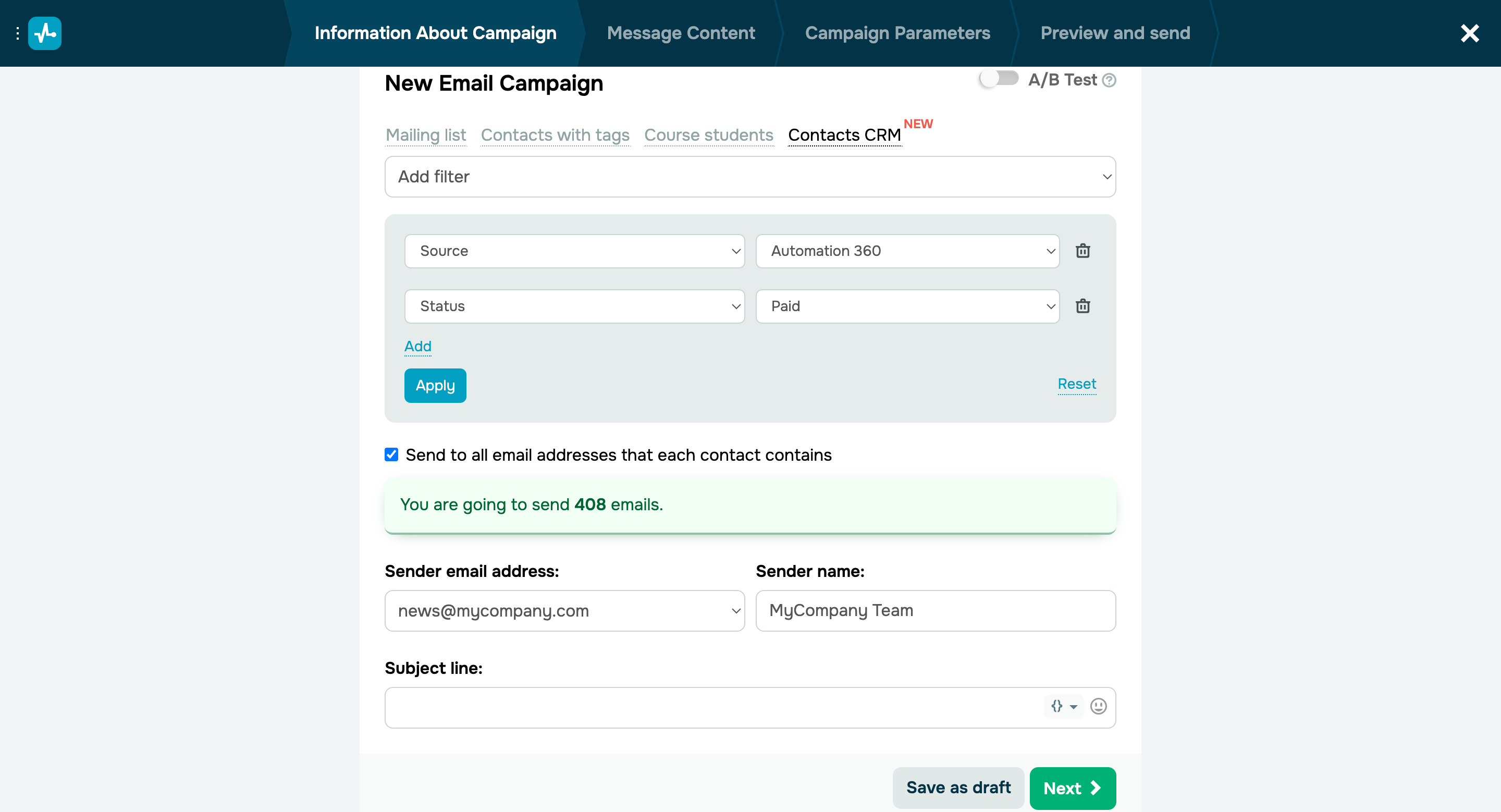
Email is a powerful communication channel for connecting with your prospects and existing customers. You can leverage notifications, reminders, and special offer announcements to enhance your audience engagement and sales pipeline progression. You no longer need to export your contact database to create a mailing list for your campaigns. From now on, you only need to set up filters, and the system will automatically transfer all email addresses to our email service. Follow these simple steps to send an email campaign to your customers: - Go to the “Emails” tab and click “Create campaign.”
- Choose your group of recipients — “Contacts CRM.”
- Add a filter if needed. You can use several filters for one campaign and filter your customers by contact information, contact assignees, contact attributes, etc.
- Select your recipient, campaign subject, and email template.
Learn how to send email campaigns in our knowledge base. |