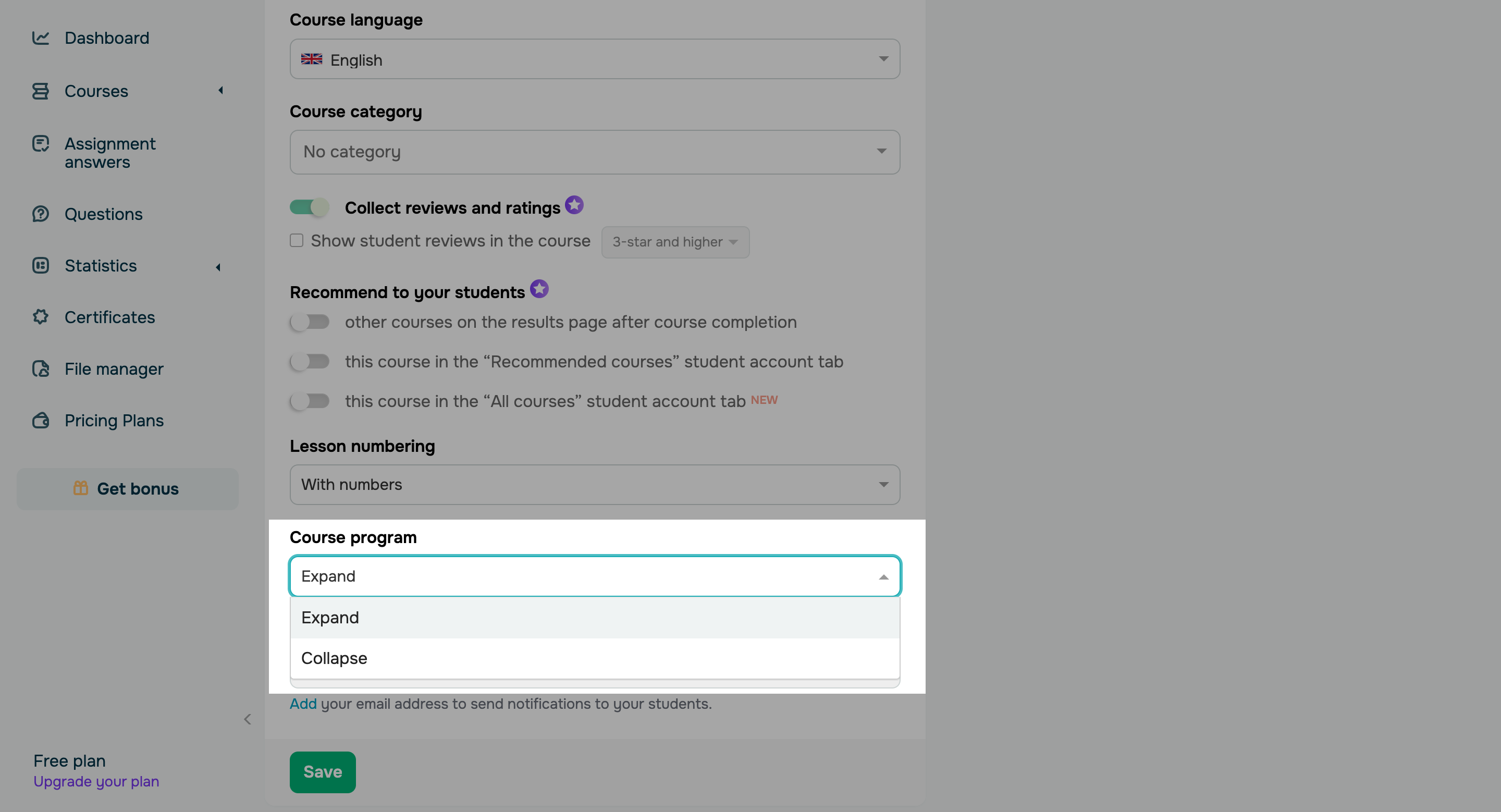
To help your students navigate through extensive course programs, you can now choose how to display your course structure in student accounts. There are two available options: - Expand (default): all course sections will be expanded, allowing students to view lessons, tests, and other content within the sections.
- Collapse: all course sections will be collapsed. To view lessons, tests, and other content, students will need to expand each section individually.
This setting will not apply to the Education by SendPulse mobile application. |