⚡ Google Sheets and SendPulse chatbot builder integration

Newsletter Archive
SendPulse
SendPulse chatbot builder and Google Sheets integration
Caleb Smith

Caleb Smith

Product Marketer


We're excited to announce that the long-awaited SendPulse chatbot builder integration with Google Sheets is finally here! Today, we will explore how you can connect, set up, and use our new features.

Before you start

Integrating Google Sheets with SendPulse’s chatbot builder will allow you to:

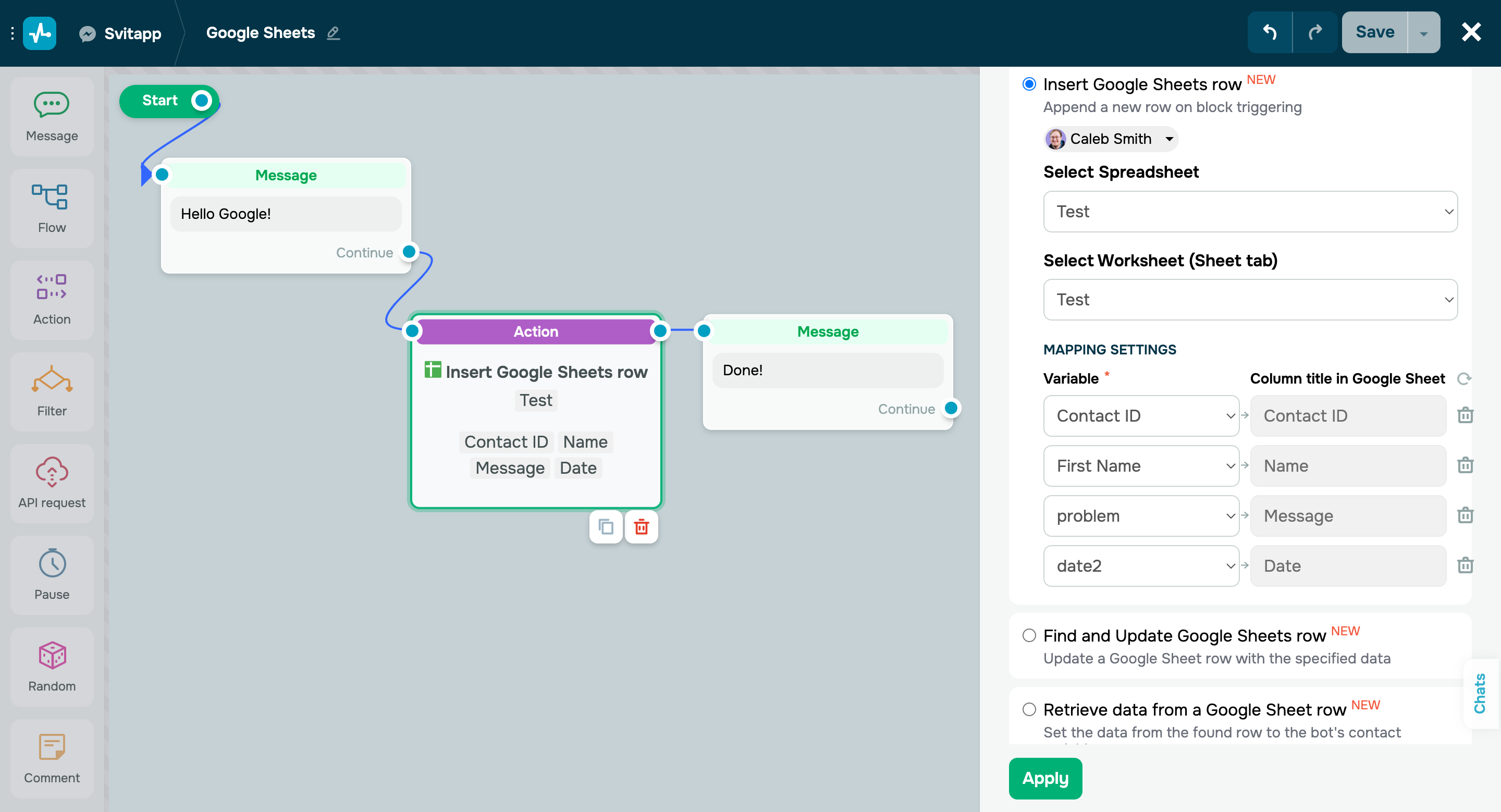
  1. Automatically add new rows with user variable values to your spreadsheet as your chatbot subscribers reach your flow elements. 
  2. Seamlessly find and update data in your spreadsheet rows. 
  3. Use data from your spreadsheet rows as variable values for your chatbot subscribers. 

This integration is available on all paid subscription plans and during a free 7-day trial. 

Before granting access to your selected Google Drive files and spreadsheets in Google Sheets, please familiarize yourself with our Privacy Policy and Terms of Service.

Connect Google Sheets

Integrate Google Sheets with SendPulse

Follow these steps to integrate Google Sheets with SendPulse:

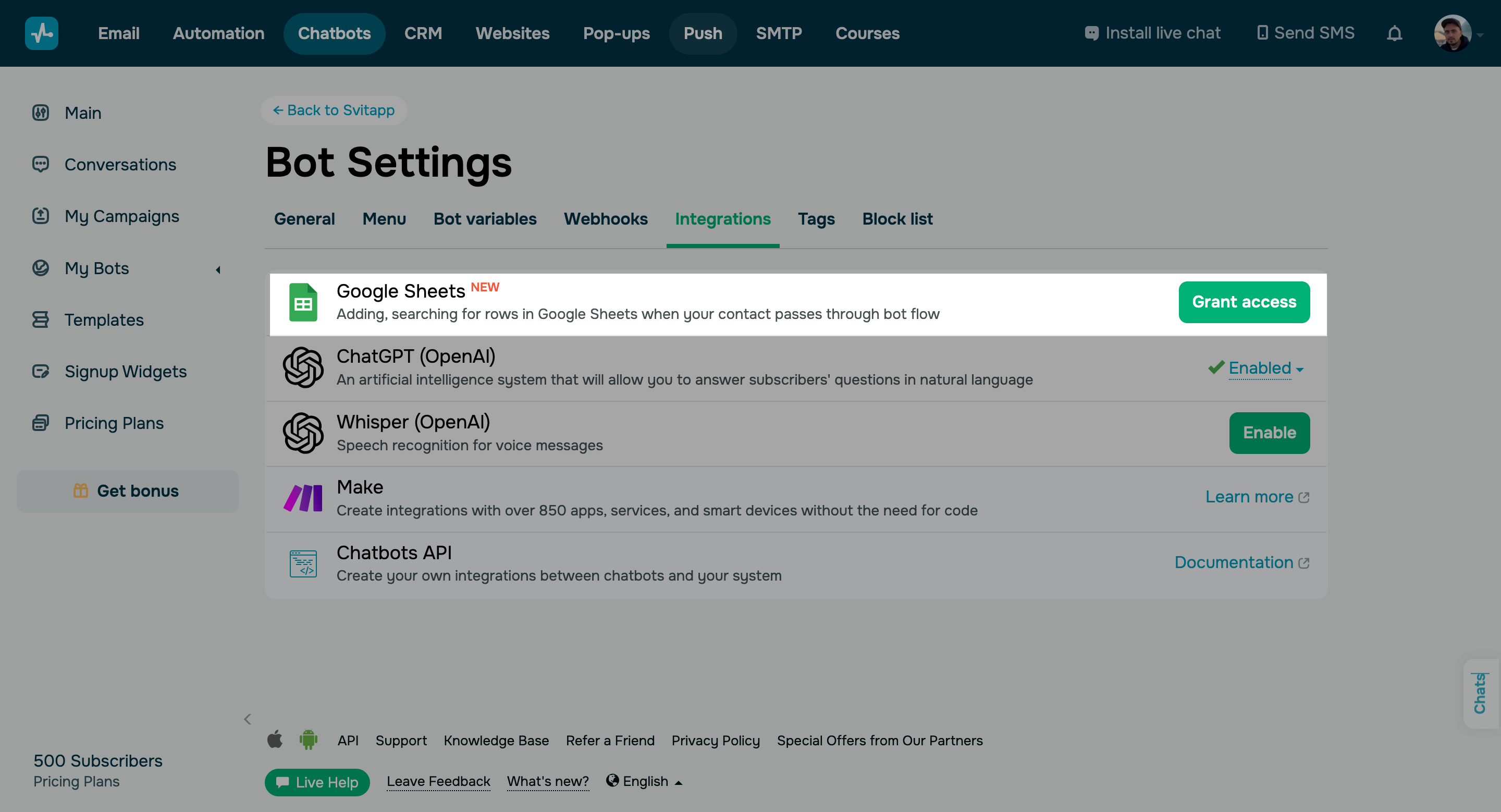
  • Select your chatbot from the “Chatbots” tab and go to your bot settings.  
  • Go to the “Integrations” tab and click “Grant access” next to Google Sheets.
  • Grant all necessary access and select your Google account.
  • Select your spreadsheet.

If you successfully connect Google Sheets, your integration status will display your Google account name. You will be able to add, search, and retrieve data from Google Sheets through the “Action” element as your subscribers progress through your chatbot flow.

Integrate Google Sheets with SendPulse

Learn more about how to integrate chatbots with Google Sheets in our knowledge base.

Connect Google Sheets
icon

If you need help with setup or have any other questions, contact our tech support team — we're in touch 24/7.

Best regards, Caleb Smith

sendpulse.com

You received this email because you are a customer of SendPulse

Unsubscribe

Sent via

SendPulse