đź”” Instagram, WhatsApp and Facebook chatbot updates

Newsletter Archive
SendPulse
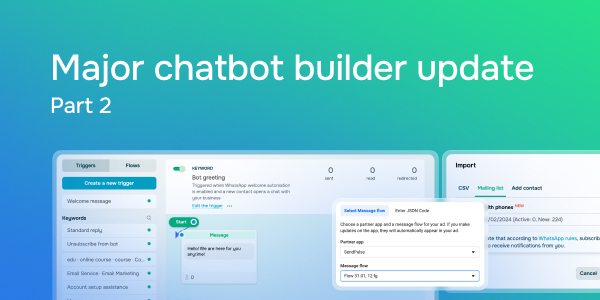
Major chatbot builder update | part 2
Caleb Smith

Caleb Smith

Product Marketer


“We’re thrilled to announce the second part of our major chatbot builder update! Today, we will explore how you can launch your chatbot flows through Meta Ads Manager, auto-publish public replies to Instagram comments, use our new “Bot greeting” trigger for WhatsApp, and more.”

Launch your chatbot flows through Meta Ads Manager

Launch your chatbot flows through Meta Ads Manager

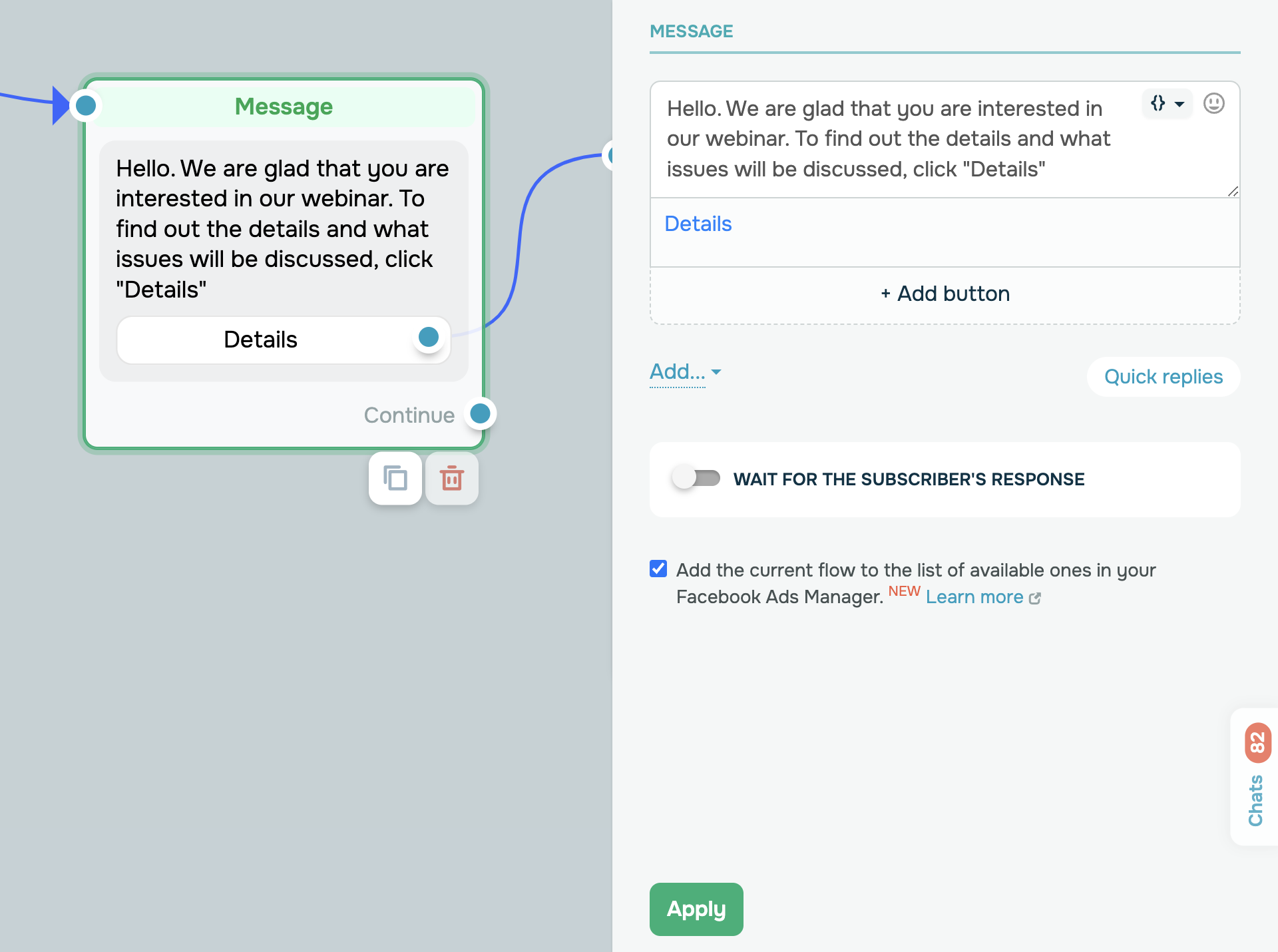
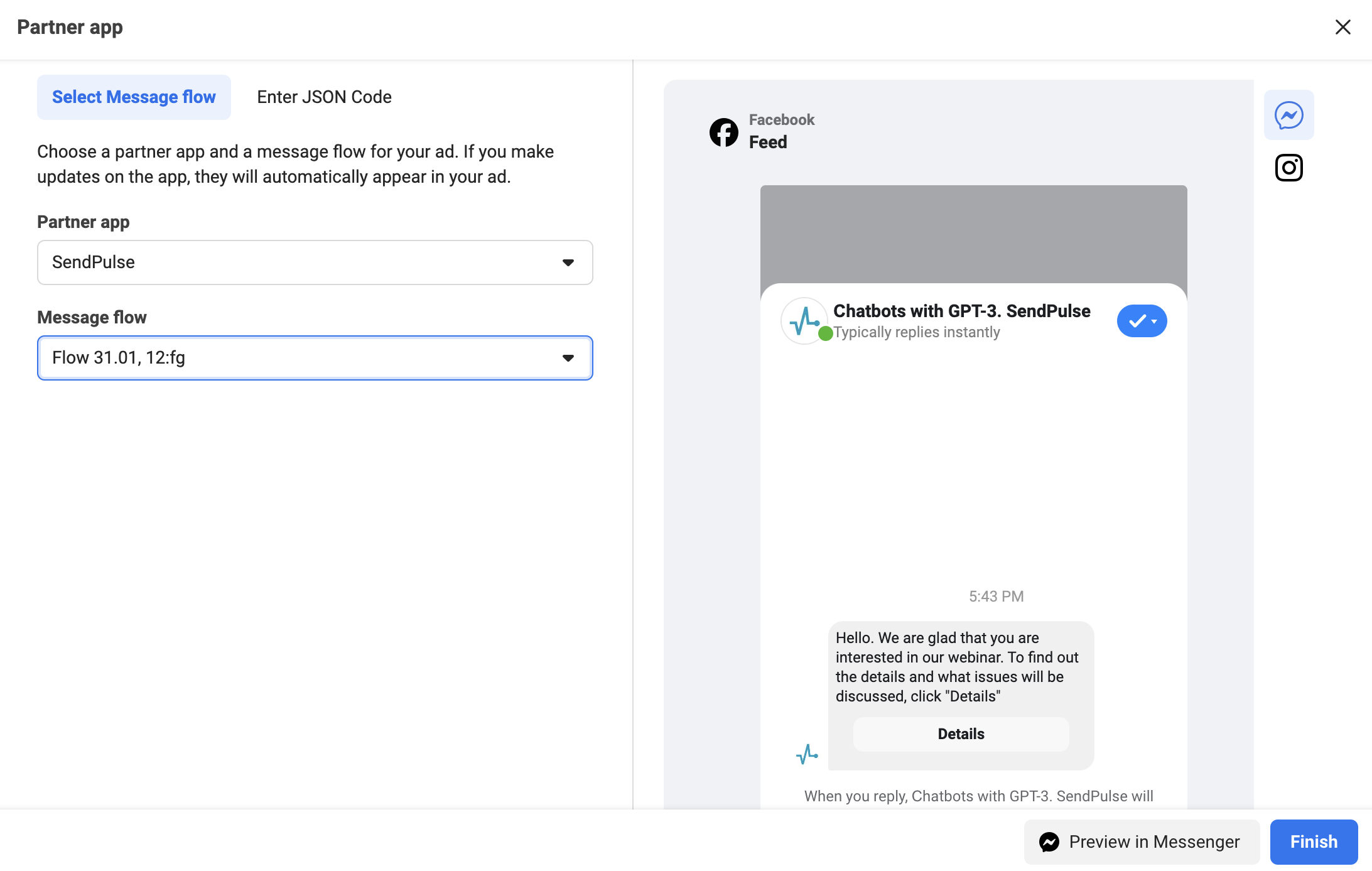
You can now add the first “Message” element of your Instagram and Facebook Messenger flows to Meta Ads Manager.

Launch your chatbot flows through Meta Ads Manager

You have the option to select your flow in Ads Manager for your “Click to message” ad campaigns.

Learn more about how to add your chatbot flows to Facebook or Instagram ads in the Meta Business Help Center.

Add your flow to Ads Manager
Automate replying to comments on your Instagram posts

Automate replying to comments on your Instagram posts

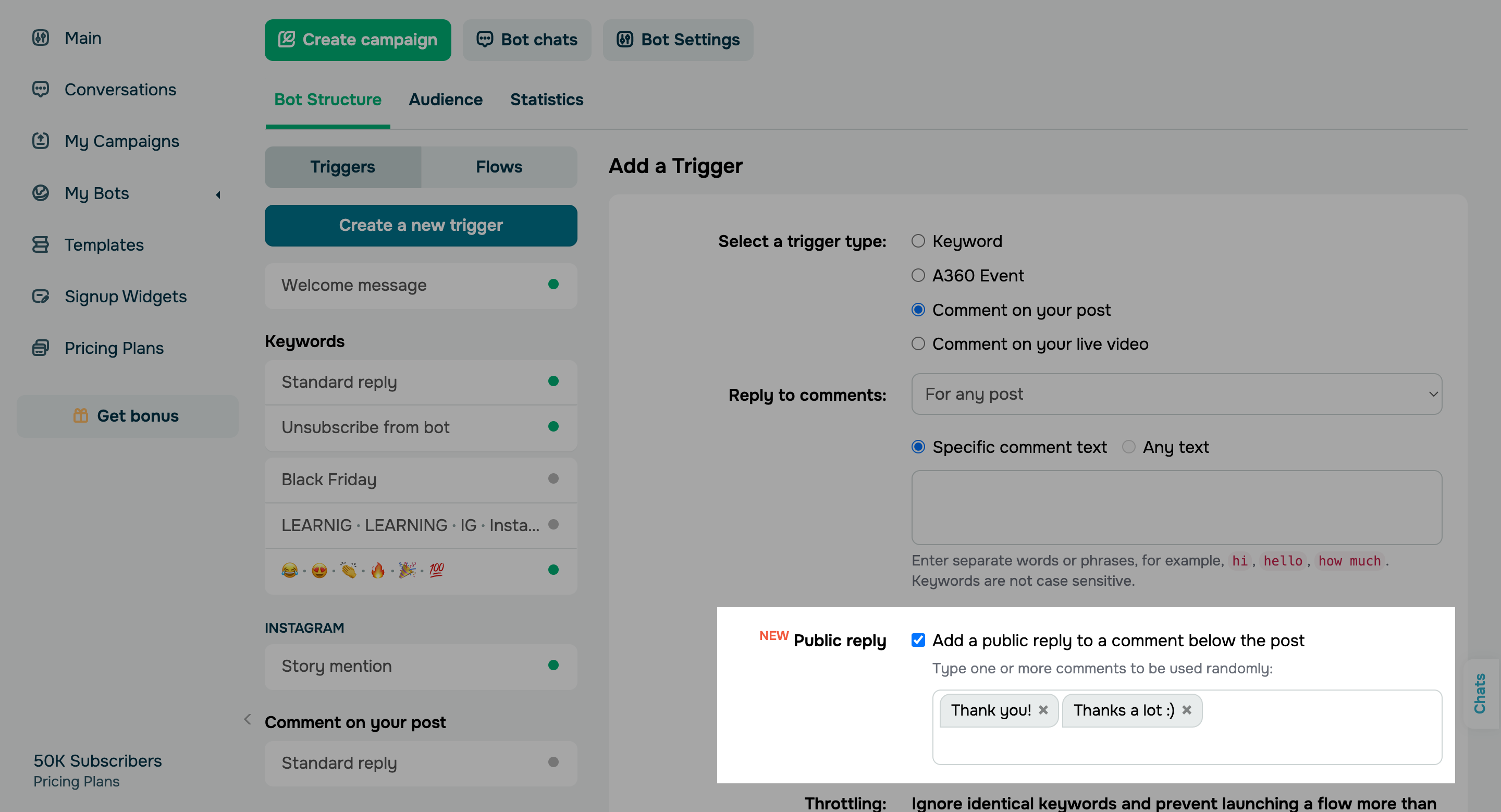
When the “Comment on your post” trigger is enabled, your chat will include the direct link to the Instagram post your subscriber commented on.  

And there’s more! This trigger now also allows you to add public replies to comments. Enable the “Add a public reply to a comment below the post” option in your settings and write one or several standard replies that will be randomly chosen and sent by the system.

Automate your replies to comments
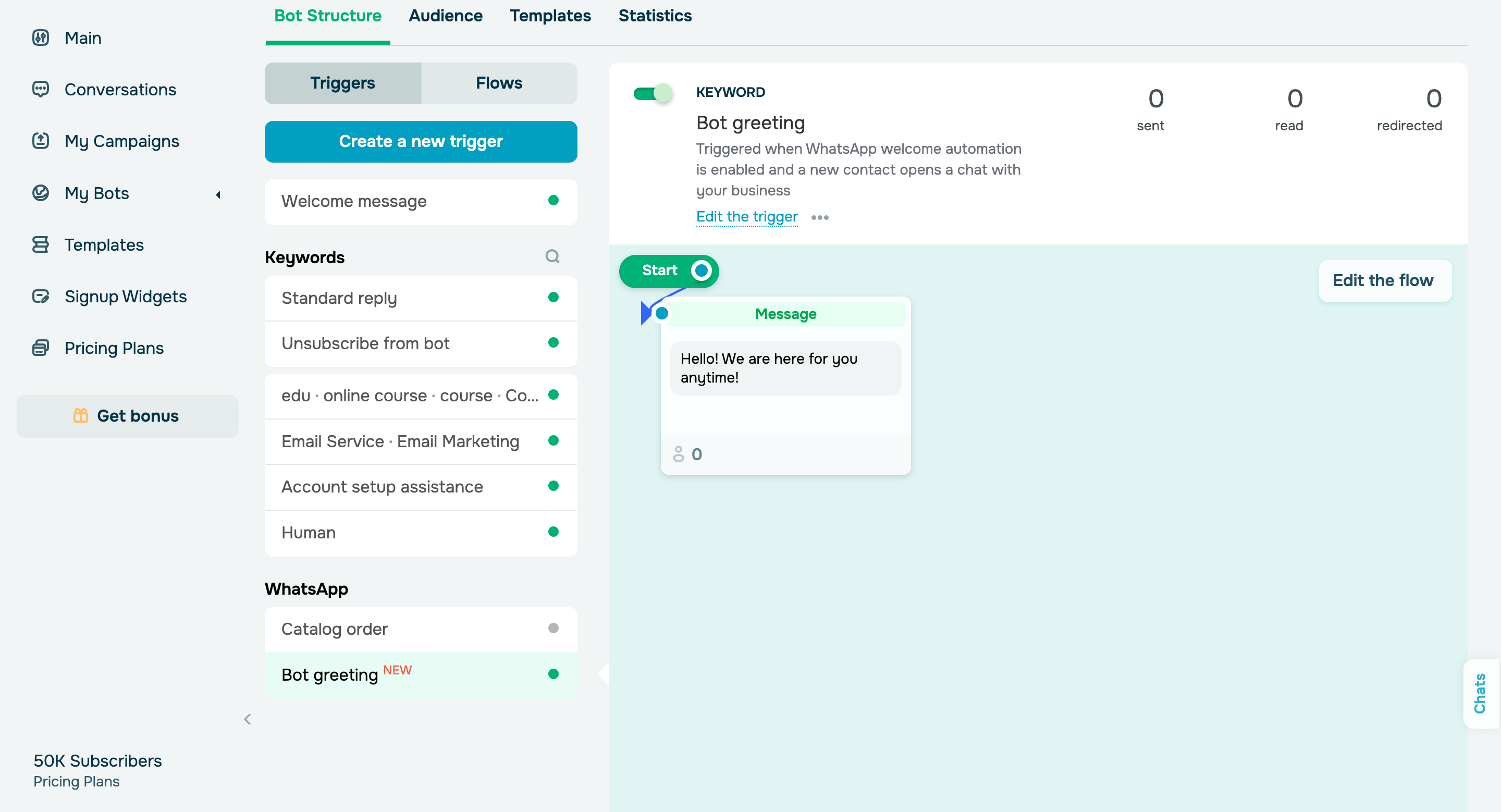
New “Bot greeting” trigger and flow for WhatsApp 

And last but not least, let’s review our WhatsApp chatbot updates:

New “Bot greeting” trigger and flow for WhatsApp 

You can now use the “Bot greeting” trigger to automatically send a custom message to your users right after they enter a chat with your bot. Greet your users, prompt them to take action, or offer bonuses; WhatsApp will bill this message as the standard initiation of service conversation. 

To set up this trigger, go to Phone number settings → Automations → Welcome messages and enable the corresponding option in your Business Manager settings.

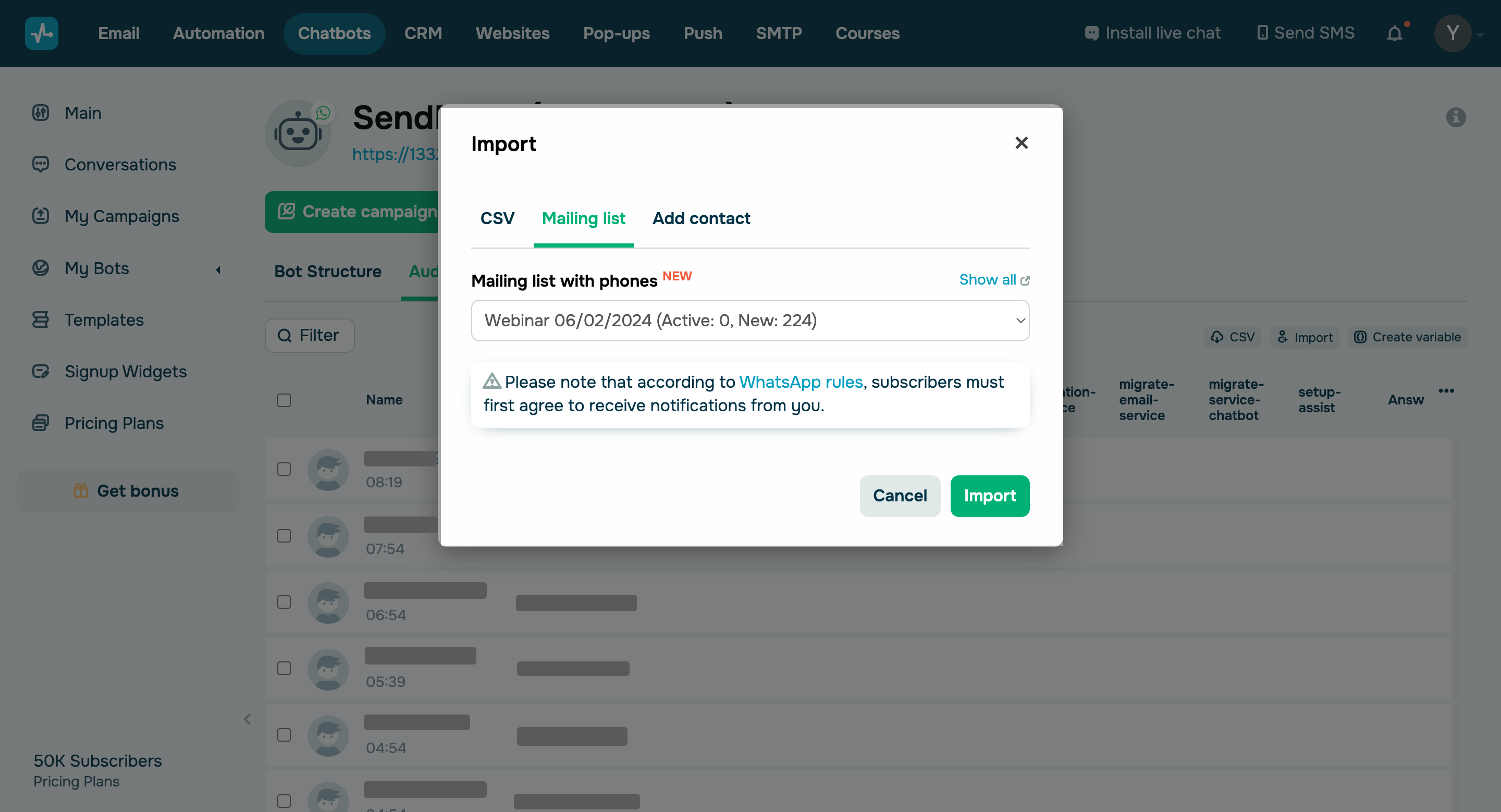
Import WhatsApp subscribers from the email service’s mailing lists.

Import WhatsApp subscribers from the email service’s mailing lists

You can now upload your subscriber base from mailing lists that include phone numbers and send them campaigns, as long as the users have given you their preliminary consent to send them messages in accordance with the WhatsApp policy. Select your WhatsApp chatbot, go to the “Audience” tab, click Import, and select your mailing list. 

If the imported contact doesn’t include a name, you can specify it in the “Chats” section.

Try out new options
icon

If you need help with setup or have any other questions, contact our tech support team — we're in touch 24/7.

Best regards, Caleb Smith

sendpulse.com

You received this email because you are a customer of SendPulse. 

Unsubscribe

Sent via

SendPulse