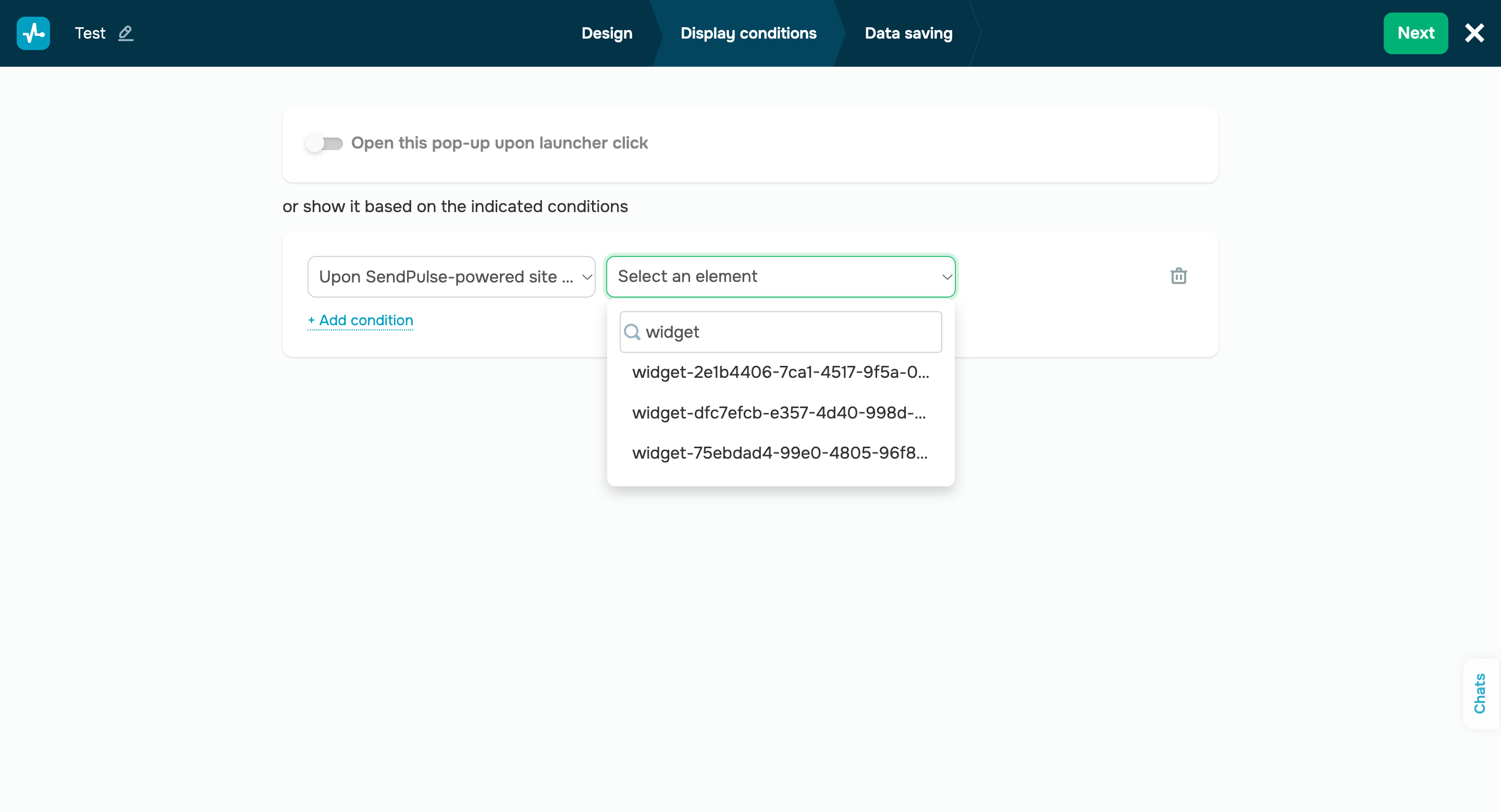
Launch pop-ups upon SendPulse-powered website element clicks We’re thrilled to introduce a new pop-up display condition — “Upon SendPulse-powered site element click.” This event tracks clickthroughs of target elements on a SendPulse-powered website. Your pop-up will be displayed when a user clicks the selected element. Here’s how you can set up this scenario: - Go to the “Clicks” section of the “Display conditions” tab, and select the “Upon SendPulse-powered site element click” condition.
- Select a site element that will launch your pop-up from the drop-down menu.
To easily find a site element, you can copy its widget ID in the website builder and paste it into the search field in the “Select an element” drop-down menu of the pop-up builder. Important note: For buttons, make sure to select your button widget ID, not the element where it is located. |