πŸ”” New OpenAI chatbot launch triggers for Telegram groups

Newsletter Archive
SendPulse
6 chatbot builder updates
Caleb Smith

Caleb Smith

Product Marketer


"Following last month's chatbot builder update, our team has introduced several significant improvements for our Telegram, WhatsApp, Facebook, Viber, and Instagram chatbots.

Read on to learn more.Β»

Use new OpenAI chatbot triggers in Telegram groups

Use new OpenAI chatbot triggers in Telegram groups

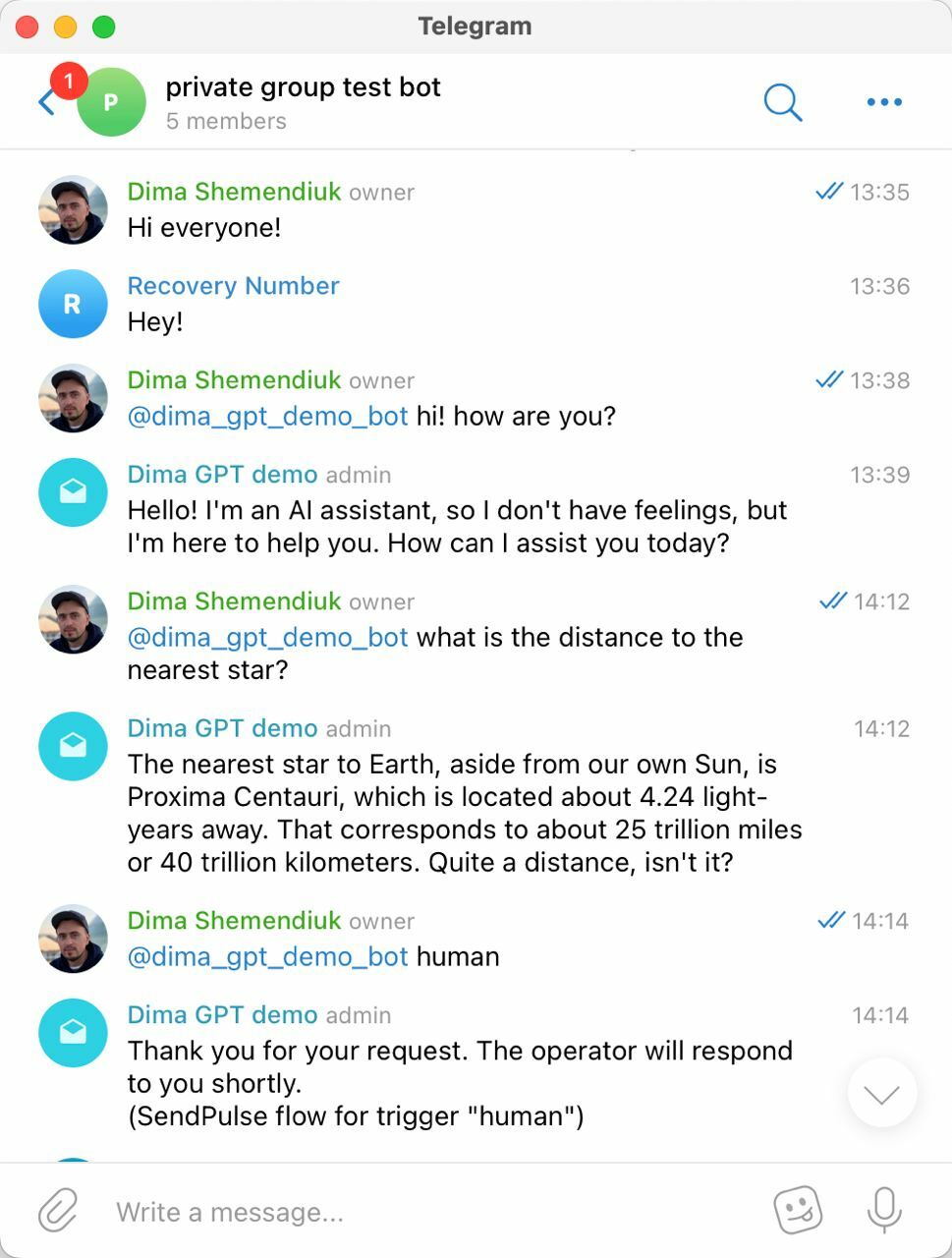
Previously, you could only trigger SendPulse-powered chatbots using /commands, but now they're also on standby for @mentions, making their responses feel more natural. It will make your group chat communications much more convenient, as your chatbot can now reply to your subscribers’ questions based on your prompts.

This option is available for triggered chatbot flows and OpenAI requests if this integration is enabled. To use this feature, make sure your chatbot has admin rights in your Telegram group chat, including permissions to assign other admins.

Try it out
Launch chatbot flows for recipients of a specific element

Launch chatbot flows for recipients of a specific element

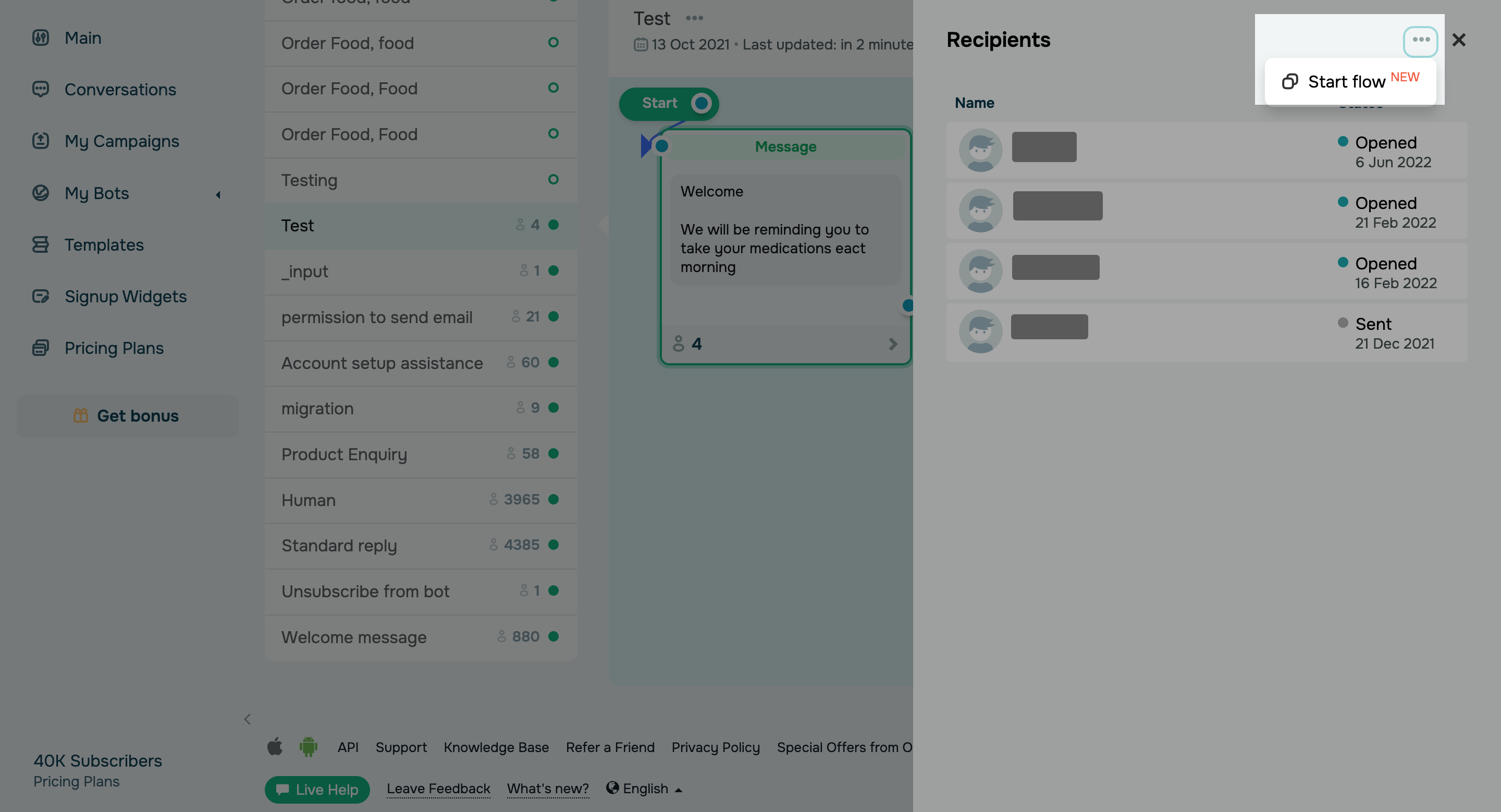
You can now launch any chatbot flow to the recipients of a specific flow element.

This option can help you:

  • Continue your flow for contacts that reached a certain flow element, for example, signed up for a webinar or placed a pre-order.
  • Reconfigure your flow scenario if some of your subscribers mistakenly progressed through the wrong branch of your flow.

To enable this option, click the number of element executions and then the three dots at the top of the pop-up window, and select β€œStart flow.”

Launch your chatbot flow
Pause WhatsApp flows until a certain date

Pause WhatsApp flows until a certain date

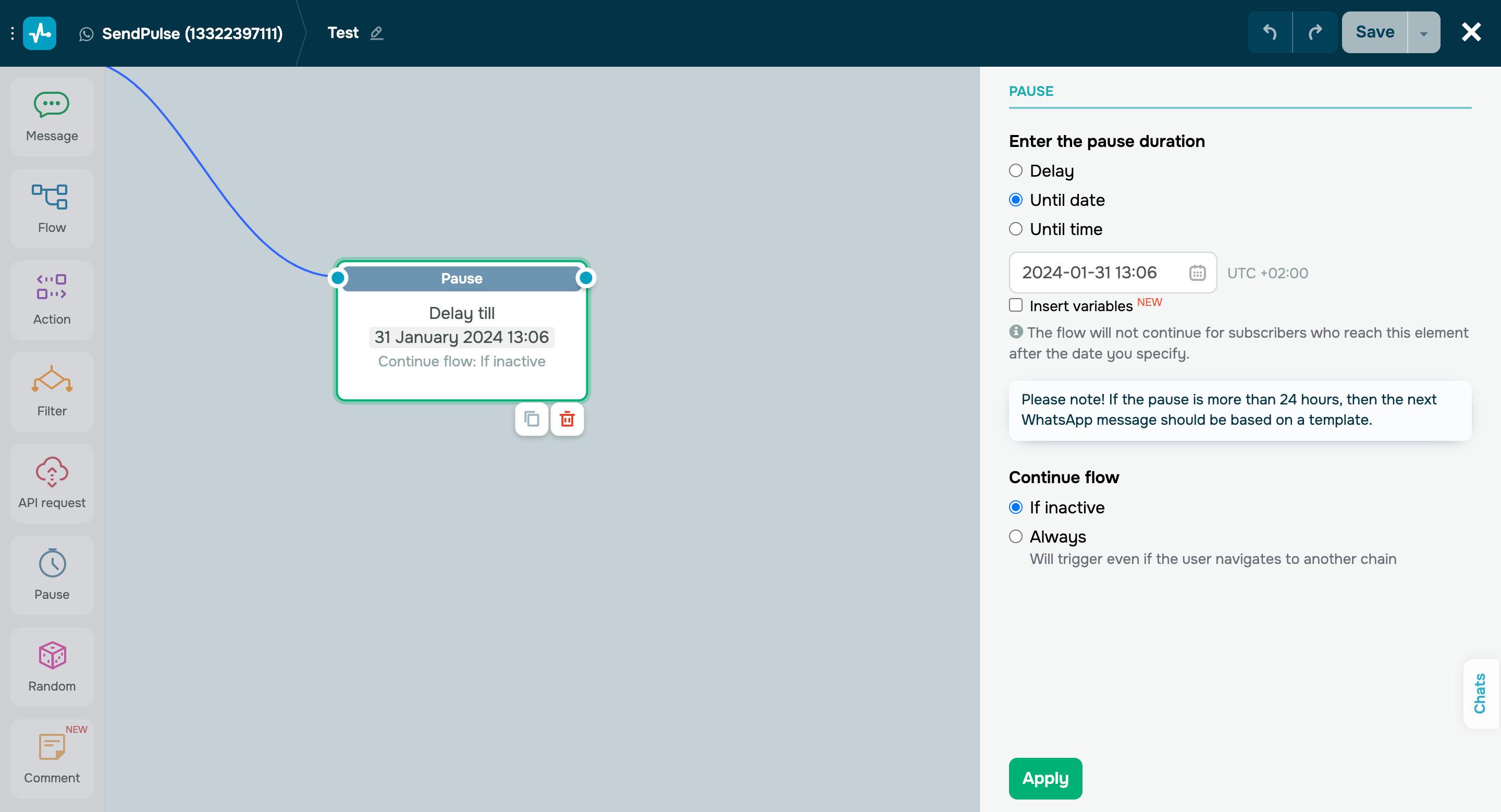
You can now pause your WhatsApp chatbot flows until a certain date and set a dynamic pause with a variable.

Here’s how you can use the β€œPause” element:

  • Send a webinar reminder one hour before it starts.
  • Request customer feedback one week after the purchase.
  • Announce a sale on a specific date, and so on.

Important note: if your pause lasts longer than 24 hours, make sure to use a template for your next WhatsApp message.

Try it out
Automate student enrollment

Automate student enrollment

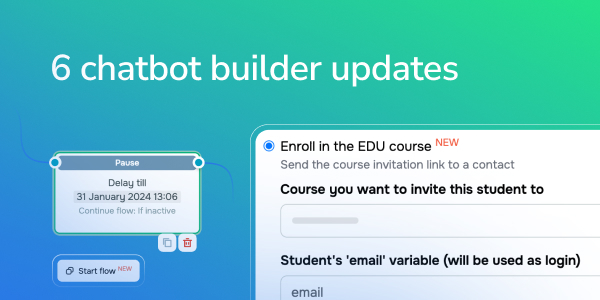
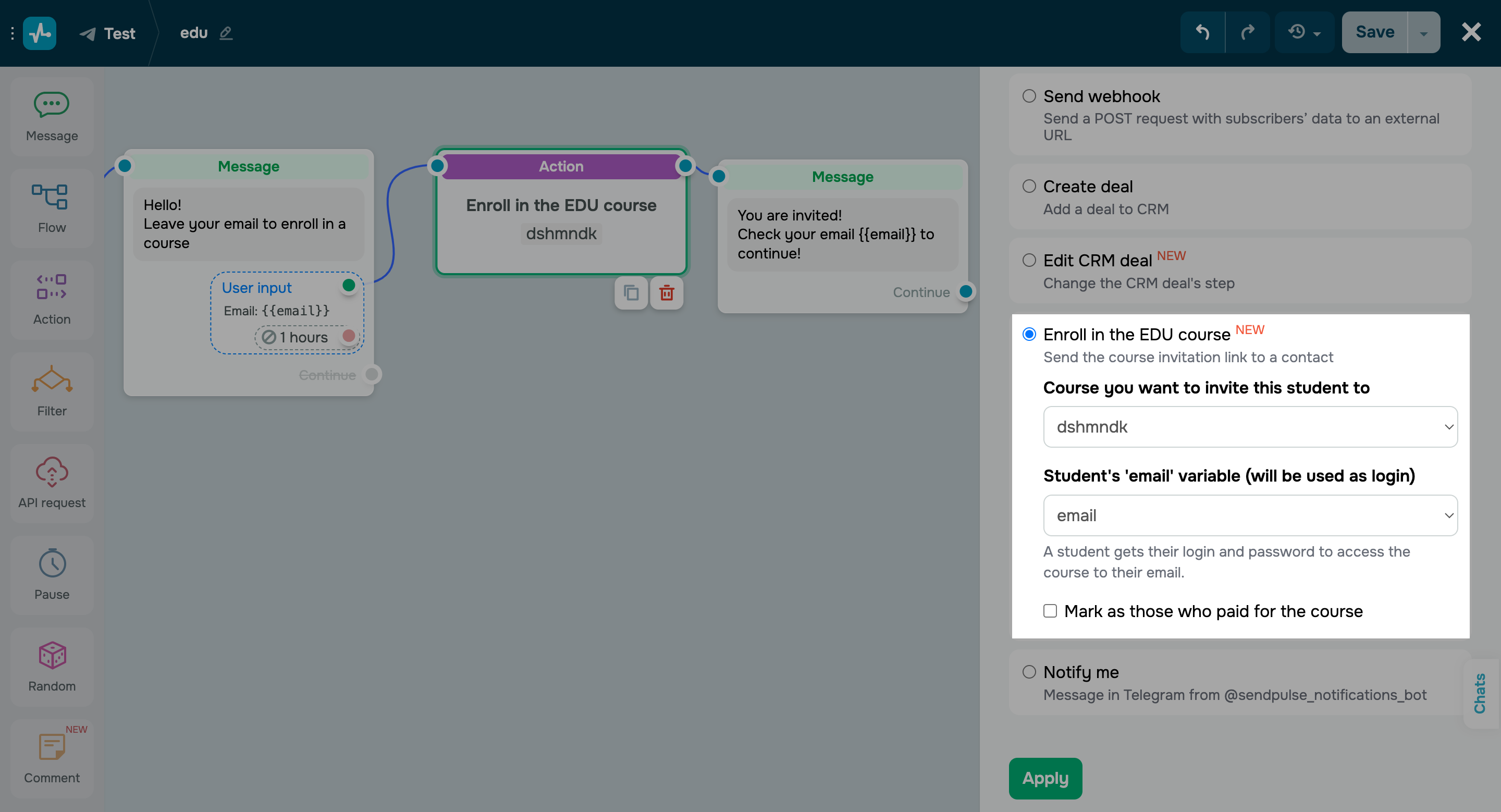
With the updated β€œAction” element, you can now automatically enroll students in your online course based on predefined rules. Once your students reach this flow element, the system will add them to your list of students and send an email with their course login information.

Here’s how you can enroll a student automatically:

  • Add the β€œAction” element to your flow and select the β€œEroll in the EDU course” option.
  • Specify the course you want to invite your student to.
  • Select a variable with their email address β€” they will receive their account login and password to this email address.
Enroll your students automatically
Perform bulk actions for your entire chatbot audience

Perform bulk actions for your entire chatbot audience

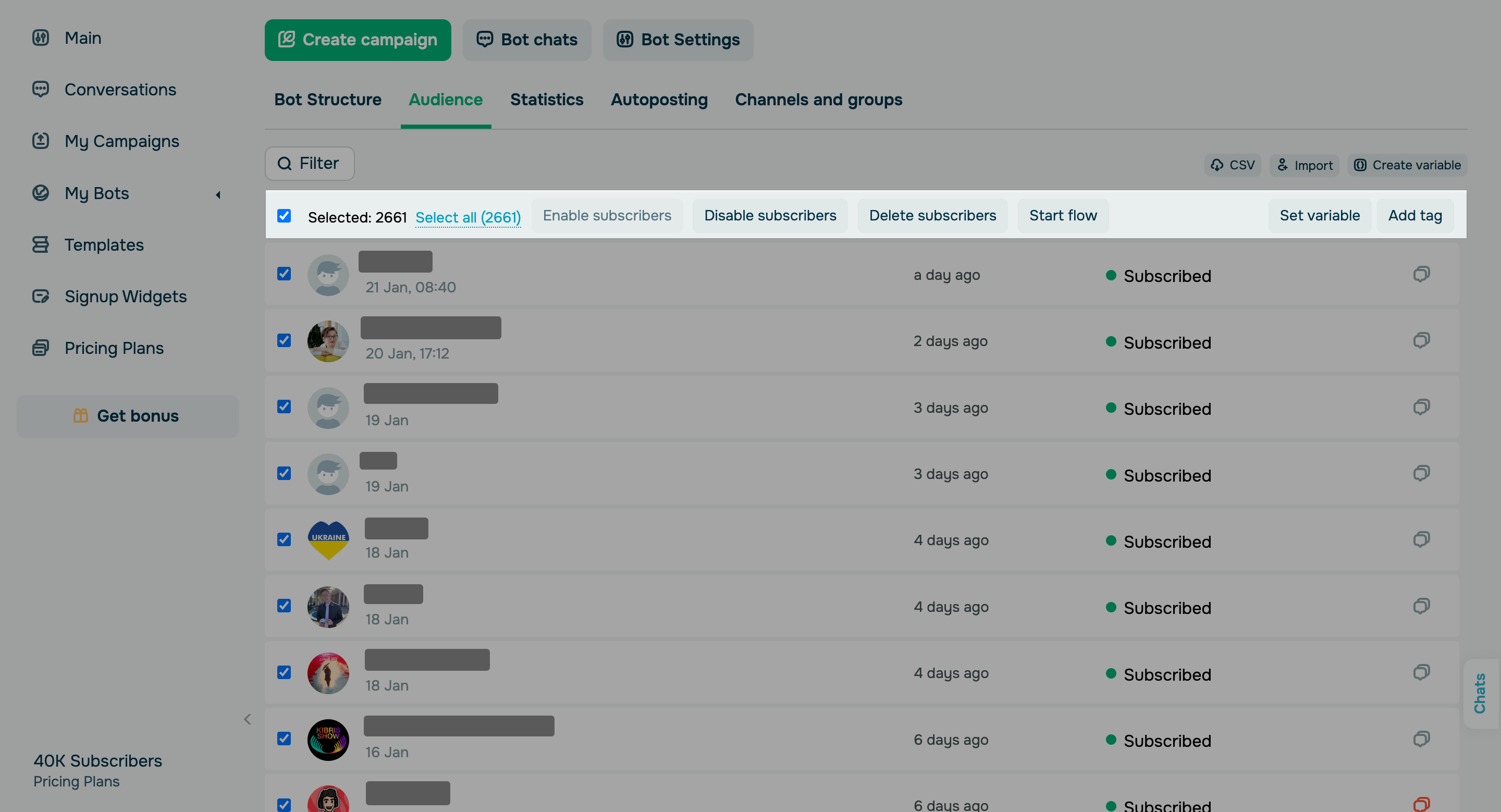
Previously, you could select up to 50 contacts in your chatbot audience to assign tags or variables or launch/delete flows. Going forward, you will be able to perform these actions for multiple or all subscribers who meet your filter criteria, even if they are not visible due to pagination.

It’s become much more convenient to interact with a large audience!

Try it out
Exclude chats and groups from your Telegram campaigns

Exclude chats and groups from your Telegram campaigns

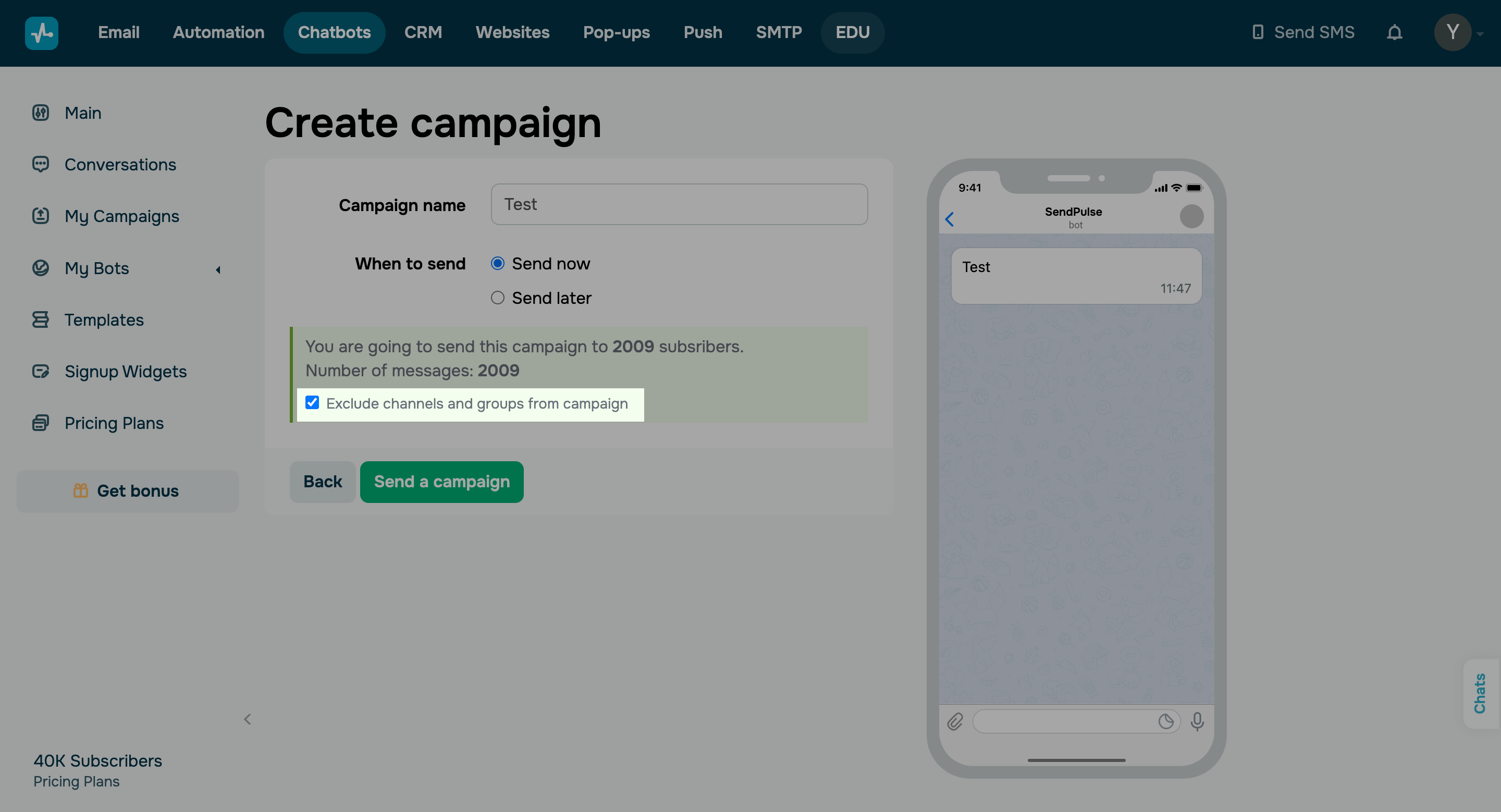
At the last step of launching your Telegram campaign, you now have the option to exclude specific channels and groups from your recipient list.

A quick reminder: your chatbot subscriber list can include channels and groups where you are an admin and have added your bot. This group or channel will be listed as a separate contact in your β€œAudience” tab. To prevent these types of contacts from receiving your campaigns, remove them from the recipient list by unticking the corresponding checkbox.

Launch a Telegram campaign
icon

If you need help with setup or have any other questions, contact our tech support team β€” we're in touch 24/7.

Best regards, Caleb Smith

sendpulse.com

You received this email because you are a customer of SendPulse.Β 

Unsubscribe

Sent via

SendPulse