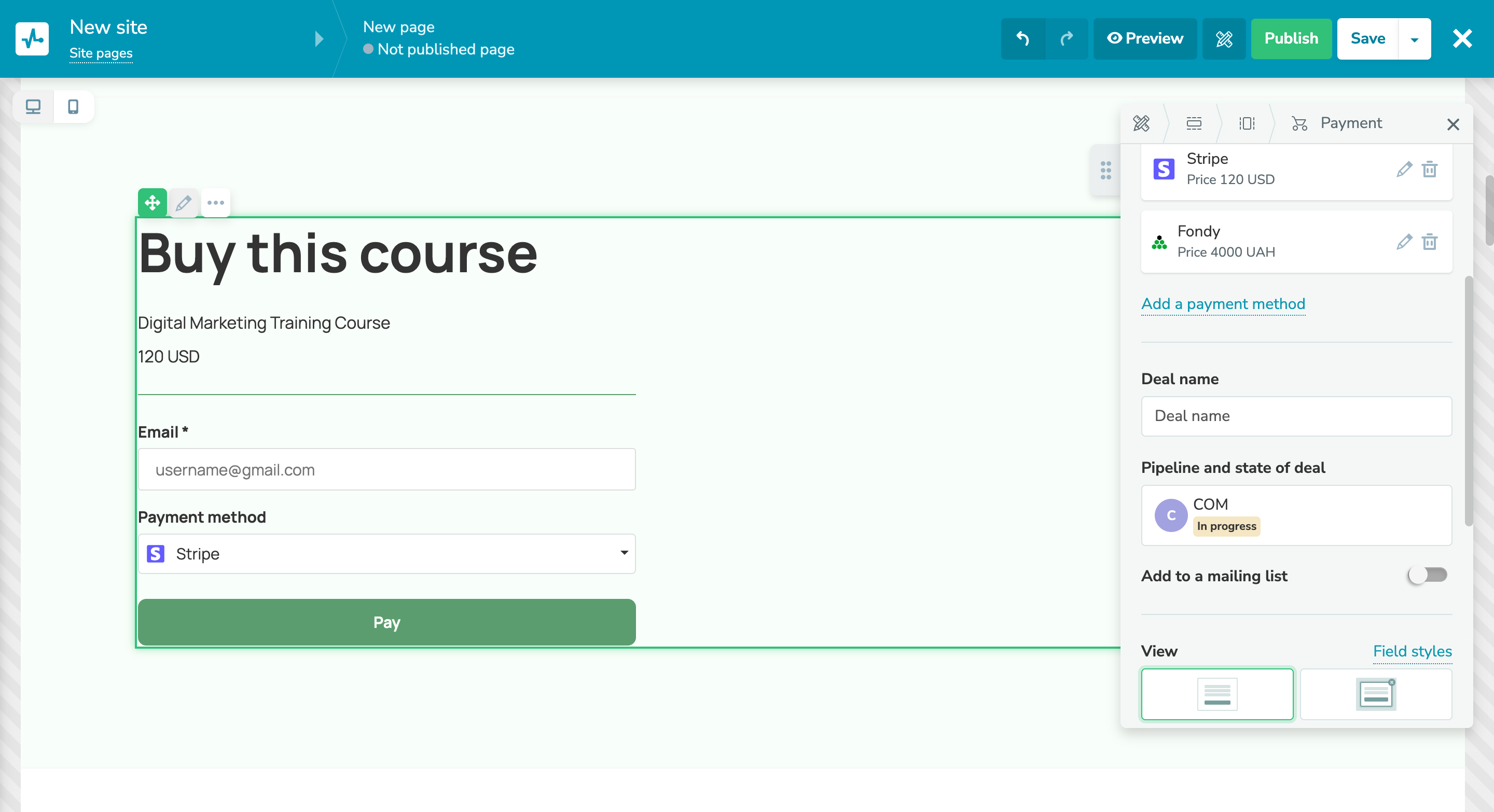
✅ Adding multiple payment methods to your payment forms

Newsletter Archive
SendPulse
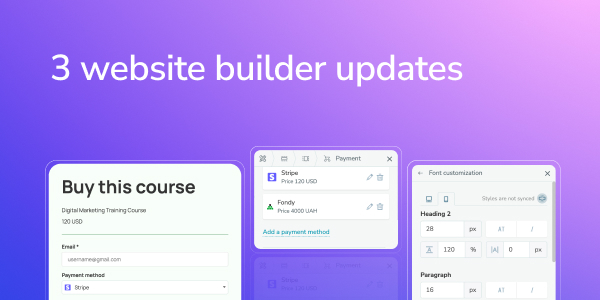
3 website builder updates
Caleb Smith

Caleb Smith

Product Marketer


“Make your website even more attractive and user-friendly with our updated payment forms, separate font style settings for mobile website versions, and new image effects. Let’s elevate your visitors’ experience!”

Updated payment forms

Updated payment forms

We’ve made it more convenient for potential customers to use your payment forms. You can now enable an expanded form view and add multiple payment options. These options are available for any websites created with our website builder, except for bio link pages.

To add multiple payment methods, click “Add payment system” and click the pencil icon to set your price and currency.

To enable an expanded payment form view, go to the “Payment form” widget and select “Embedded form” in the form appearance settings.

Update your payment forms
Font style settings for mobile website versions

Font style settings for mobile website versions

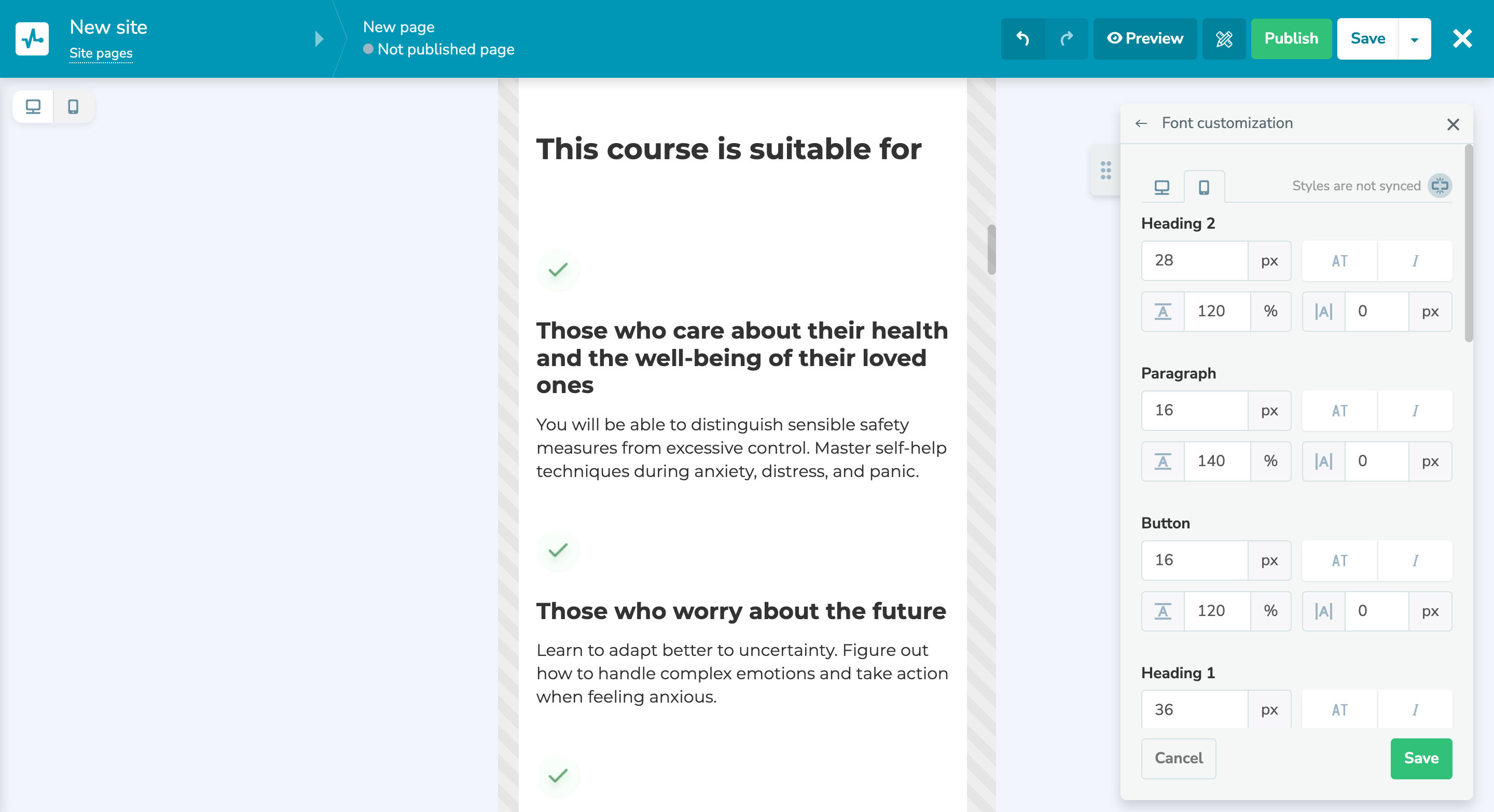
There are even more options for editing your mobile website version separately from the desktop one. You can adjust your font size, tilt, line height, width, and other attributes separately for your website's mobile and desktop versions.

To access these options, choose your mobile website version on the settings panel and disable version synchronization. You can switch between the versions by clicking mobile and desktop icons.

You can also add custom fonts to our website builder to bring out your brand style and personality.

Set up your fonts
New image effects for your websites

New image effects for your websites

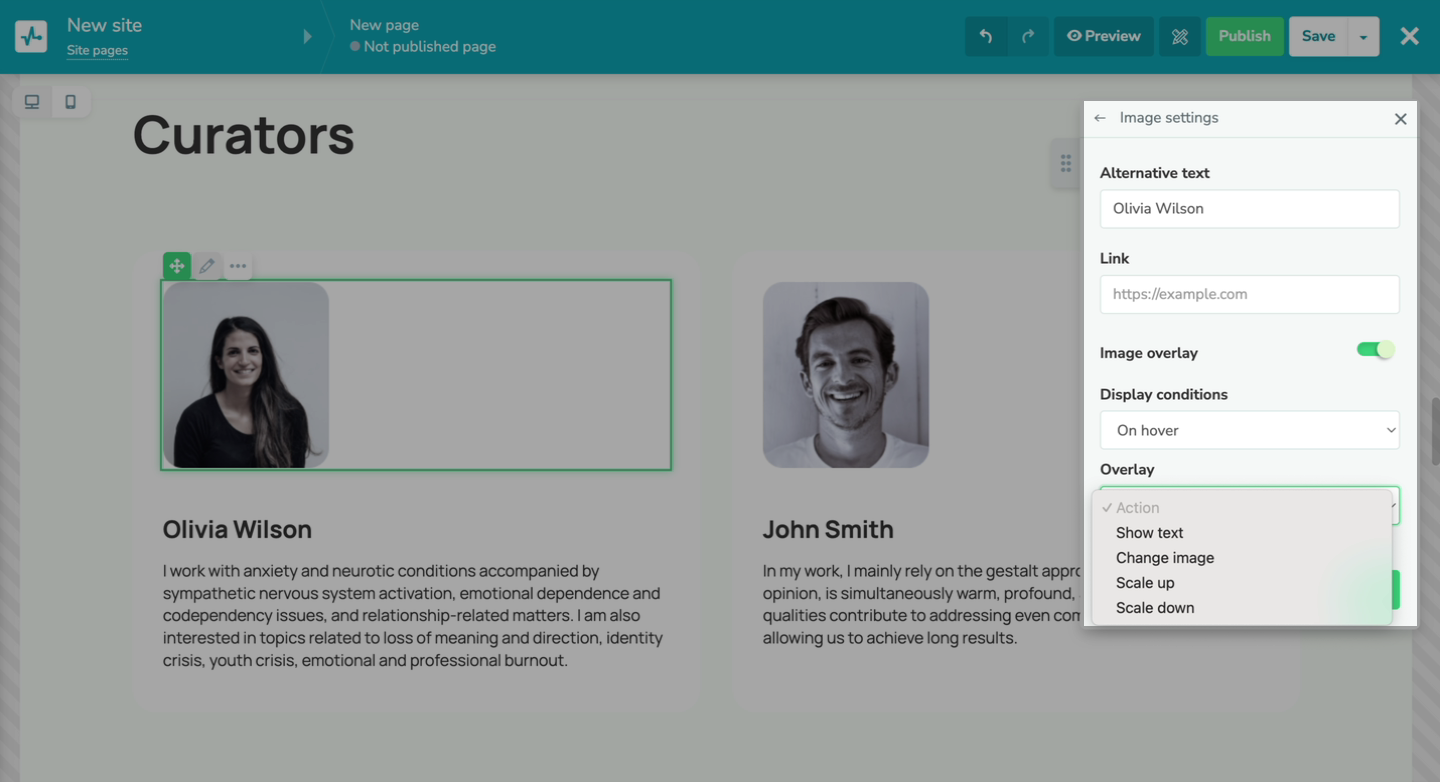
You can now customize your websites even more by applying our new effects to your images.

You can choose between two display conditions:

  • always;
  • display on hover.

You can apply permanent effects, such as adding text or applying forms to images. For instance, you can crop your image into a circle or a rhombus. With the “display on hover” option, you can trigger a text display, zoom in or out on an image, or replace it with another one.

Try new image effects
icon

If you need help with setup or have any other questions, contact our tech support team — we're in touch 24/7.

Best regards, Caleb Smith

sendpulse.com

You received this email because you are a customer of SendPulse

Unsubscribe

Sent via

SendPulse