πŸŽ“ Promo codes and custom web push notifications for course students

Newsletter Archive
SendPulse
Promo codes are now available in our online course builder!
Caleb Smith

Caleb Smith

Product Marketer


Β«Seasonal sales and special offers are right around the corner, so don’t miss your chance to offer something special to your students! Try out promo codes β€” our new feature that allows you to offer discounts to your audience in just a few clicks to make your course even more enticing for eager learners.

Also, there's a new communication channel for you to try. You can now send web push notifications to your online course audience.Β»

Promo codes

Promo codes from A to Z

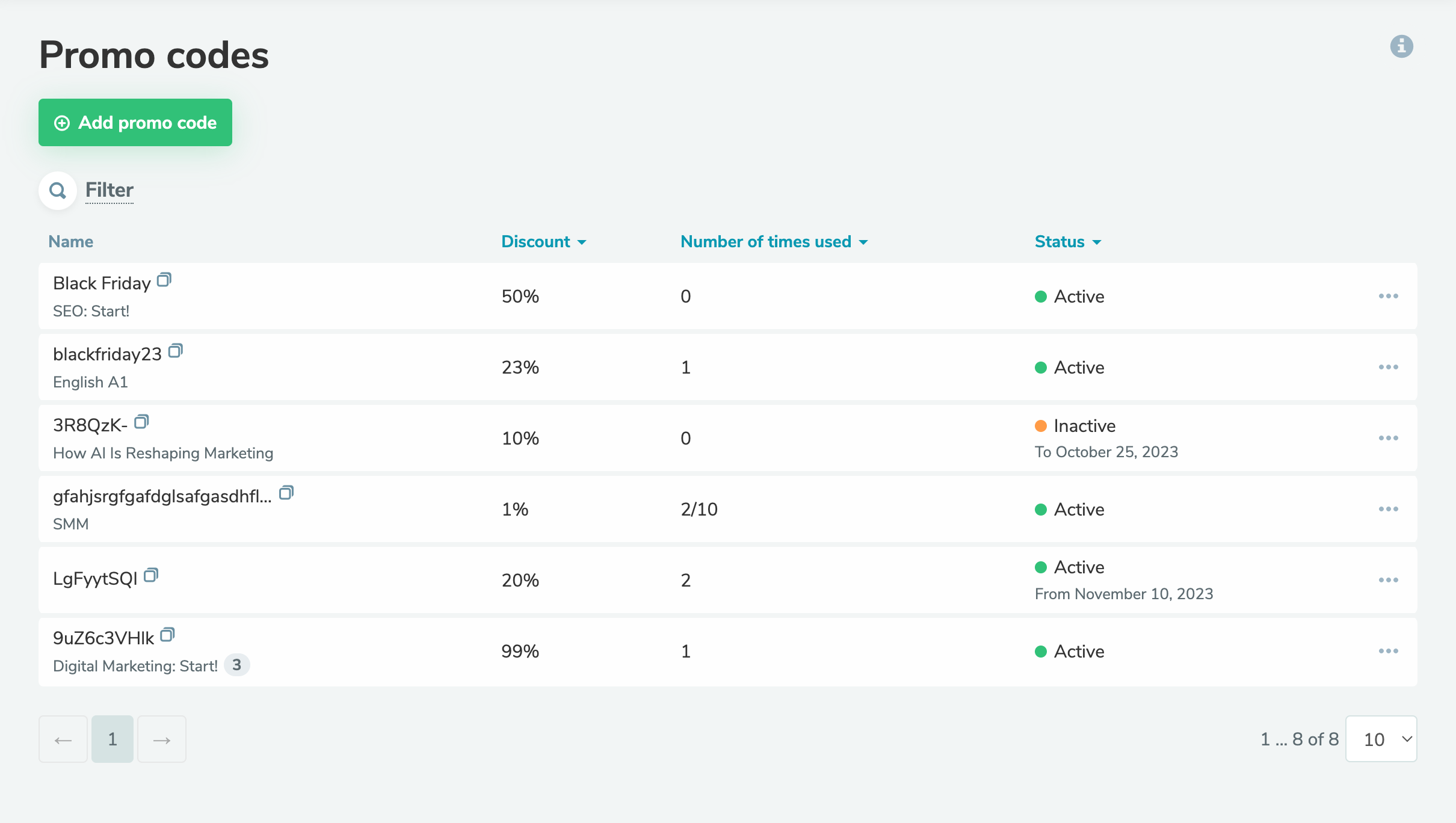
A promo code is a unique set of characters your students can use to receive a discount when paying online. You can now create promo codes for your online courses and set their usage conditions and validity periods.

You can customize the following promo code settings:

  • name;
  • discount amount;
  • courses to which it can be applied;
  • number of uses;
  • validity period.

All promo codes are displayed in the β€œPromo codes” tab. You can filter them by promo code name, status, course name, discount amount, date, and number of uses. You can analyze the effectiveness of each promo code in the β€œStatistics” tab.

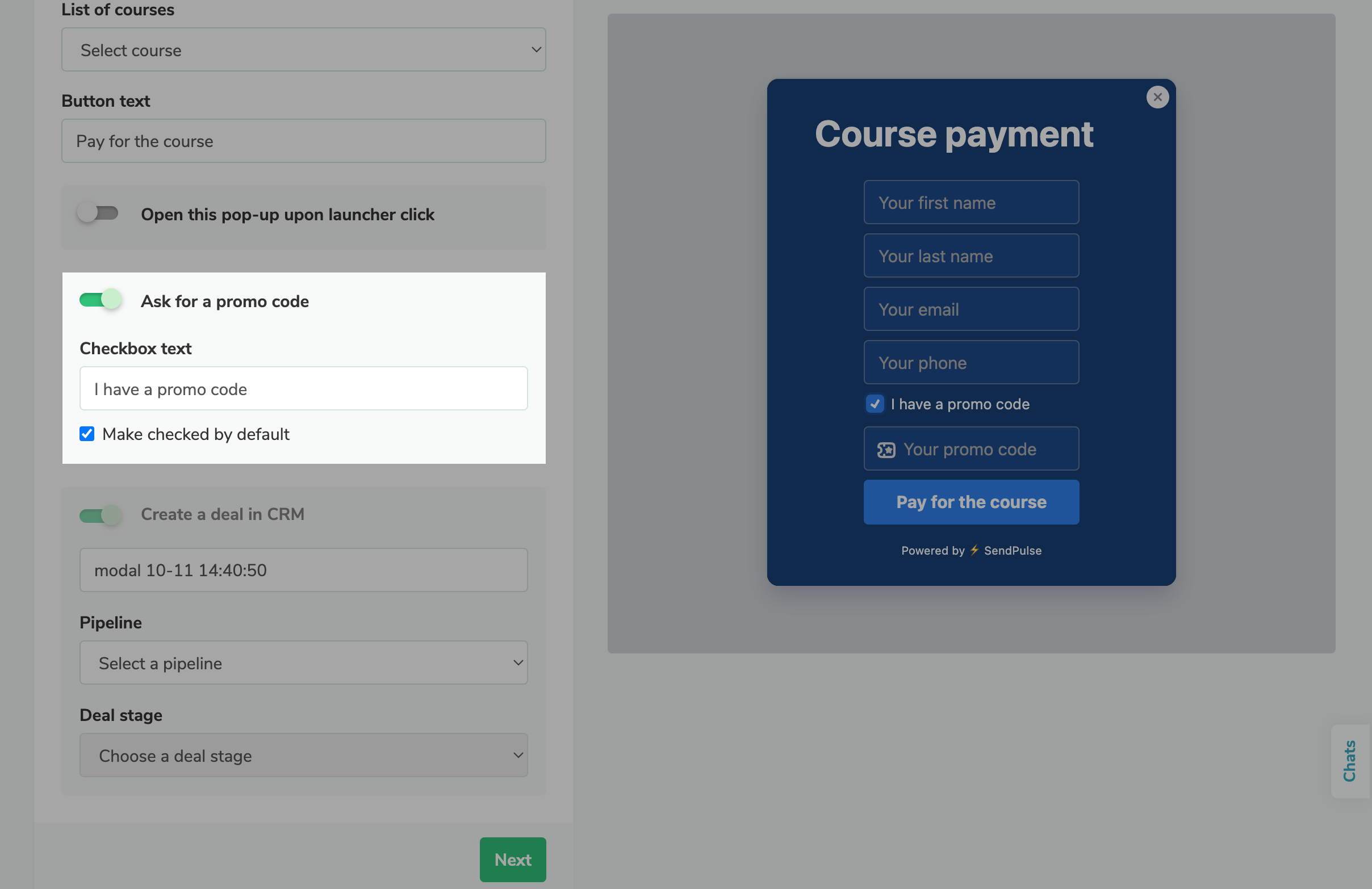
You can also add a promo code entry field to your custom pop-up form

You can also add a promo code entry field to your custom pop-up form with the β€œEDU Payment” target action.

Learn more about how to create and use promo codes in our knowledge base.

Create a promo code
Web push notifications

Custom web push notifications for course students

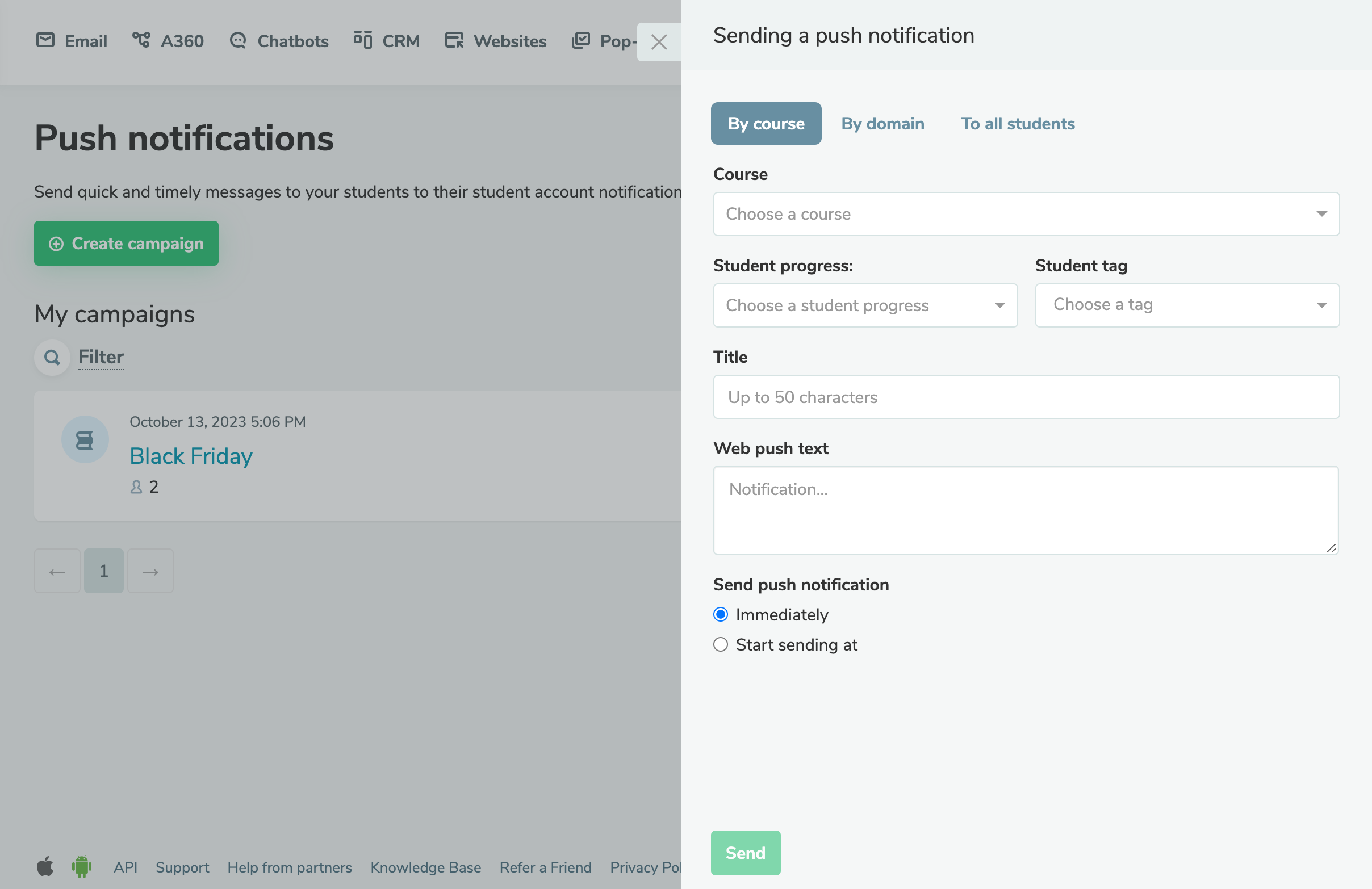
There’s now one more communication channel you can use to connect with your online course audience β€” web push notifications.

These short messages are a great way to facilitate communication with a specific student or a segment of students, inform them about important changes to their course program, encourage them to be more actively involved in a course, etc.

Web push notifications consist of:

  • a title limited to 50 characters;
  • a message of up to 500 characters that can include emoji.

You can send your web push message immediately or schedule it for the future. Learn more about how to create and set up push notifications for your students in our knowledge base.

Create your web push notification
icon

If you need help with setup or have any other questions, contact our tech support team β€” we're in touch 24/7.

Best regards, Caleb Smith

sendpulse.com

You received this email because you are a customer of SendPulse.Β 

Unsubscribe

Sent via

SendPulse