To gain access to your course materials, students must be registered for your course. Students can enroll in a course themselves via your course website, or you can add them manually via your personal account. From now on, you can also invite your students from other courses to participate in another course. Here’s how you can invite your students from other courses: - In the “EDU” tab, find the course you want to invite students to.
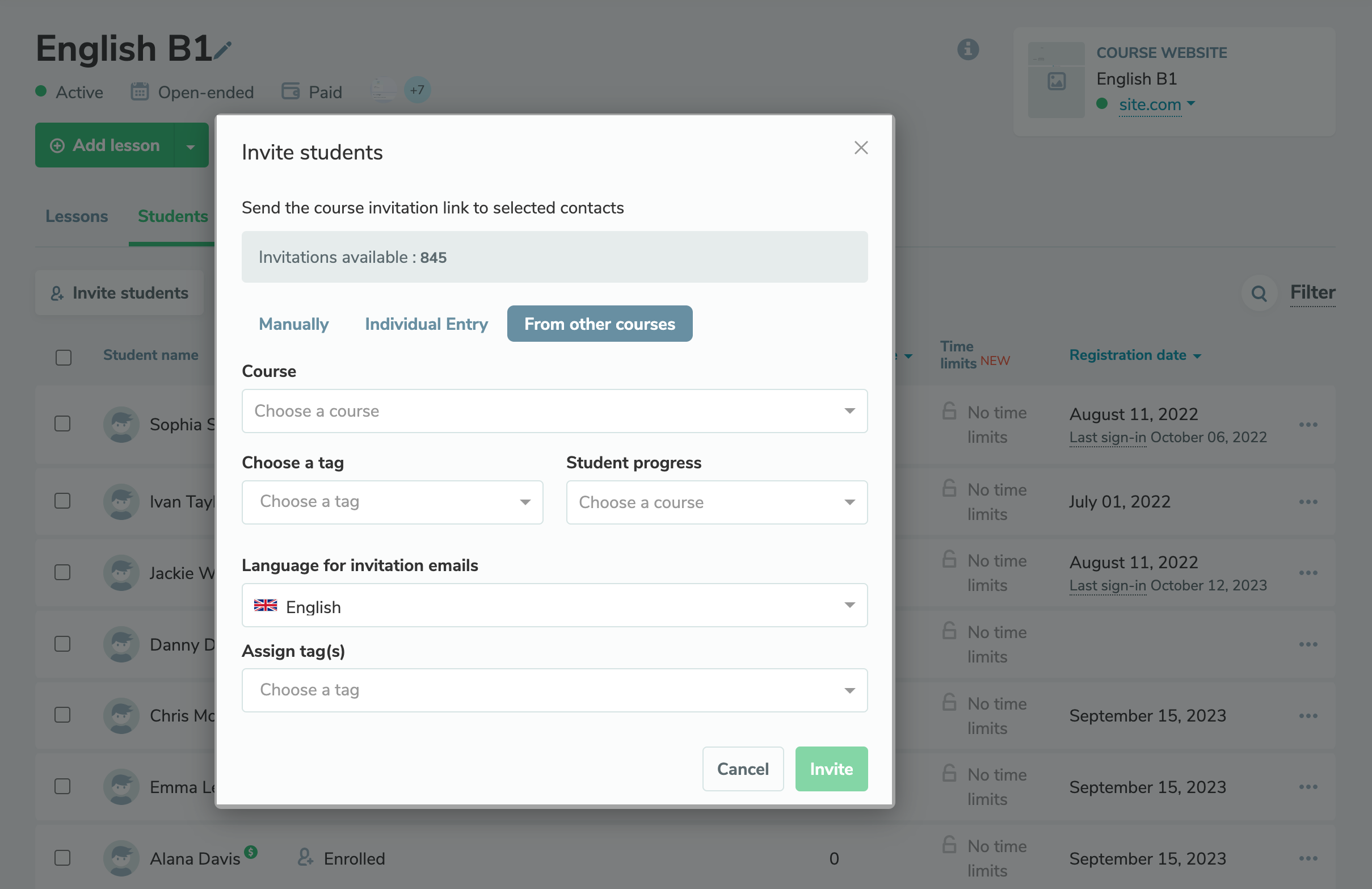
- Go to the “Students” tab and click “Invite students.”
- In the pop-up window, select the “From other courses” tab and configure your invitation — specify the course you want to invite your students from, choose a tag, student progress level, invitation email language, and assign a new tag if needed.
While configuring your student invitation email, you will immediately see the number of students that meet your specified criteria. |