πŸ”” New pop-up launch scenario and NPS survey analytics

Newsletter Archive
SendPulse
New pop-up launch scenario and NPS survey analytics
Caleb Smith

Caleb Smith

Product Marketer


β€œWe’re continually improving our pop-ups, and today, we’re thrilled to introduce our three latest updates. You can now launch pop-ups when users click a specific website element, use custom variables to hide prefilled fields, and perform more advanced NPS survey analytics.”

Pop-up launch upon website element click

Pop-up launch upon website element click

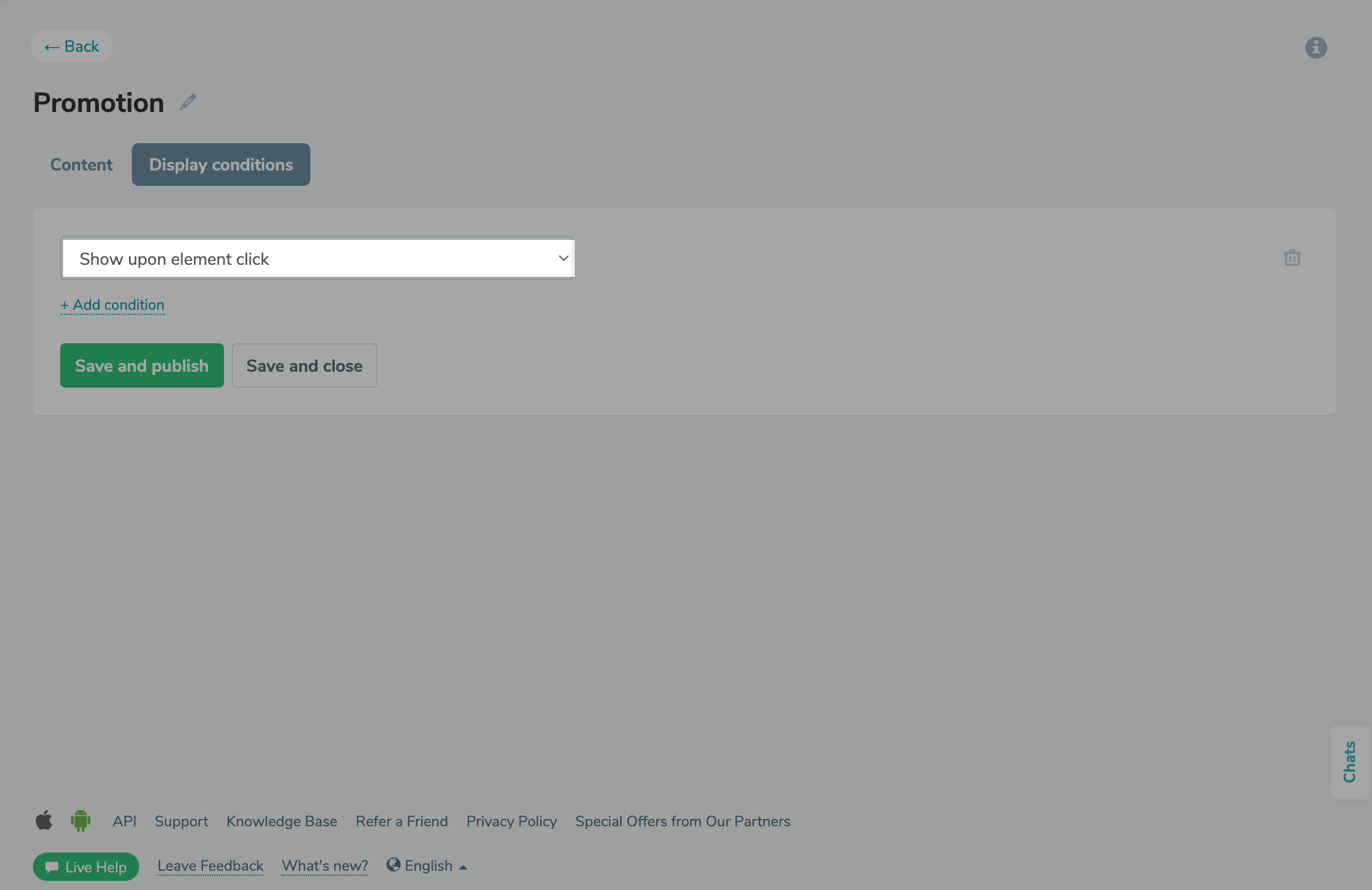
From now on, you can launch pop-ups when users click a target website element: a button, link, or menu element, which is a great way to personalize your automated communications.

For instance, you can launch an NPS widget after order completion to invite users to rate their experience or request their contact info for arranging personal consultations.

To display a widget upon an element click, you need to add a class to that element.

To do this, go to the β€œCode for manual launch” tab in your pop-up preview. Copy the code that corresponds to the class value, and add it to the element in the website builder.

Set up a new pop-up launch scenario
Hiding pop-up fields with prefilled variable values

Hiding pop-up fields with prefilled variable values

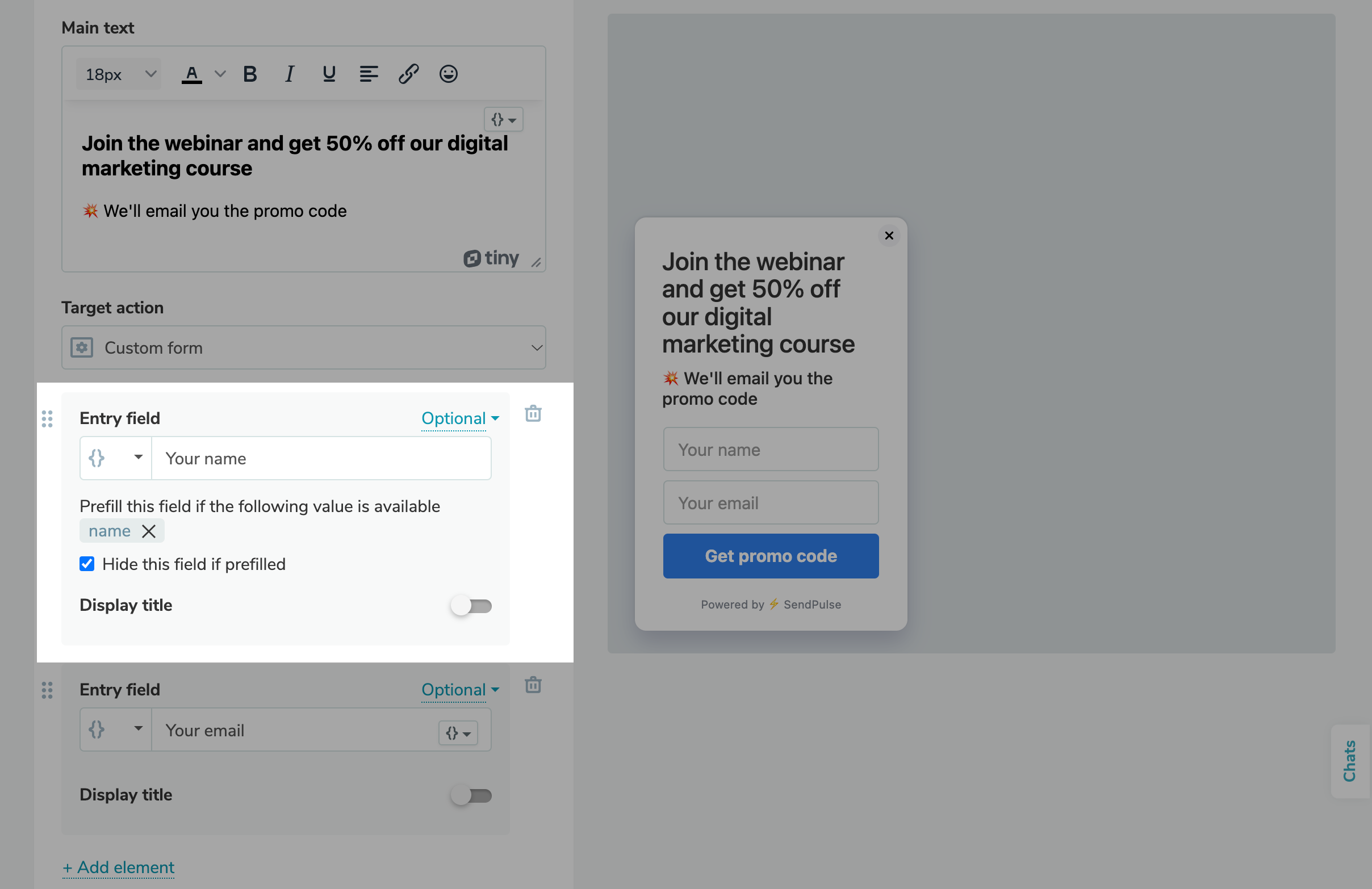
You can now use custom variables to automate your pop-up flow and hide fields with prefilled variable values. For instance, if a user has previously registered on your website, and the system has their data points saved, you don’t need to request them again.

By default, if the data points for your chosen variables are available in your or the user’s system, the widget will automatically insert these values in the fields. The user can review or edit them before submitting your form.

However, you can also enable the "Hide this field if prefilled" option to reduce the number of fields in your pop-ups. That way, these fields will not be displayed to the user, while the prefilled values will still be transferred upon form submission.

Learn more about how to create custom pop-up forms in our knowledge base.

Use custom variables in your pop-ups
Advanced NPS analytics

Advanced NPS analytics

We have previously announced our pop-up statistics that allow you to track how many views, interactions, leads, and subscribers your pop-up has gathered.

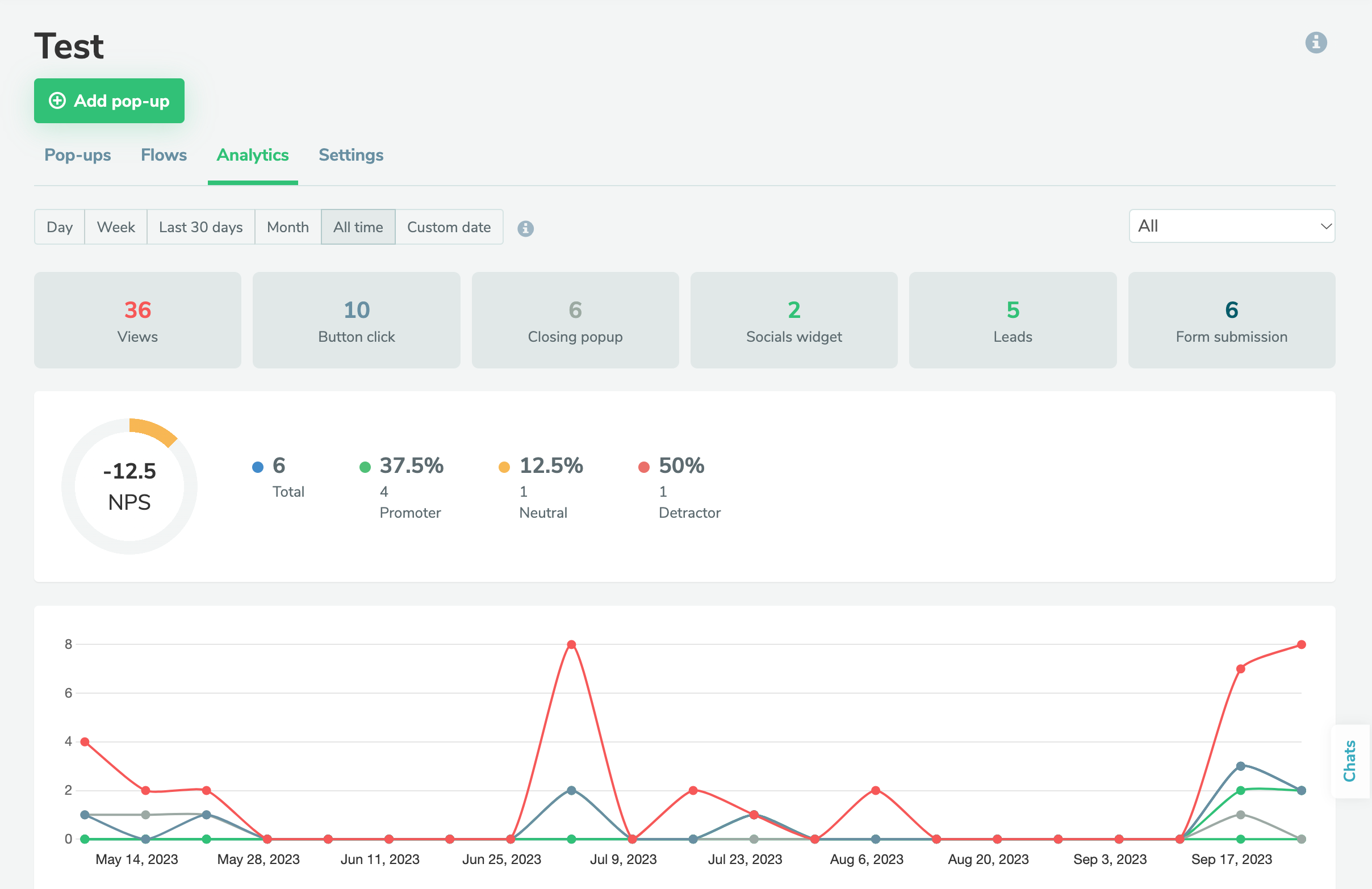
You can now access even more in-depth NPS statistics:

  • Average NPS for a project or a separate NPS pop-up;
  • Number of users who completed your survey;
  • Percentage of promoters, passives, and detractors.

You can also view the list of contacts who filled in your NPS form, including their email address or phone number, scenario, region, tags, open-ended comments, source, and last visit date.

You can filter these contacts based on their availability and tags.

Analyze your NPS forms
icon

If you need help with setup or have any other questions, contact our tech support team β€” we're in touch 24/7.

Best regards, Caleb Smith

sendpulse.com

You received this email because you are a customer of SendPulse.Β 

Unsubscribe

Sent via

SendPulse