🎓 A new “Reviews” widget and course completion time limits

Newsletter Archive
SendPulse
A new “Reviews” widget and course completion time limits
Caleb Smith

Caleb Smith

Product Marketer


“We're excited to introduce our advanced course completion time limits and a convenient “Reviews” widget for showcasing your students’ feedback on your website.”

Course completion time limits for specific students

Course completion time limits for specific students

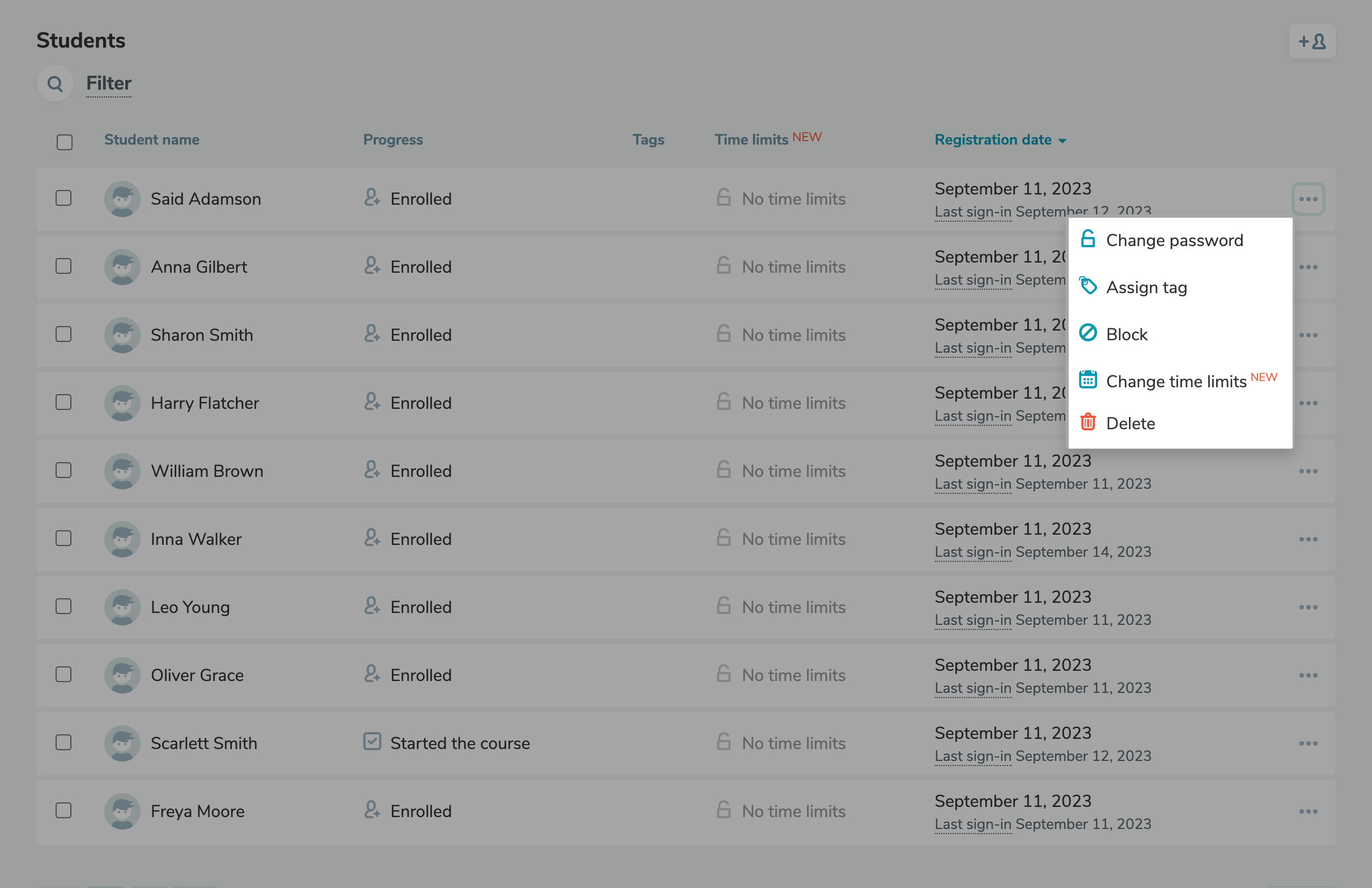
From now on, you can set course completion time limits for one or multiple students.

To limit course completion time for one student, go to the “Overview” tab, click the three dots next to the student’s name, and select "Change time limits."

There are two options available:

  • No limits — the student can take your course within the timeframe you’ve specified in your course settings.
  • Limit until date — the student must finish your course by a specific date you’ve chosen.

To limit course completion time for multiple students, select these students and click "Change time limits" on the dashboard. The changes will be displayed in the "Time limits" column.

You can find more information on our time limit settings in our knowledge base.

Change time limits
The “Reviews” widget

The “Reviews” widget

You can now add a student review widget to your website to tackle sales objections and convince potential students to enroll in your online course.

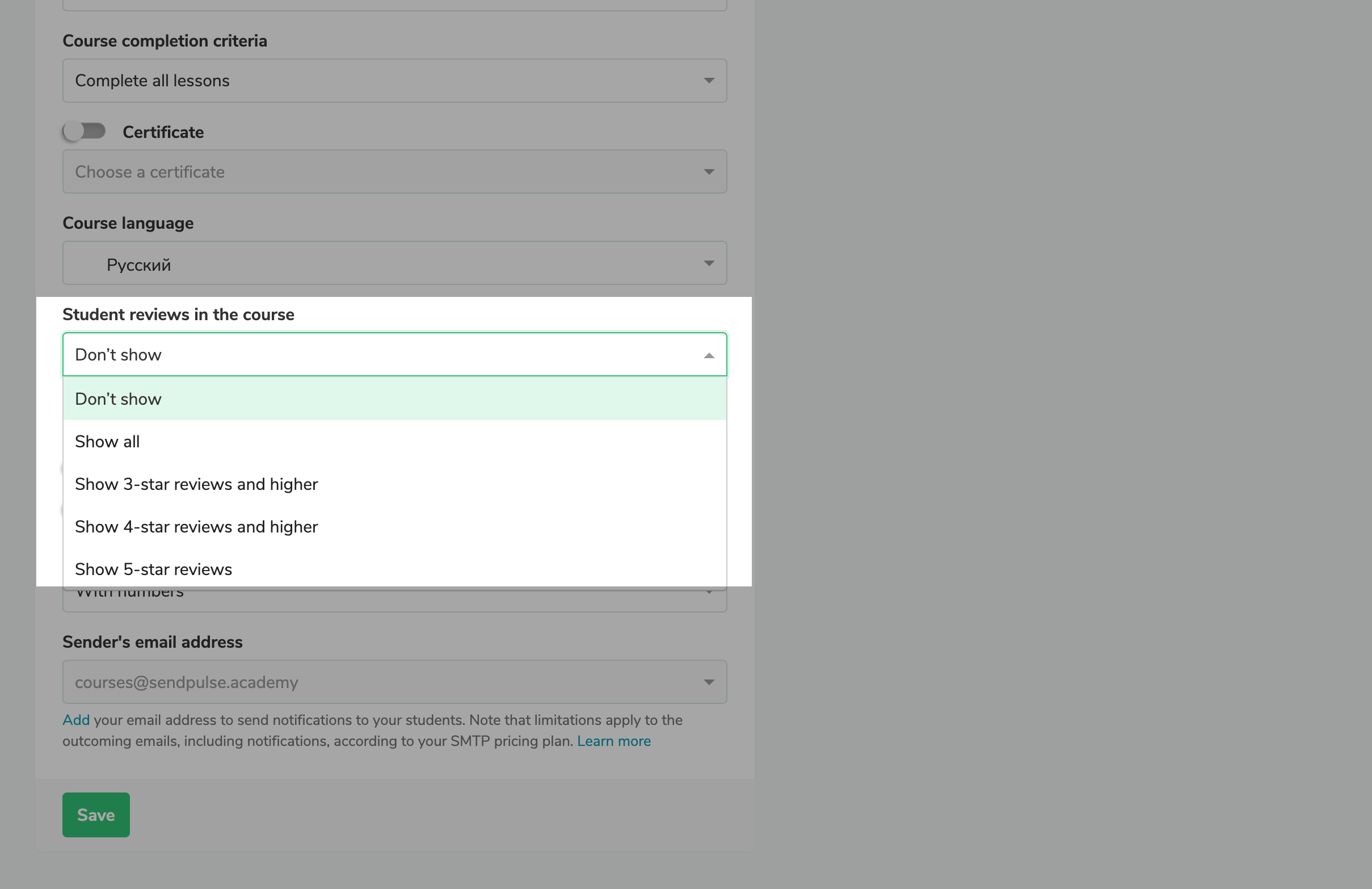
To display student reviews in the widget, go to your course settings and choose which types of reviews you'd like to display — all of them or just the 3, 4, or 5-star reviews. Then, save the changes.

You want to showcase your reviews

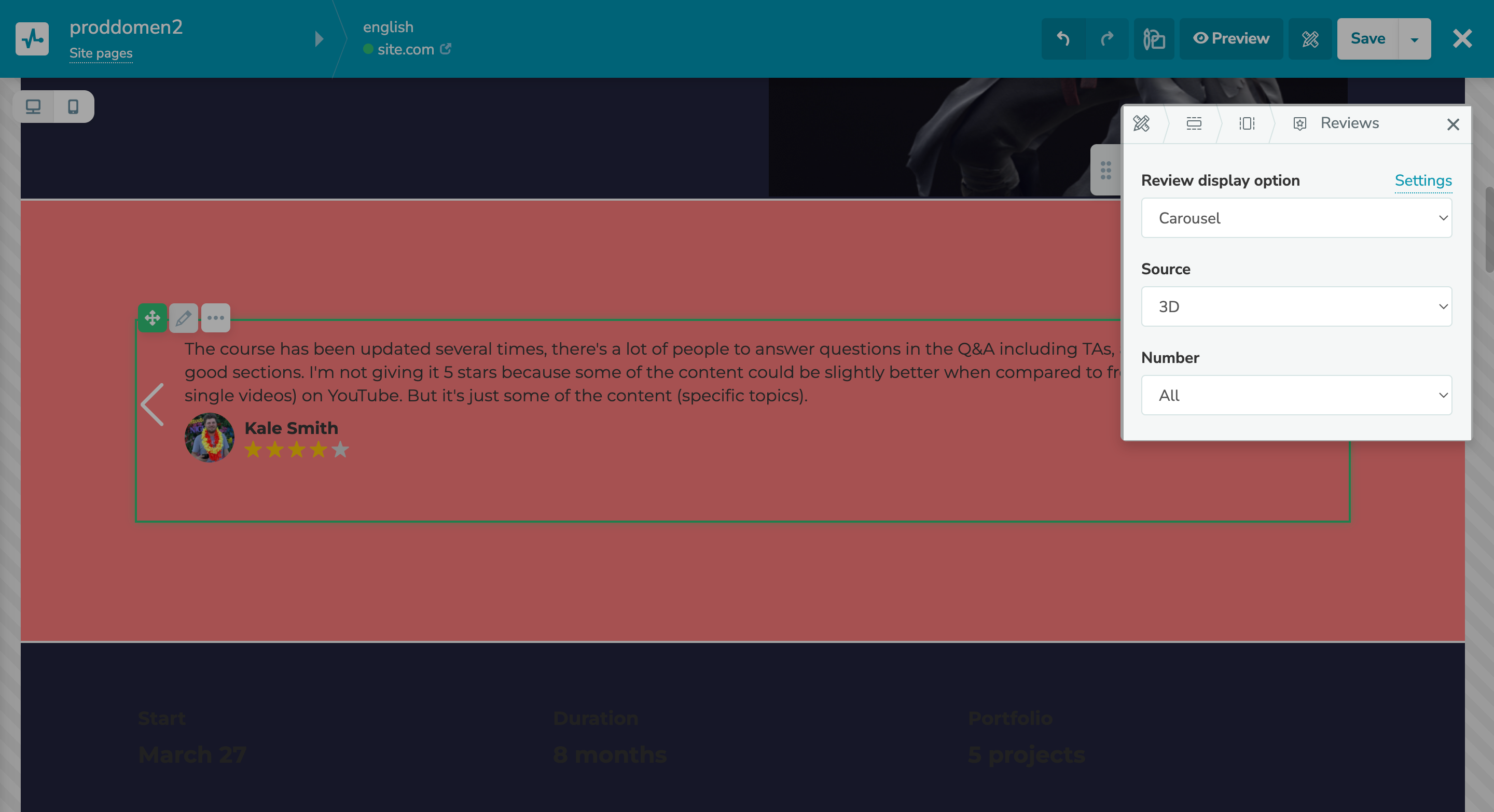
You can only add your widget to a website linked to your online course. To create an online course website with a unique design, go to your course website settings, create a new page, and add the “Review” widget.

You can choose the course for which you want to showcase your reviews and their number, as well as display them as a carousel or a grid. What’s more, you can change your review style, margin, background, etc.

Customize your "Review" widget
icon

If you need help with setup or have any other questions, contact our tech support team — we're in touch 24/7.

Best regards, Caleb Smith

sendpulse.com

You received this email because you are a customer of SendPulse. 

Unsubscribe

Sent via

SendPulse