✅ Chatbot flow templates and four more updates

Newsletter Archive
SendPulse
Chatbot flow templates and four more updates
Caleb Smith

Caleb Smith

Product Marketer


«Our chatbot flow builder now has even more features to make your automated communications convenient and seamless. Read on to learn about our five helpful updates.»

Using chatbot flow templates

Using chatbot flow templates

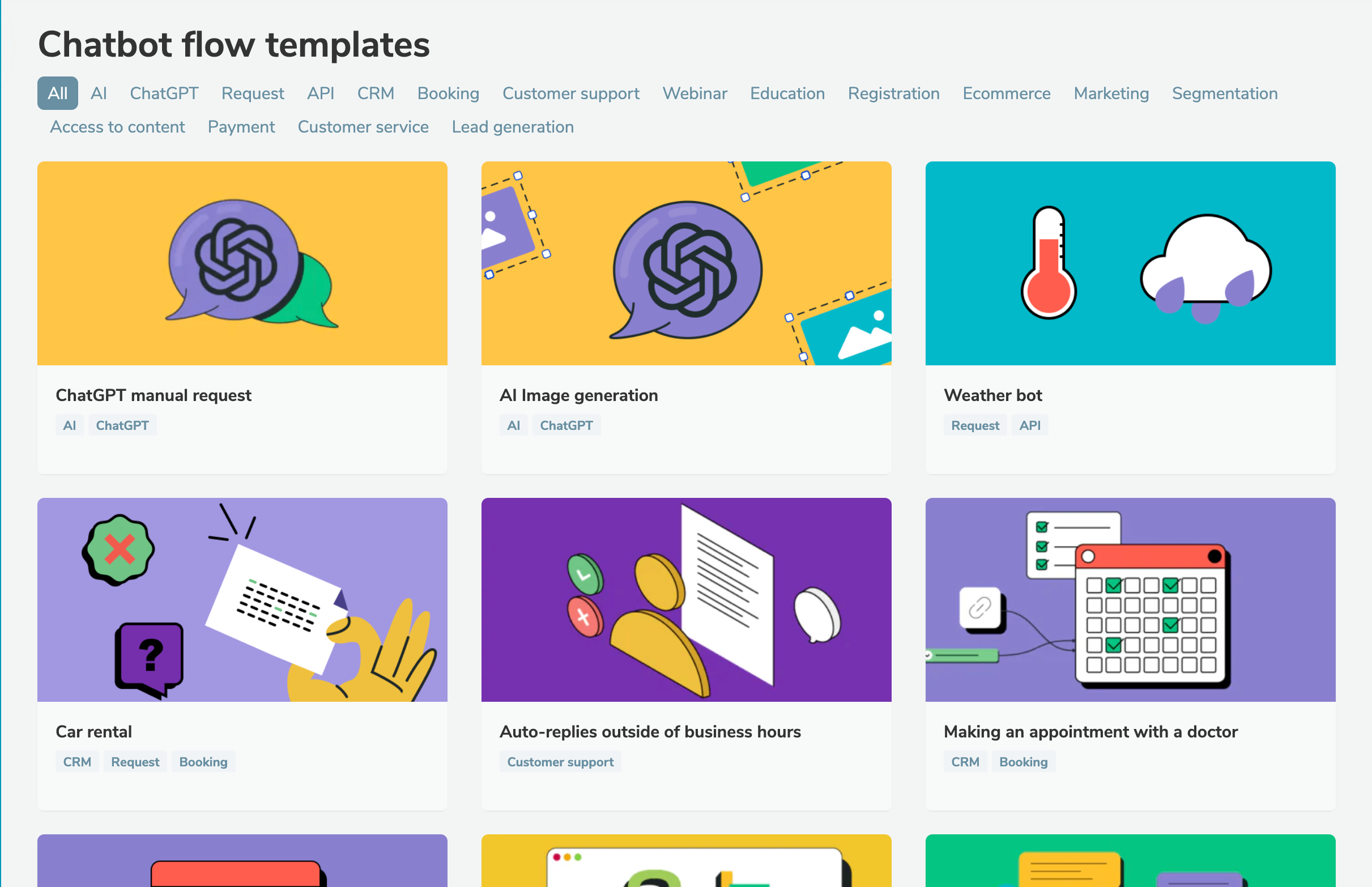
Try our ready-made chatbot flow templates to streamline the process of creating a new chatbot or improving an existing one.

We've categorized our templates based on topics, tasks, and messaging platforms. For instance, you can select a chatbot flow for webinar registration or to share access to a Telegram group chat for a month.

Here’s what you need to do to use a template:

  1. Select a relevant chatbot flow from the list.
  2. Select a chatbot to which you want to copy your flow.
  3. Set up variables to collect data.
Try it
Generating chatbot subscription pages automatically

Generating chatbot subscription pages automatically

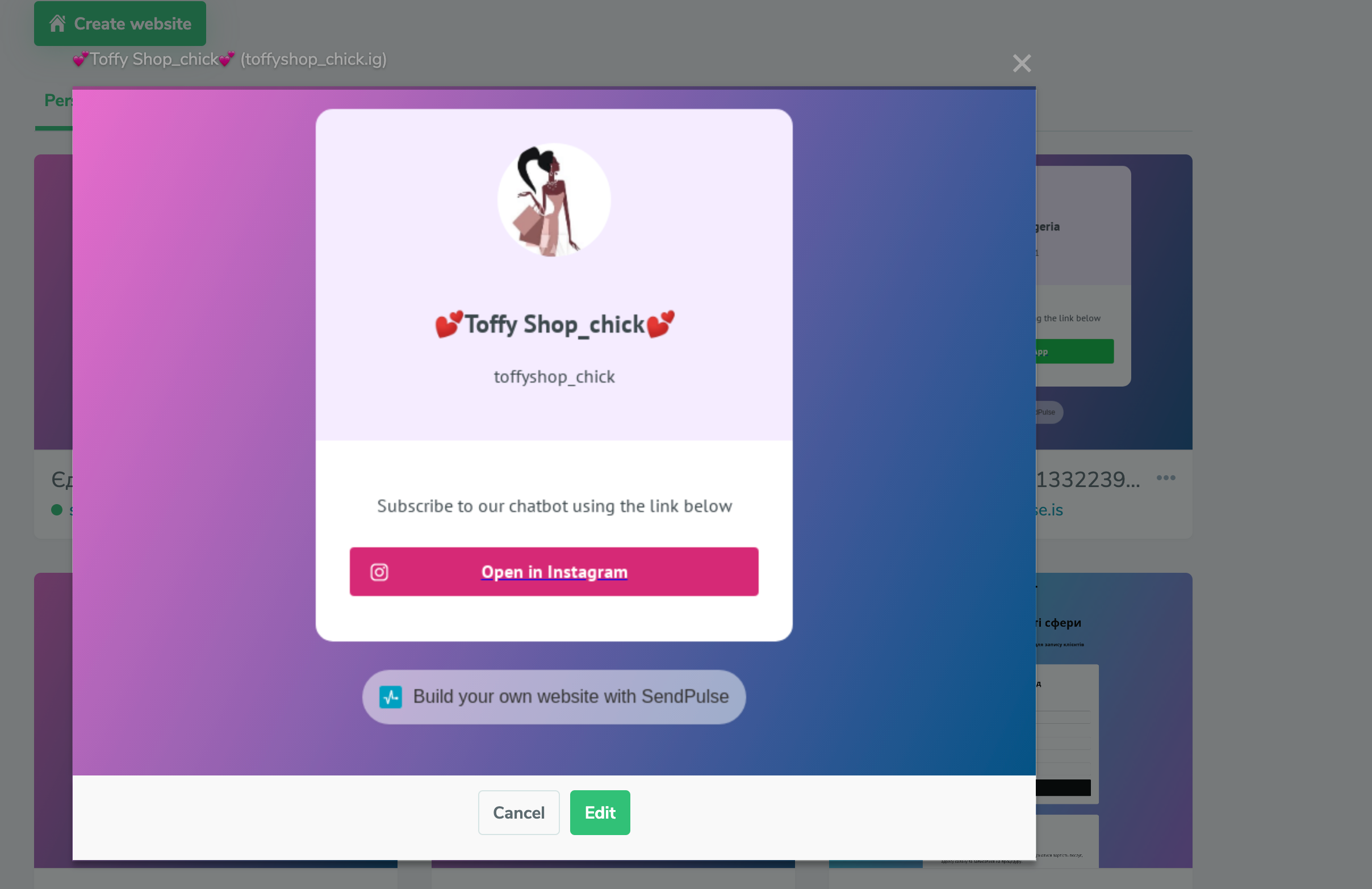
From now on, gathering chatbot subscribers will become easier: once you set up a new chatbot, our system will automatically generate a bio link page with a subscription button.

Your bio link page will only contain the most crucial information:

  • chatbot avatar;
  • publicly visible chatbot name;
  • chatbot username;
  • description or phone number;
  • subscription link.

If necessary, you can edit your bio link page: change the text, add and rearrange the blocks, and customize your page style and appearance. Read more about our bio link page builder in our knowledge base.

Autogenerated bio link pages get saved in the “Websites” tab. If you delete your chatbot, the system automatically takes down the website.

Set it up
Validating a subscriber’s response as a video file

Validating a subscriber’s response as a video file

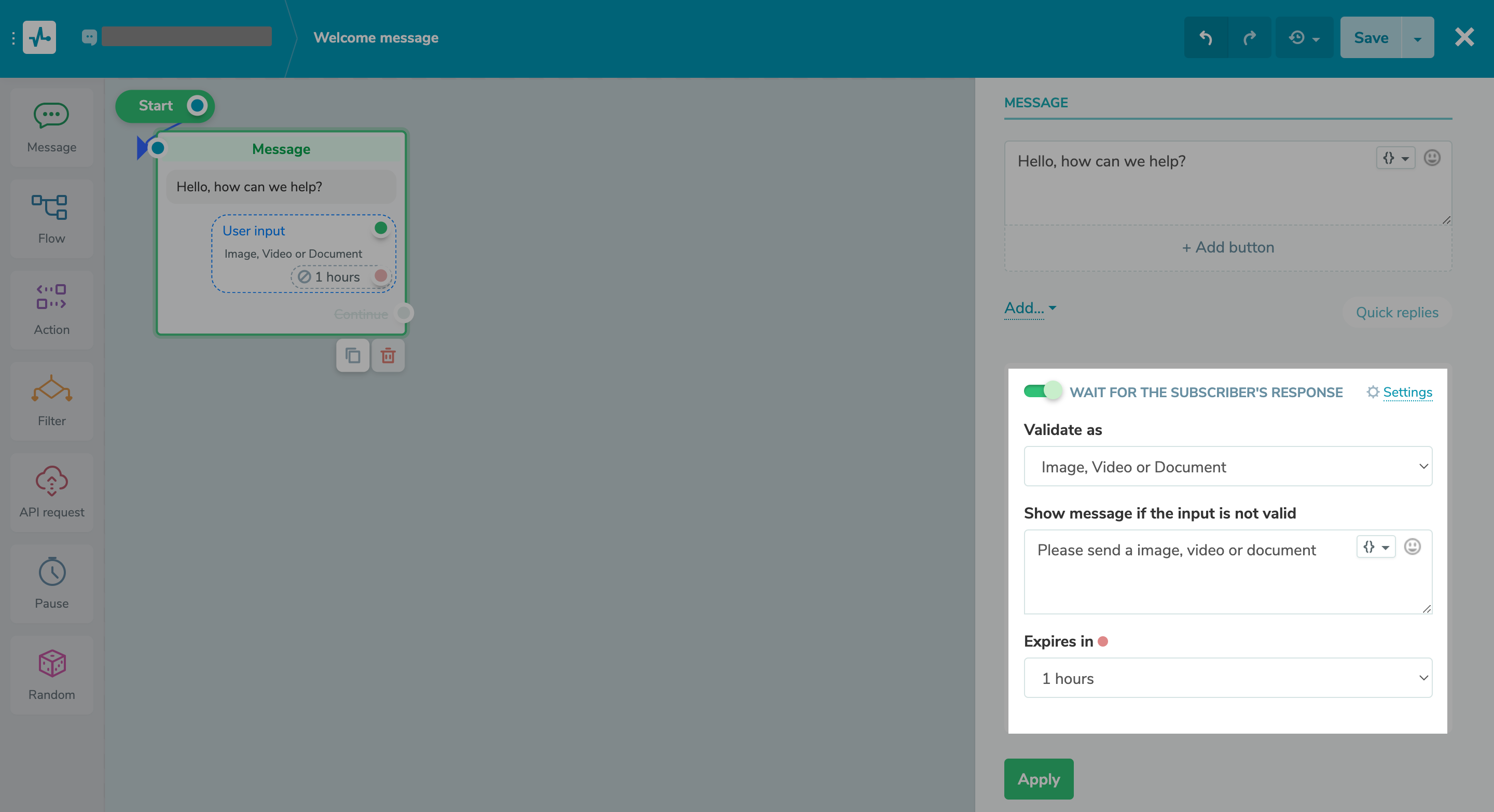
User input allows your chatbot subscribers to enter values you can validate by type and store in variables in the ”Audience” tab. This way, you can receive users’ phone numbers, email addresses, links, geolocations, dates, images, and now also videos.

Once a user sends a video file to your chatbot, your flow will be continued. You can also create a message that will be sent if a user enters data incorrectly and set your response wait time.

Set it up
Reassigning your deal right in the chat

Reassigning your deal right in the chat

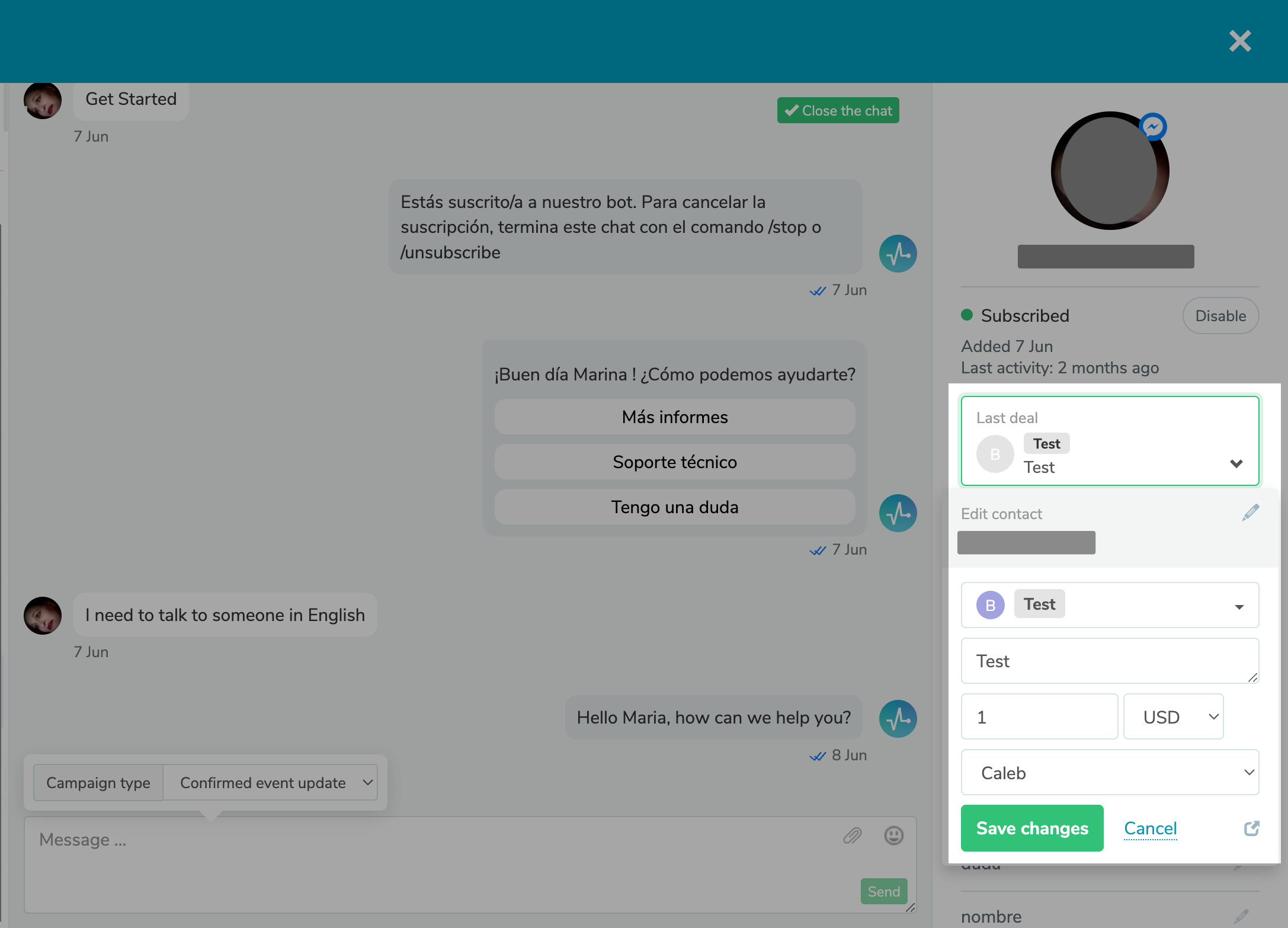
If you close deals right in your chats with contacts, this update will definitely come in handy!

Simply select a deal, reassign it to another team member, and edit its name and amount.

Try it
New standard “Catalog order” WhatsApp flow

New standard “Catalog order” WhatsApp flow

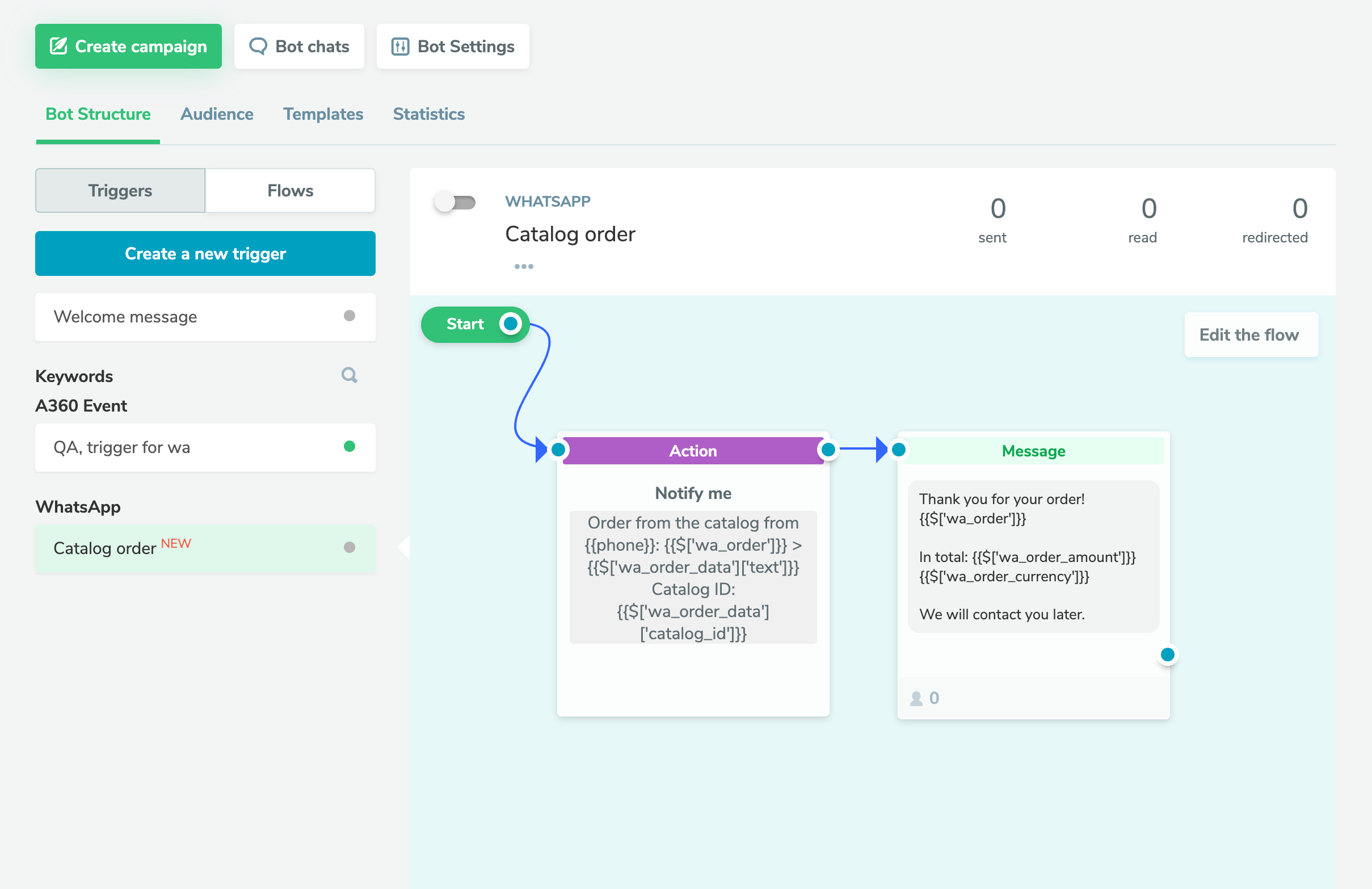
Once users place orders using your WhatsApp catalog, an automated “Catalog order” chatbot flow will be triggered. By default, it contains the “Action” element with the “Notify me” command and an automated response to a user.

You can display order details in your message or save them in variables.

This trigger is automatically turned on for new users, and turned off for current users. You can activate it if necessary.

Set it up

If you need help with setup or have any other questions, contact our tech support team — we're in touch 24/7.

Best regards, Caleb Smith

sendpulse.com

You received this email because you are a customer of SendPulse

Unsubscribe

Sent via

SendPulse