🧍How to create a custom user role in SendPulse

Newsletter Archive
SendPulse
The long-awaited user role system is finally here
Caleb Smith

Caleb Smith

Product Marketer


"Don't limit yourself to five standard team member roles. From now on, you can create any number of roles for your teammates and grant access only to the required sections of the SendPulse platform, ensuring data protection.

So how do you create and manage a custom role, and what are the limitations here? All in this email!"

User roles

The gist of the SendPulse user role system

A user role is a set of permissions and restrictions that define how a user can manage your account. Depending on your team members’ responsibilities, you can grant them different levels of access. For example, your accountant only needs to manage your pricing plans and payments, and your analyst simply needs to view statistics and create and export reports.

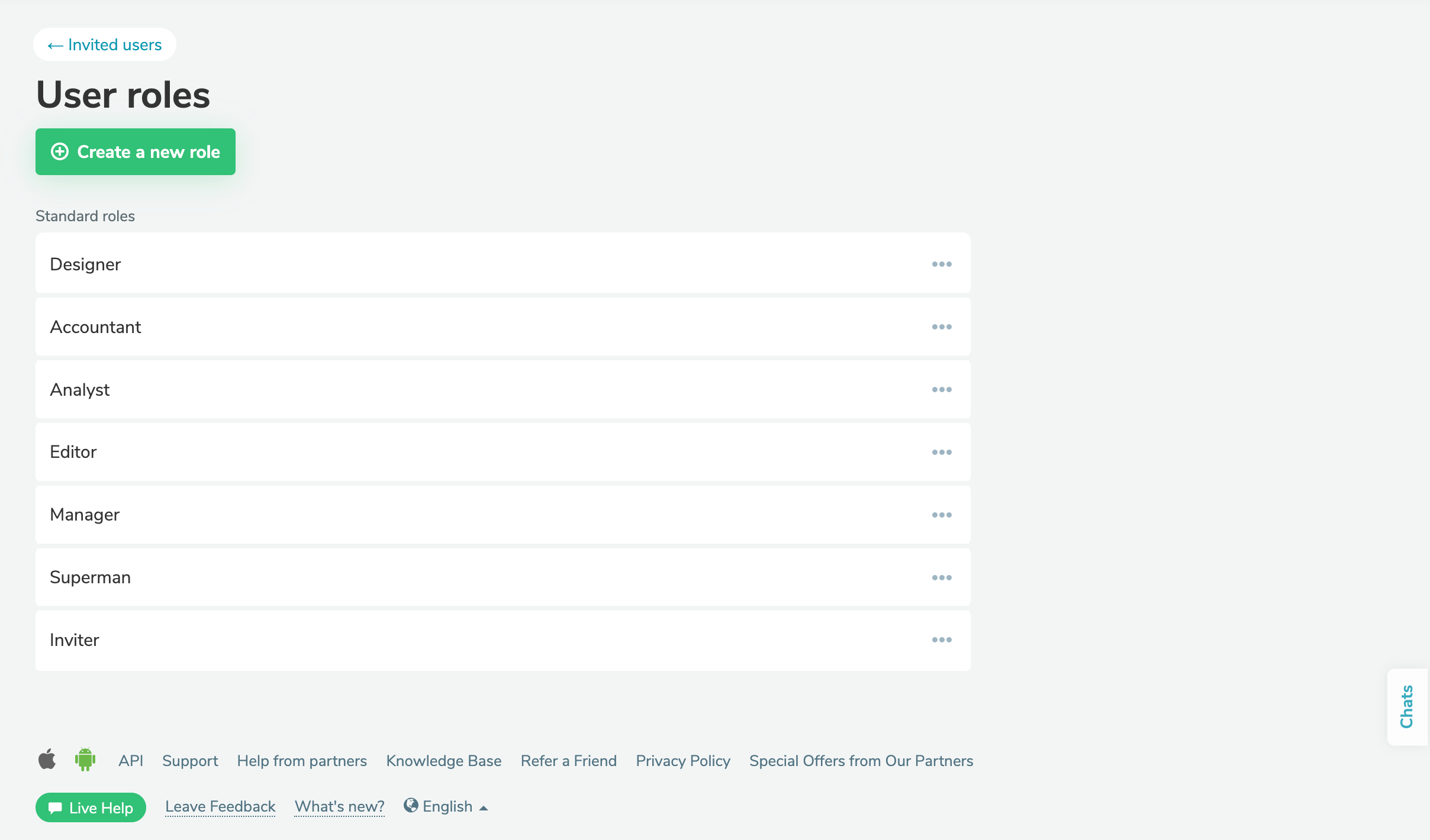
Here are the standard roles available on the SendPulse platform:

  • Designer;
  • Accountant;
  • Analyst;
  • Editor;
  • Manager;
  • Superman;
  • Inviter.

Find out more about each user role and permission types in our knowledge base.

To simplify your team’s workflow, you can create a custom role with a unique set of permissions.

Manage your user roles
Create a new role

How to create a custom user role

You can create a unique user role based on a standard one or from scratch.

To customize one of the standard roles, go to β€œAccount settings" > "Users" > "User roles." Click β€œCreate a role based on this” next to the standard role you like.

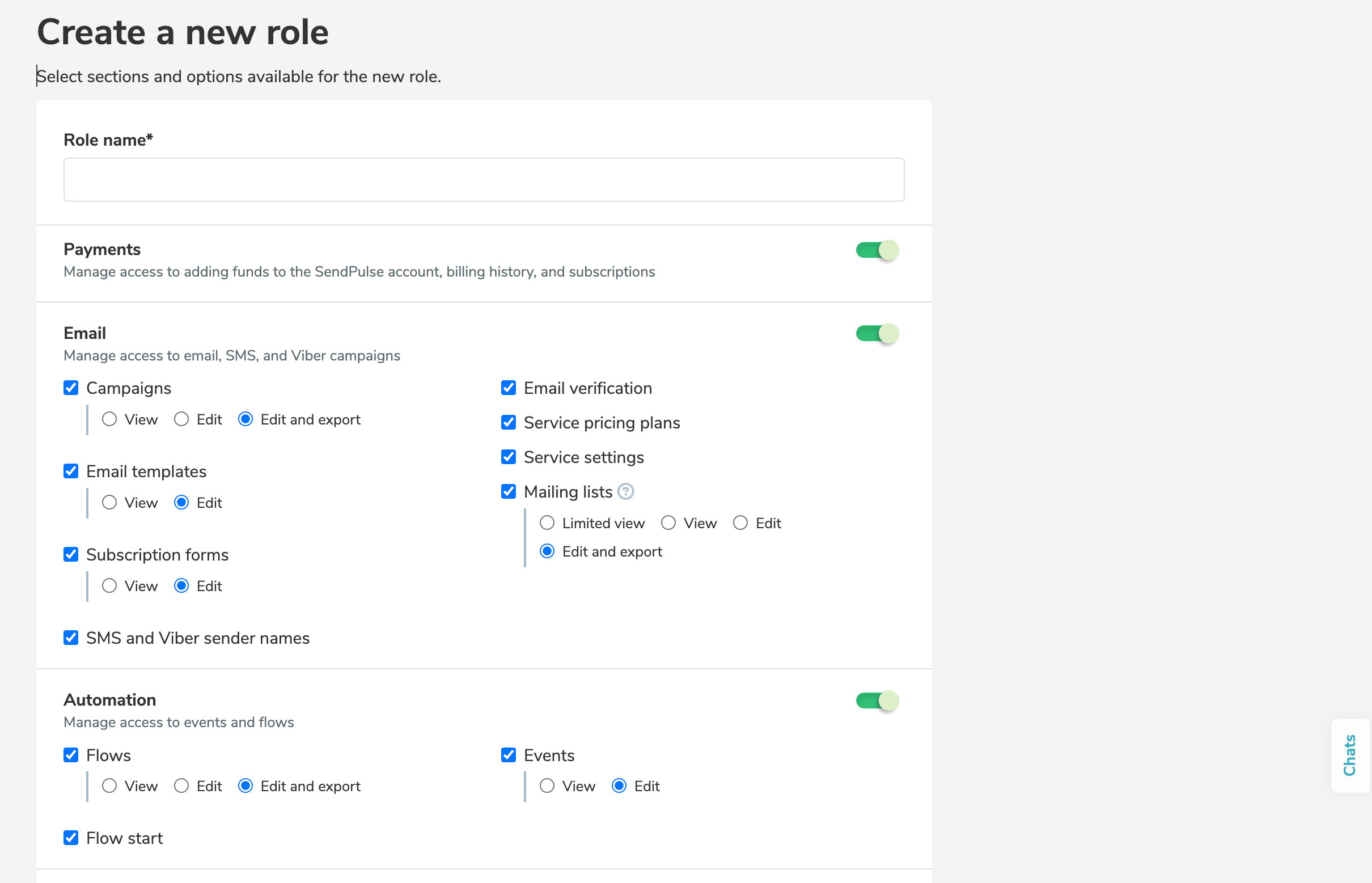
If none of the standard roles suit your needs, create a new user role from scratch. To do this, in the "User roles" tab, click "Create a new role," define its permissions, and save the changes.

Discover more about how to create and assign user roles in our knowledge base.

Create a custom user role
icon

If you need help managing user roles or have any other questions, contact our tech support team β€” we're in touch 24/7.

Best regards, Caleb Smith

sendpulse.com

You received this email because you are a customer of SendPulse.Β 

Unsubscribe

Sent via

SendPulse