πŸŽ“ Multiple certificates and other online course builder updates

Newsletter Archive
SendPulse
Multiple certificates and other online course builder updates
Caleb Smith

Caleb Smith

Product Marketer


"Summer is no excuse to slow down at SendPulse! We’re rolling out three cool online course builder updates β€” uploading multiple certificates, accepting homework assignments automatically, and a new course completion criterion that will help course creators breathe easy and diversify their interactions with students."

Several certificates in one course

Several certificates in one course

SendPulse’s online course builder makes it possible to run large-scale courses with numerous sections and an unlimited number of lessons. That is, each section acts as an individual learning module. It’s like conducting a QA engineering course with standalone sections about website testing, SaaS product testing, and application testing.

Add an individual certificate to each section and encourage students to continue learning!

To add multiple certificates to one course, you need to do the following:

  • Design and save your certificates using any program.
  • Save them as PNG or PDF.
  • Upload your certificates for each student.

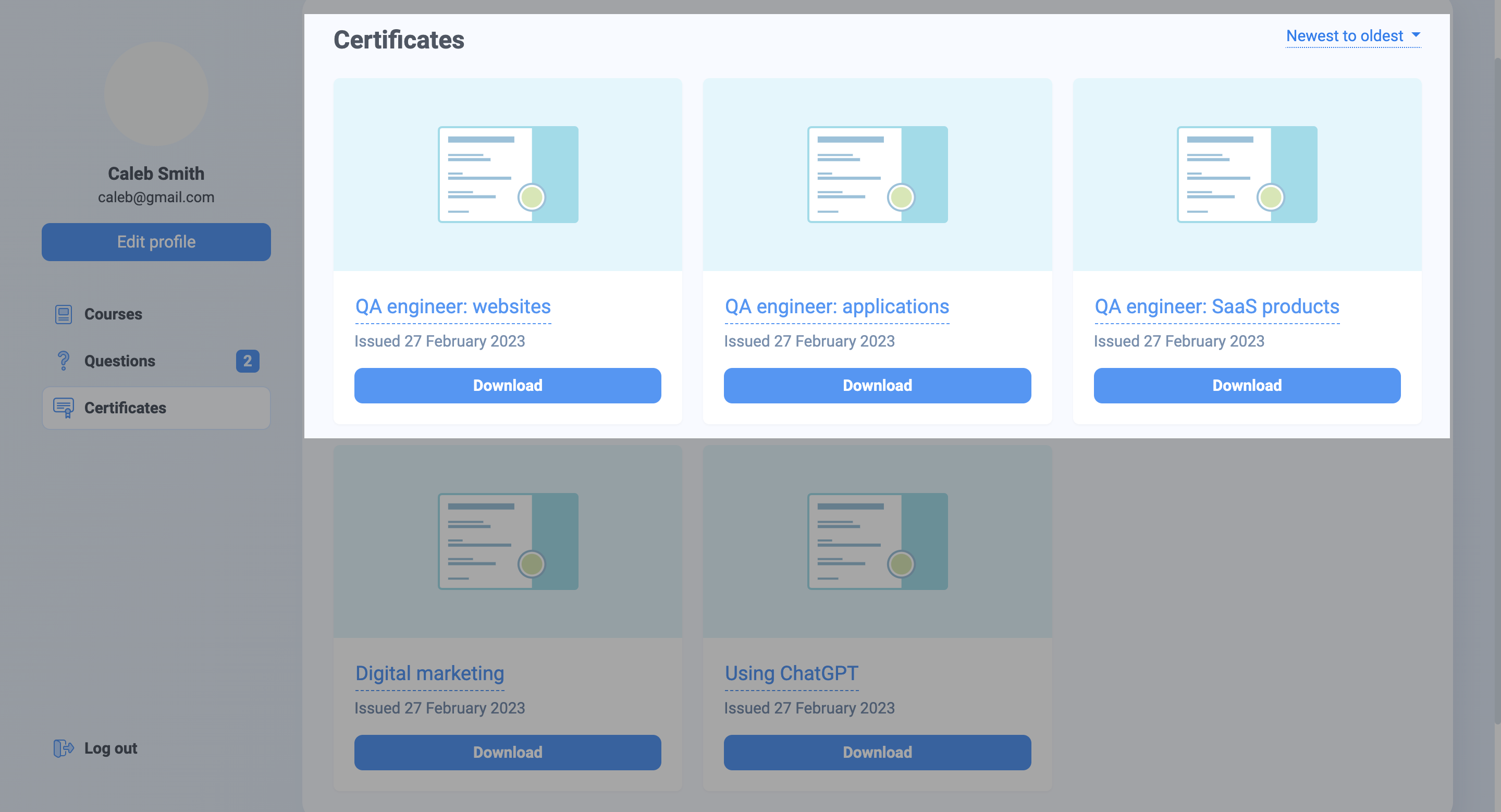
Students will be able to see their certificates in their personal accounts and in the "Certificates" section. Make sure to name your certificates properly by adding your unique course ID.

Upload multiple certificates
Accepting assignments automatically

Accepting assignments automatically

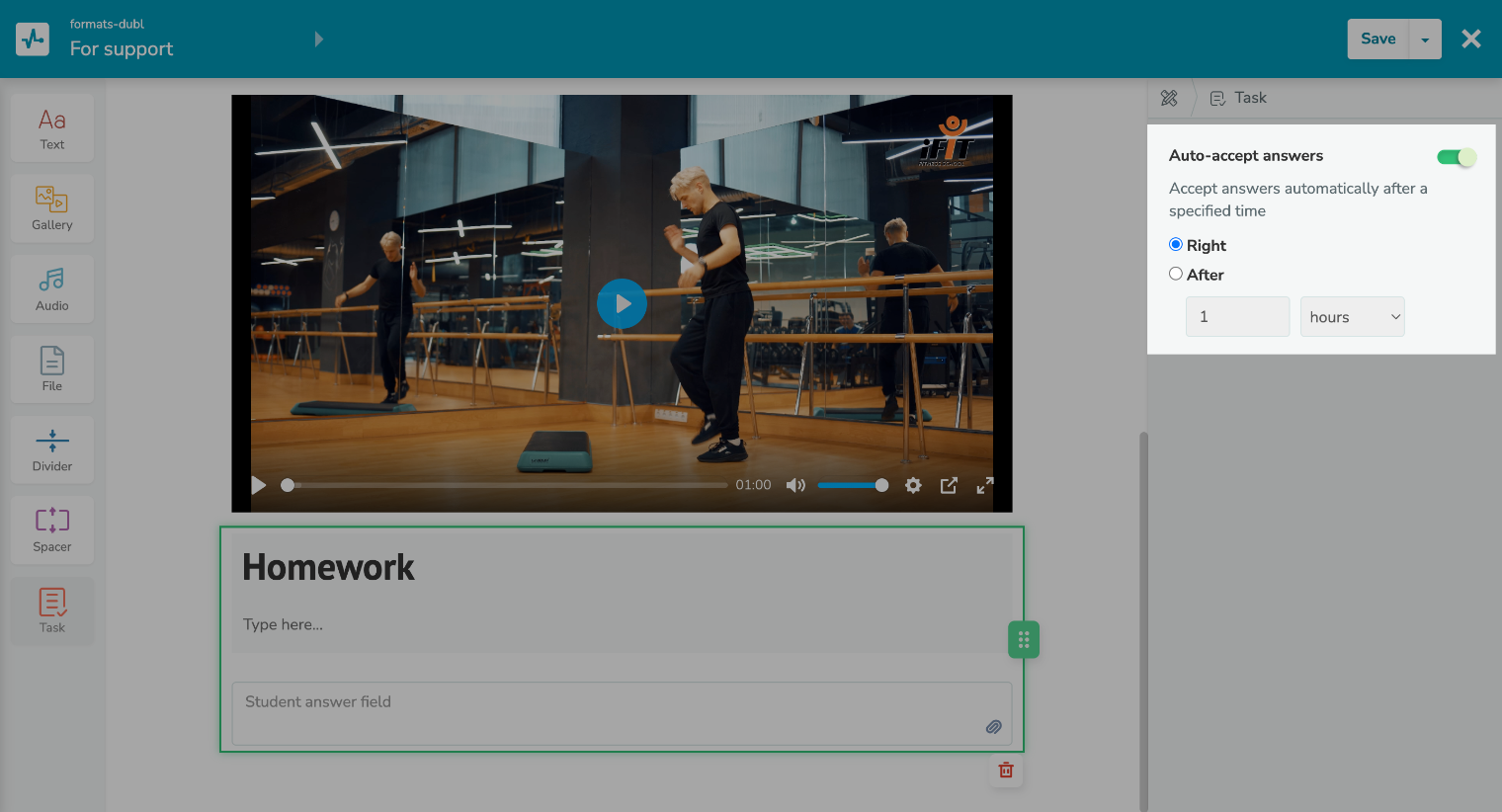
From now on, online course instructors will be able to accept their students’ homework assignments automatically.

We recommend using this option for:

  • simple tasks that do not require assessment;
  • obtaining students' consent to the terms of your course.

You can also accept assignments automatically after a certain amount of minutes (from 5 to 55) or hours (from 1 to 24).

Accept assignments automatically
New course completion criterion

New course completion criterion

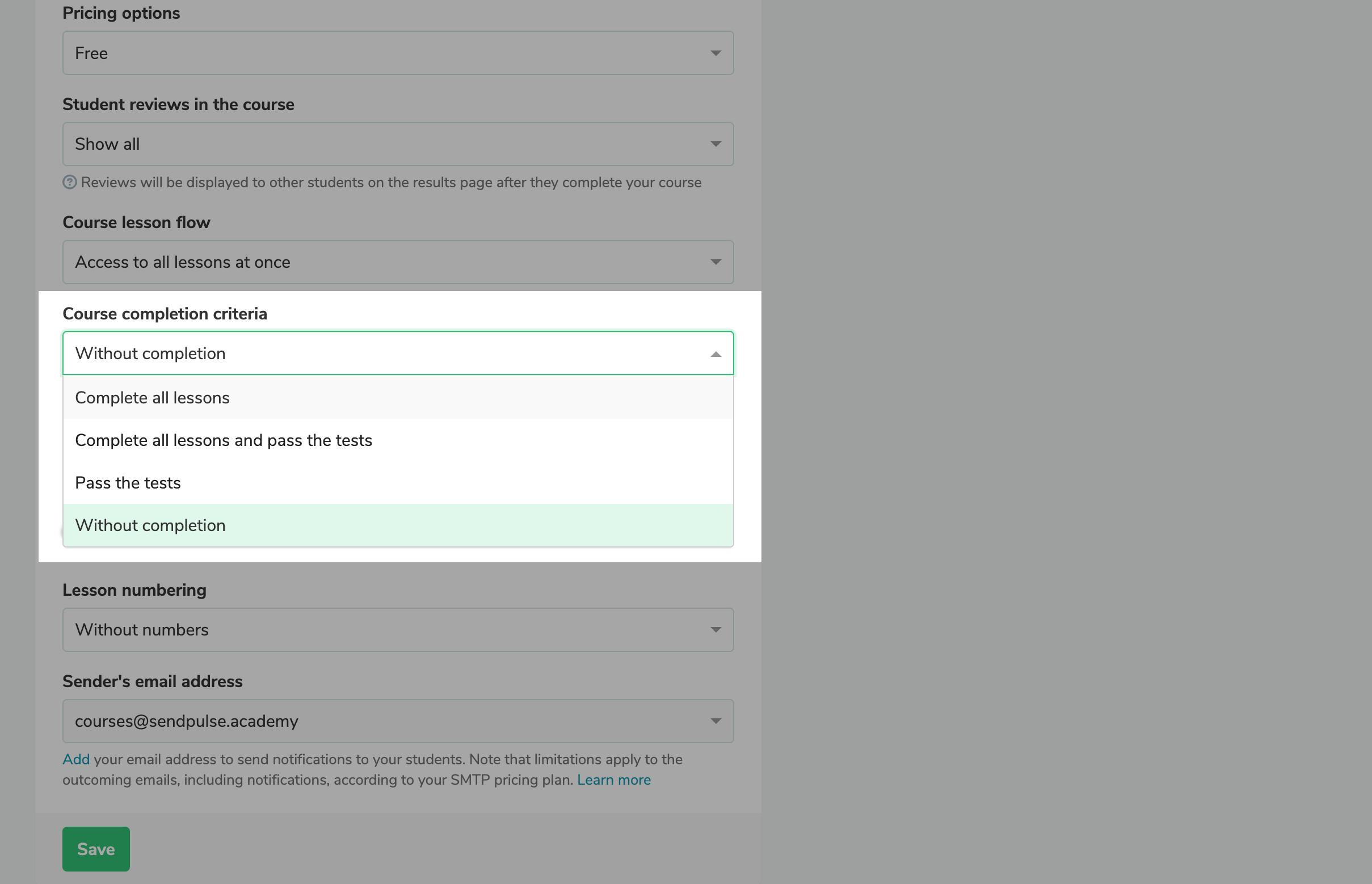
If you do not plan your lessons in advance but work on new materials as you go, use the "Without completion" criterion. The students who have passed all your available lessons and tests will not be marked as those who have completed your course but will remain active.

To allow your students to complete your course, set another course completion criterion before publishing your last lesson. This way, students who meet your selected criterion will be marked as those who have completed your course and will receive a certificate.

Select course completion criteria
icon

If you need help with setup or have any other questions, contact our tech support team β€” we're in touch 24/7.

Best regards, Caleb Smith

sendpulse.com

You received this email because you are a customer of SendPulse.Β 

Unsubscribe

Sent via

SendPulse