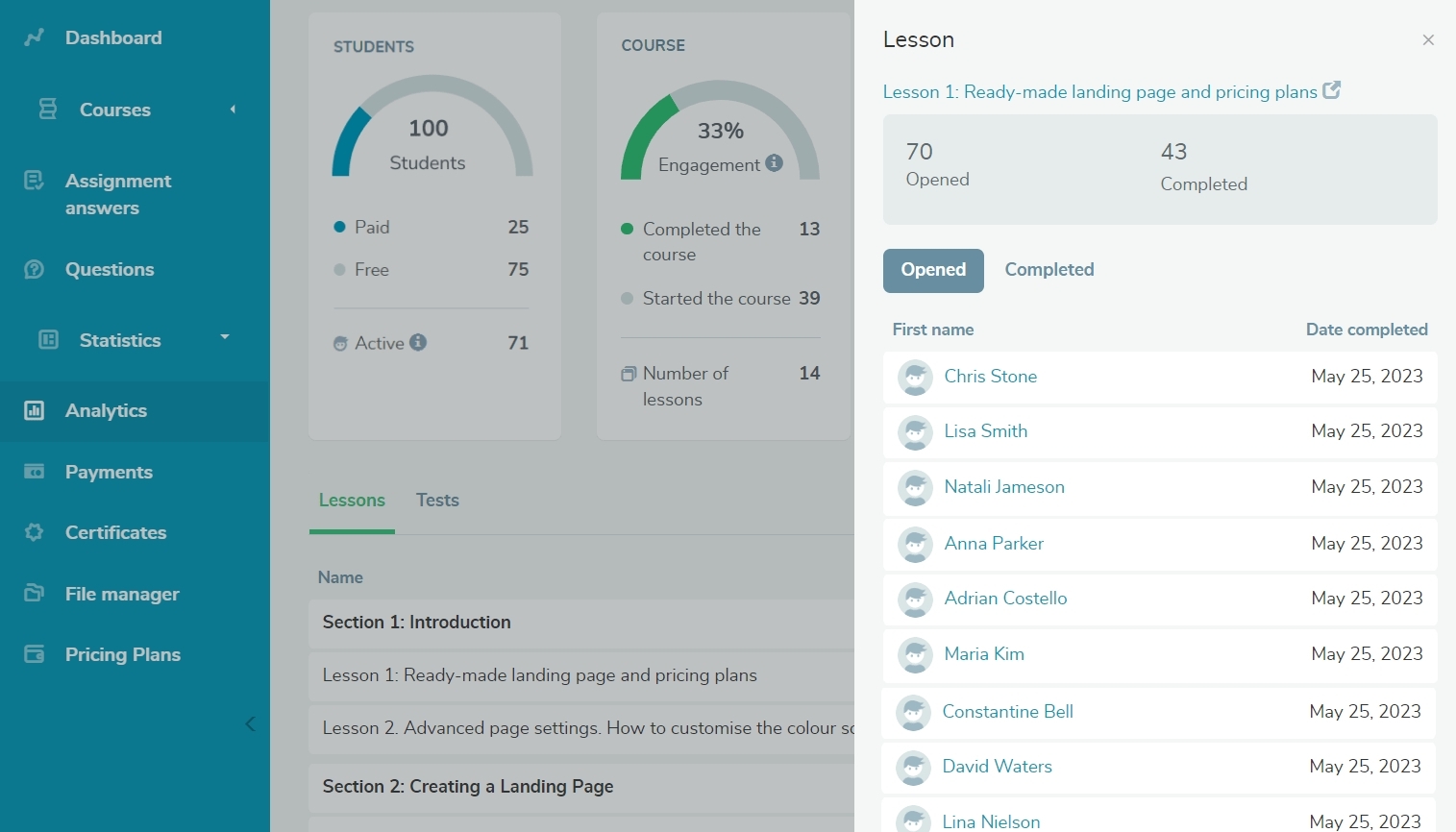
We have expanded the possibilities of our student activity tracking features! In the "Analytics" tab, you can now track students’ progress with each lesson and test. The following indicators are available in the "Lessons" tab: - Started: this indicator displays the number of students who started the lesson but did not finish it.
- Completed: this indicator displays the number of students who marked the lesson as completed.
Click a lesson name to see your list of students who have taken or viewed the lesson. The "Tests" tab displays the number of students who started, passed, or failed your tests. Read more about how to analyze your course data in our knowledge base. |