πŸ“© Edit scheduled newsletter in chatbots

Newsletter Archive
SendPulse

Four Chatbot Updates

Create and edit CRM contacts and deals in the chatbot
Caleb Smith

Caleb Smith

Product Marketer


"We have expanded the functionality of the chatbot service to make automated communications even more convenient.

The newsletter includes four long-awaited updates: create and edit CRM contacts and deals in the chatbot, edit scheduled campaigns, expanding the character limit in Instagram bot messages and using global updates in "Filter" and "Action" elements."

Create CRM deal in the chatbot

Create and edit CRM contacts and deals in the chatbot

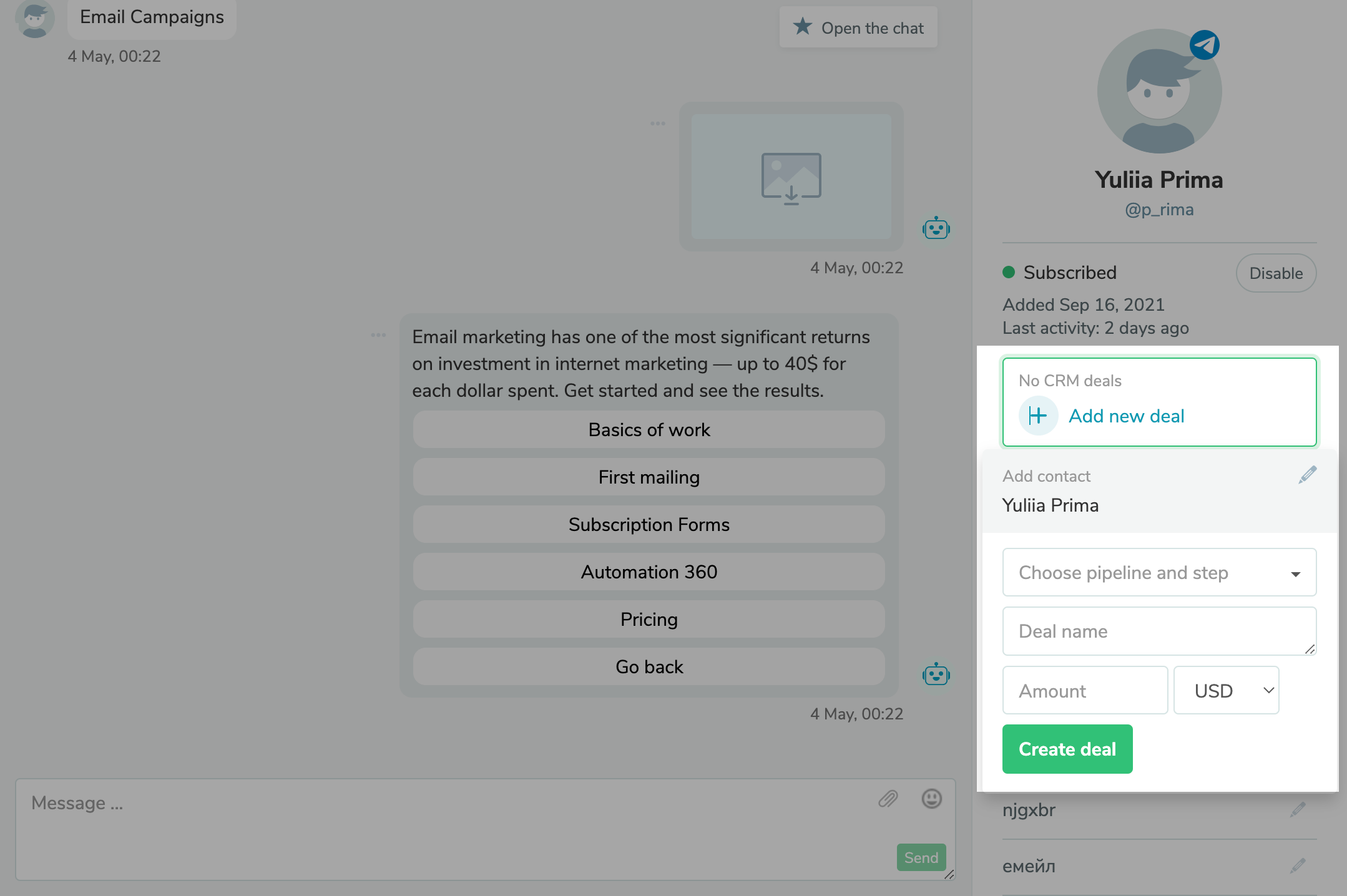
It can be challenging to organize all the incoming information from the bot to the CRM but don’t stress because we offer a magic wand: managing deals and contacts simply from a chat with a subscriber.

Inside the bot contact's profile chat mode, you can:

  • view the list of current sales;
  • edit existing sales and change their statuses;
  • create new deals.

You can also create new or edit linked CRM contacts.

When adding a sale, select the previously created funnel and status, and specify the name, deal total, and currency. In the future, you can edit the deal, change its status, and close or remove it.

Test here
Edit scheduled campaign

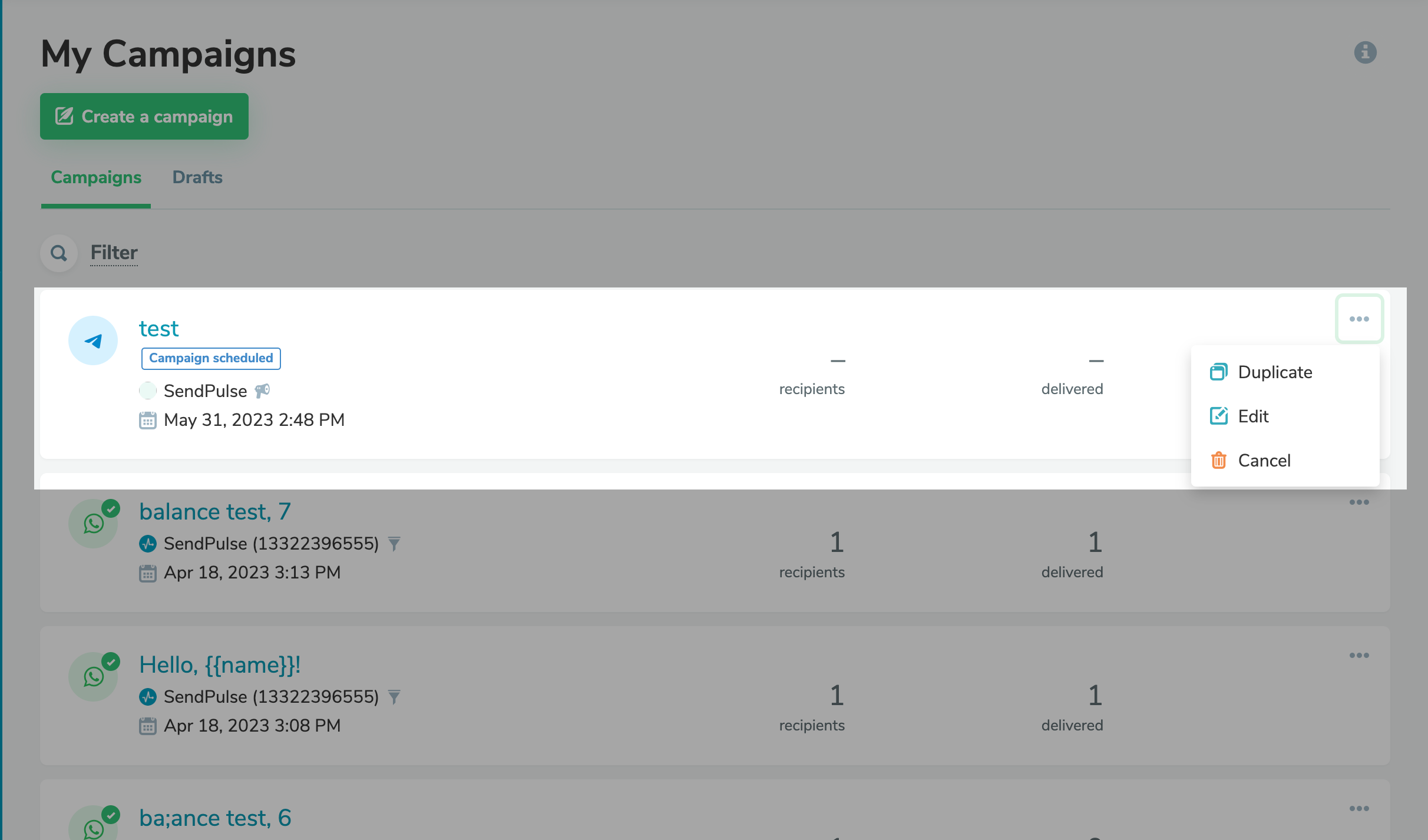
Edit scheduled campaigns

In case you need to make changes to a previously scheduled newsletter, follow two simple steps:

You can change the content or time of the newsletter.

Try it now!

Expanding the character limit in Instagram bot messages

According to the updates, if there is a button in the message, you can add up to 512 characters of text.

We also fixed the incorrect text spacing of over 20 characters on Instagram chatbot buttons.

Using global updates in "Filter" and "Action" elements

You can now use global updates in the"Filter" and "Action" elements of the chatbot thread builder.

With the help of this feature, you could, for example, count a certain number of contacts and provide them with unique information, such as a discount only for the first ten buyers or booking a limited number of training seats.

In the knowledge base, you will find more information about working with the "Filter" and "Action" elements.

icon

If you need help with setup or have any other questions, contact our tech support β€” we’re available 24/7.

Best regards, SendPulse team

sendpulse.com

You received this email because you are a customer of SendPulse.Β 

Unsubscribe

Sent via

SendPulse